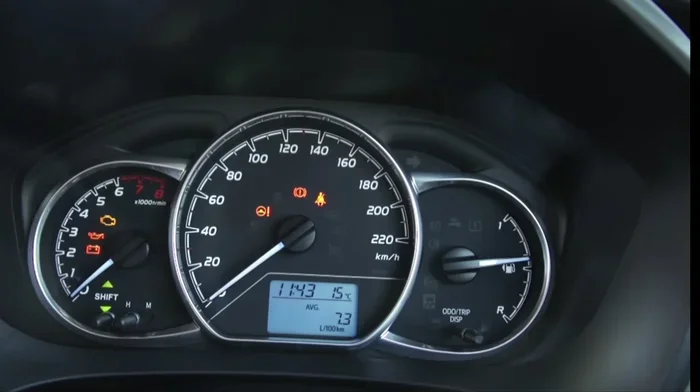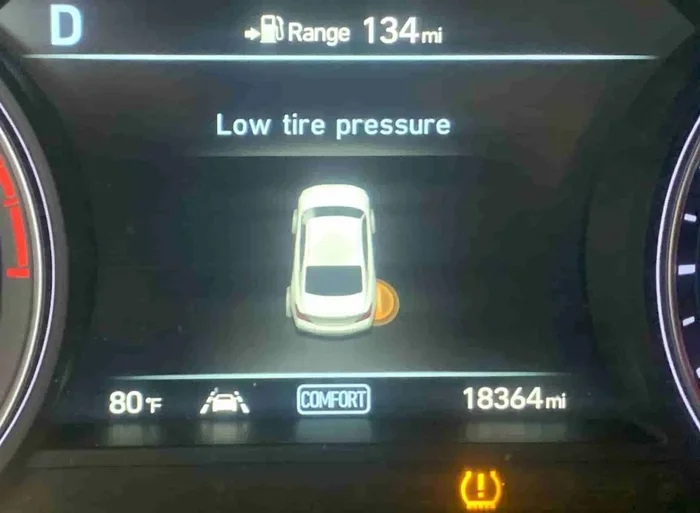
How to Reset Tire Pressure Light on 2009 Toyota Camry
Resetting the tire pressure light on a 2009 Toyota Camry is a simple process you can do at home in just a few minutes. The 2009 Toyota Camry uses a manual TPMS reset button located under the steering column. Whether your tire pressure light is triggered by a temperature change, a slow leak, or a recent tire rotation, this guide walks you through every method to turn off the warning. We also cover common reasons the light stays on and when to see a mechanic.
That little yellow horseshoe-shaped light on your dashboard can be really annoying. You just drove your 2009 Toyota Camry to the grocery store, and now the tire pressure light is staring you right in the face. But here is the good news. In most cases, you can fix this yourself in under ten minutes.
Whether the light came on because of a cold morning, a slow leak, or you just rotated your tires, resetting the TPMS on a 2009 Camry is straightforward. This guide gives you every method, every tip, and every trick you need. No mechanic required. No expensive trips to the dealership either.
Let us walk through it together. By the end of this article, you will know exactly how to reset the tire pressure light, why it keeps coming back, and when it is time to call a professional. We will keep things simple and practical. Just like working on your own car should be.
Key Takeaways
- Easy DIY Reset: The 2009 Toyota Camry has a dedicated TPMS reset button under the steering column that makes the process quick and simple.
- Check Tire Pressure First: Always verify and adjust your tire pressure to the recommended PSI before resetting the light.
- Multiple Reset Methods: You can reset the system using the button, the steering wheel controls, or by disconnecting the battery.
- Common Causes: Temperature changes, slow leaks, and recent tire changes are the most frequent reasons the light comes on.
- When to Seek Help: If the light persists after a reset, it may signal a faulty sensor or a deeper issue that needs professional attention.
- Safety Matters: Driving with incorrect tire pressure can reduce fuel efficiency and increase the risk of a blowout.
- Related Toyota Camry Topics: Understanding warning lights on your Camry, such as the check engine light or maintenance light, helps you stay proactive.
📑 Table of Contents
- What Is the Tire Pressure Monitoring System on a 2009 Toyota Camry?
- How to Reset the Tire Pressure Light on a 2009 Toyota Camry
- Common Reasons the Tire Pressure Light Stays On After Reset
- How to Check Your Tire Pressure Properly
- Preventing the Tire Pressure Light from Coming Back
- When to See a Professional Mechanic
- Quick Tips for a Successful TPMS Reset
- Understanding the TPMS Reset Button Location on the 2009 Camry
- How the 2009 Toyota Camry TPMS System Works
- Resetting the TPMS After a Tire Rotation or Replacement
- TPMS Reset and the 2009 Toyota Camry Owner’s Manual
- Final Thoughts on Resetting the Tire Pressure Light
What Is the Tire Pressure Monitoring System on a 2009 Toyota Camry?
The tire pressure monitoring system, or TPMS, is a safety feature built into your Camry. It uses small sensors inside each wheel to measure the air pressure in your tires. When the pressure drops below a safe level, the system sends a signal to your dashboard. That is when the yellow warning light pops up.
The 2009 Toyota Camry uses a direct TPMS system. This means each wheel has its own individual sensor. These sensors sit inside the tire, attached to the valve stem. They communicate wirelessly with the car’s computer. If one tire is low, the system knows which one it is.
Here is something many Camry owners do not realize. The recommended tire pressure for a 2009 Camry is typically between 32 and 35 PSI. You can find the exact number on the sticker inside the driver’s door frame. Always check your owner’s manual too. Keeping your tires at the right pressure helps with fuel economy, ride comfort, and safety.
Why Does the Tire Pressure Light Come On?
Several things can trigger the tire pressure light on your Camry. Understanding the cause helps you decide the best fix.
- Temperature Changes: Cold weather causes air inside tires to contract. A big drop in temperature can lower tire pressure enough to trigger the light.
- Slow Leaks: A tiny puncture or a worn valve stem can let air out slowly over days or weeks.
- Recent Tire Service: If you just got new tires, rotated your tires, or replaced a sensor, the system may need a manual reset.
- Sensor Battery Failure: TPMS sensors run on small batteries. After several years, the battery can die and cause a false warning.
- Altitude Changes: Driving from low to high altitudes can temporarily affect tire pressure readings.
How to Reset the Tire Pressure Light on a 2009 Toyota Camry
Now let us get to the main event. Resetting the tire pressure light on a 2009 Toyota Camry is a simple process. You have a few different methods to choose from. Let us go through each one step by step.
Method 1: Using the TPMS Reset Button
This is the most common and easiest way to reset the system on your 2009 Camry. Here is what to do.
- Park your Camry on a flat surface and turn the ignition to the “ON” position. Do not start the engine. Just press the start button or turn the key to the accessory position.
- Locate the TPMS reset button. On the 2009 Toyota Camry, it is usually found under the steering column, on the left side of the dashboard. It is a small black or gray button with a symbol that looks like a horseshoe with an exclamation point.
- Press and hold the reset button. You should see the tire pressure light on the dashboard start to flash.
- Keep holding the button for about three to five seconds. Then release it.
- Turn the ignition off and then back on again. The light should stay off if the reset was successful.
- Drive your Camry for about 10 to 20 minutes. The system will relearn the tire pressure readings and confirm they are within the normal range.
If the light does not come back on after driving, congratulations. You are all set. If it does come back, move on to the next method.
Method 2: Using the Steering Wheel Controls
The 2009 Toyota Camry also lets you access the TPMS reset through the steering wheel controls. This method works well if the reset button is hard to reach.
- Turn the ignition to the “ON” position without starting the engine.
- Use the arrow buttons on the steering wheel to navigate to the “Setup” or “Menu” option on the instrument cluster display.
- Scroll through the options until you find “TPMS” or “Tire Pressure Monitor.”
- Select “Initialize” or “Reset.”
- Hold the “OK” button until the light on the dashboard starts flashing.
- Turn the ignition off, wait a few seconds, and turn it back on.
This method does the same thing as the physical reset button. It tells the car’s computer to clear the current warning and start fresh. Some owners find this method easier because the steering wheel controls are right at your fingertips.
Method 3: Disconnecting the Battery
If the first two methods do not work, you can try a hard reset by disconnecting the battery. This clears the car’s computer memory, including the TPMS error code.
- Turn off the engine and remove the key from the ignition.
- Open the hood and locate the negative battery terminal. It is usually marked with a minus sign (-) and has a black cable.
- Use a wrench to loosen the nut on the negative terminal. Carefully lift the cable off the battery post.
- Wait for at least 15 minutes. This gives the car’s computer enough time to fully reset.
- Reconnect the negative cable and tighten the nut.
- Start the engine and check if the tire pressure light is off.
Be careful when working near the battery. Avoid touching both terminals at the same time. If you are not comfortable doing this yourself, ask a friend or visit a local auto parts store. Many stores will help you for free.
Tip: This method may also reset other settings on your Camry, like the radio presets or clock. You may need to reprogram those after reconnecting the battery.
Common Reasons the Tire Pressure Light Stays On After Reset
Sometimes the reset works, but the light comes back a day or two later. This is frustrating, but it usually points to an underlying issue. Here are the most common reasons the tire pressure light stays on.
1. You Have a Slow Leak
A slow leak is the number one reason the light keeps returning. Even a tiny nail or screw in your tire can let out enough air to trigger the TPMS over time. If you reset the light and it comes back within a few days, grab a tire pressure gauge and check each tire. Look for any visible damage, nails, or screws in the tread.
2. A Faulty TPMS Sensor
TPMS sensors have a limited lifespan. On the 2009 Toyota Camry, the sensor batteries typically last around five to seven years. If your Camry is getting older, one or more sensors may be failing. A dead sensor cannot send accurate readings, so the light stays on.
Replacing a TPMS sensor costs between $50 and $100 per sensor if you do it yourself. A mechanic may charge more. But the good news is that the 2009 Camry sensors are widely available and easy to find online.
3. Temperature Fluctuations
Have you ever noticed the light comes on in the morning but goes away after you drive for a while? This happens because cold air contracts inside the tires. As you drive, the tires warm up, and the air expands. The pressure goes back up, and the light turns off. This is normal and usually not a cause for concern.
However, if the light stays on even after the tires warm up, you likely have a real pressure issue that needs attention.
4. Recent Tire or Wheel Changes
If you just got new tires, put on a spare, or changed wheels, the TPMS system may need to be relearned. The sensors need to be reprogrammed to recognize the new tire positions. Some tire shops do this for free when you buy tires from them. If you changed your tires yourself, you will need to reset the system manually.
How to Check Your Tire Pressure Properly
Before you reset the light, always check your actual tire pressure. A reset will not fix a tire that is truly low. Here is how to do it right.
- Check your tire pressure when the tires are cold. This means before you have driven more than a mile or two. Driving heats up the air inside the tires and gives you a false reading.
- Remove the valve cap from the tire. Press the tire pressure gauge firmly onto the valve stem. Read the number on the gauge.
- Compare the reading to the recommended PSI for your 2009 Toyota Camry. The recommended pressure is listed on the sticker inside the driver’s door jamb.
- If the pressure is low, add air using an air compressor. You can find these at most gas stations. Add air in small bursts and check the pressure frequently.
- If the pressure is too high, let a little air out by pressing the small pin inside the valve stem.
- Replace the valve cap on each tire after you finish.
Do not forget to check your spare tire too. Many people overlook it, but a flat spare can leave you stranded. The spare on a 2009 Camry is usually a compact temporary tire with a higher recommended pressure, often around 60 PSI. Check the label on the spare for the correct number.
Preventing the Tire Pressure Light from Coming Back
Once you have reset the light, you probably want to keep it off. Here are some simple habits that help maintain proper tire pressure on your 2009 Toyota Camry.
- Check your tires monthly: A quick check once a month takes only a few minutes and catches problems early.
- Invest in a good tire pressure gauge: The dial-type gauges are more accurate than the pencil-style ones you get at gas stations.
- Check before long trips: Always verify tire pressure before a road trip. Long drives put more stress on your tires.
- Rotate your tires regularly: Follow the recommended rotation schedule in your Camry’s owner manual. This helps tires wear evenly and maintain proper pressure.
- Watch the temperature: In cold weather, tire pressure drops. Add a bit of extra air during winter months to compensate.
- Replace TPMS sensors on schedule: If your Camry is over five years old, consider replacing the TPMS sensor batteries proactively.
Taking care of your tires also improves your fuel economy. Underinflated tires create more rolling resistance, which means your engine works harder and uses more gas. A simple tire pressure check can save you money at the pump over time.
If you have ever wondered about other warning lights on your Camry, such as the check engine light, you might want to read about whether you can drive my Toyota Camry with the check engine light on. Understanding what each dashboard warning means helps you stay safe and avoid costly repairs.
When to See a Professional Mechanic
Most of the time, resetting the tire pressure light is a DIY job. But there are situations where you should leave it to the experts.
- The light keeps coming back: If you reset the light and it returns within a day or two, there is likely a real problem. A mechanic can run a diagnostic scan to find the exact issue.
- You cannot find the leak: Sometimes a slow leak is hard to spot. A professional can use soapy water or electronic leak detection tools to find it quickly.
- Multiple sensors are failing: If more than one TPMS sensor is giving you trouble, the problem might be with the system itself, not just the tires.
- You are not comfortable working on your car: There is no shame in asking for help. A trusted mechanic can handle the reset and inspection for you.
Also, if you are dealing with other maintenance issues on your Camry, such as understanding whether you can drive with the maintenance light on, check out our guide on driving with a maintenance required light on in a Toyota. It covers similar dashboard warnings and helps you decide what needs immediate attention.
Quick Tips for a Successful TPMS Reset
Here are some quick tips to make your reset go smoothly the first time.
- Drive at a steady speed: After resetting, drive at 30 to 50 mph for at least 10 minutes. This helps the system relearn the tire pressure.
- Do all tires at once: Even if only one tire was low, check and set the pressure on all four tires before resetting.
- Be patient: Some TPMS systems take up to 30 minutes of driving to fully reinitialize. Do not panic if the light takes a little time to go out.
- Keep your owner’s manual handy: The 2009 Camry manual has specific reset instructions and diagrams that can be very helpful.
- Reset after every tire change: Make it a habit to reset the TPMS every time you get new tires or rotate your existing ones.
Understanding the TPMS Reset Button Location on the 2009 Camry
Finding the TPMS reset button on a 2009 Toyota Camry is usually easy. It is located beneath the steering column, on the left side of the dashboard. You may need to feel around with your fingers to find it. It is a small, flush-mounted button that blends in with the trim panel.
Some owners have reported that the button can be a bit hard to reach if you are sitting in the driver’s seat. Use your fingertips and feel along the lower edge of the dashboard. The button is near the fuse box area. If you have trouble locating it, your owner’s manual has a diagram that shows the exact spot.
One more thing to keep in mind. The reset procedure is the same whether you have a manual transmission or an automatic. The button location and reset process do not change based on the trim level either. Whether you have a base model or a fully loaded SE, the TPMS reset works the same way.
If you have dealt with other warning lights on your Camry, you know how annoying they can be. For example, if your maintenance light stays on and you are wondering whether it is a problem, you might want to check out our article on whether the maintenance light stays on. It explains common causes and fixes for persistent dashboard warnings on Toyota vehicles.
How the 2009 Toyota Camry TPMS System Works
The TPMS system on the 2009 Camry is designed to keep you safe. Here is a quick look at how it works behind the scenes.
Each wheel has a sensor mounted on the valve stem. The sensor measures the air pressure inside the tire and sends a radio signal to the car’s computer. The computer compares the reading to the expected pressure range. If the pressure drops by about 25% below the recommended level, the system triggers the dashboard warning light.
The sensors are powered by small lithium batteries. These batteries are not user-replaceable in most cases. When the battery dies, the entire sensor usually needs to be replaced. The average lifespan of a TPMS sensor battery is around five to seven years, depending on driving conditions and usage.
On the 2009 Toyota Camry, the system uses a direct TPMS approach. This is different from an indirect TPMS system, which uses the wheel speed sensors from the ABS system to detect pressure differences. Direct TPMS is more accurate and gives you a specific reading for each tire.
Understanding how the system works helps you troubleshoot problems more effectively. For instance, if one sensor battery dies, the system may show a specific error code. A mechanic with a diagnostic scanner can read this code and tell you exactly which sensor needs replacement.
Resetting the TPMS After a Tire Rotation or Replacement
If you have recently rotated your tires or replaced one or more tires on your 2009 Camry, the TPMS system may need a reset. Here is why and how.
When you rotate tires, you change their positions on the car. The TPMS sensors move with the tires, so the car’s computer needs to relearn which sensor is on which wheel. This process is called sensor relearning or initialization.
After a tire rotation, follow these steps.
- Make sure all four tires are at the correct pressure.
- Drive your Camry at a steady speed of 30 to 50 mph for about 10 minutes.
- If the light stays on, use the TPMS reset button or the steering wheel controls to initialize the system.
- Drive for another 10 to 20 minutes to allow the computer to relearn the sensor positions.
If you have replaced a tire with a new one, the new tire may have a different sensor. In this case, you may need to have the new sensor programmed into the car’s computer. Many tire shops offer this service for free or for a small fee.
TPMS Reset and the 2009 Toyota Camry Owner’s Manual
Your 2009 Toyota Camry owner’s manual is one of the best resources you have. It contains detailed instructions for the TPMS reset, recommended tire pressures, and troubleshooting tips. If you have lost your manual, you can download a free PDF from Toyota’s official website.
The manual also includes a section on dashboard warning lights. It explains what each light means and what action to take. This is a great reference to keep in your glove box for quick access whenever a warning light appears.
For owners who are also dealing with other Toyota Camry concerns, such as whether there are any recalls on the 2018 Toyota Camry or earlier models, it is always good to stay informed about your vehicle’s history and any known issues.
Final Thoughts on Resetting the Tire Pressure Light
Resetting the tire pressure light on a 2009 Toyota Camry is one of those simple car maintenance tasks that anyone can do. You do not need special tools or expensive visits to the mechanic. With the right information and a few minutes of your time, you can clear that annoying yellow light and get back to driving with confidence.
Always remember to check your actual tire pressure first. A reset will not fix a tire that is truly low. And if the light keeps coming back, do not ignore it. It is your car telling you something is wrong. Listen to it.
Taking care of your tires is one of the easiest ways to keep your Camry running safely and efficiently. Proper tire pressure improves fuel economy, extends tire life, and gives you better handling on the road. It is a small effort that pays off big time.
We hope this guide has been helpful. If you found it useful, share it with a fellow Camry owner who might be dealing with the same tire pressure light issue. And remember, staying on top of your car’s maintenance keeps you safe and saves you money in the long run.
Frequently Asked Questions
How do I reset the tire pressure light on a 2009 Toyota Camry?
To reset the tire pressure light on a 2009 Toyota Camry, first make sure all tires are at the correct pressure. Then locate the TPMS reset button under the steering column on the left side of the dashboard. Press and hold it for three to five seconds until the warning light flashes. Turn the ignition off and back on, then drive your Camry for 10 to 20 minutes. The light should stay off if the reset was successful.
Why does my tire pressure light keep coming back on my 2009 Camry?
The most common reason the tire pressure light keeps returning is a slow leak in one or more tires. Other causes include a faulty TPMS sensor with a dead battery, significant temperature drops, or a recent tire change that needs sensor relearning. Check each tire with a pressure gauge and inspect for visible damage or punctures.
Can I drive my 2009 Toyota Camry with the tire pressure light on?
You can drive short distances with the tire pressure light on, but it is not recommended for extended driving. Low tire pressure reduces fuel efficiency, causes uneven tire wear, and increases the risk of a blowout. Always check your tire pressure and inflate to the recommended PSI before driving long distances.
Where is the TPMS reset button on a 2009 Toyota Camry?
The TPMS reset button on a 2009 Toyota Camry is located under the steering column, on the left side of the dashboard. It is a small, flush-mounted button with a horseshoe and exclamation point symbol. If you have trouble finding it, consult your owner’s manual for a detailed diagram.
How much does it cost to replace a TPMS sensor on a 2009 Toyota Camry?
Replacing a TPMS sensor on a 2009 Toyota Camry typically costs between $50 and $100 per sensor if you do it yourself. A mechanic may charge between $100 and $200 per sensor, including labor. The cost varies depending on the sensor brand and where you purchase it.
How long does a TPMS sensor battery last on a 2009 Camry?
The TPMS sensor batteries on a 2009 Toyota Camry typically last between five and seven years. When the battery dies, the sensor usually needs to be replaced entirely since the batteries are not user-replaceable. If you are experiencing frequent TPMS warnings on an older Camry, a dead sensor battery is a likely cause.