How Do I Reset My Volkswagen Computer Step by Step
Resetting your Volkswagen computer is a simple process that can fix warning lights, clear error codes, and restore factory settings. Whether you use the battery disconnect method, an OBD-II scanner, or dashboard button combinations, our step-by-step guide covers every approach. You will learn exactly when and how to reset your VW computer safely without damaging your vehicle.
Your Volkswagen computer controls almost everything in your car. From fuel injection to emissions systems, this onboard computer keeps your engine running at its best. But sometimes it needs a fresh start. Maybe you just finished a repair, cleared a fault code, or replaced your battery. Whatever the reason, knowing how to reset your VW computer properly saves time and money.
In this guide, we walk you through every method step by step. You do not need to be a mechanic to do this. With basic tools and a little patience, you can handle the Volkswagen computer reset yourself at home. We will also cover common mistakes and expert tips to make sure you do it right the first time.
Key Takeaways
- Multiple reset methods exist: You can reset your VW computer using battery disconnect, an OBD-II scanner, or dashboard button combinations depending on your model.
- Resetting clears stored fault codes: A computer reset removes error codes and turns off warning lights like the check engine light and maintenance required light.
- Safety first matters: Always follow proper steps to avoid damaging your VW electrical system or losing important settings.
- Some resets need a scanner tool: Advanced resets like adaptive value resets require professional-grade diagnostic equipment.
- Resetting is not a permanent fix: If the underlying problem still exists, warning lights will return after a reset.
- Regular resets help maintenance: Performing a reset after services like oil changes keeps your VW running smoothly and accurately.
📑 Table of Contents
- What Does Resetting Your Volkswagen Computer Actually Do?
- When Should You Reset Your VW Computer?
- How to Reset Your Volkswagen Computer Step by Step
- How to Reset Specific VW Systems After a Computer Reset
- Common Mistakes to Avoid When Resetting Your VW Computer
- Expert Tips for Keeping Your Volkswagen Computer in Top Shape
- Frequently Asked Questions
- Final Thoughts
What Does Resetting Your Volkswagen Computer Actually Do?
Before you start, it helps to understand what happens during a reset. Your Volkswagen has an onboard computer system called the ECU, or Engine Control Unit. This computer collects data from sensors all over your car. It uses that data to adjust fuel delivery, ignition timing, and emissions controls.
Over time, the ECU stores information called adaptive values. These are learned adjustments based on your driving habits. When you reset the computer, you wipe those stored values back to factory defaults. Here is what a reset does:
- Clears stored fault codes: Error codes from sensors get erased from memory.
- Resets warning lights: Lights like the check engine light turn off.
- Restores factory settings: Adaptive driving values return to baseline.
- Refreshes system adaptations: The computer starts relearning your driving patterns from scratch.
Think of it like restarting your phone. Sometimes things work better after a fresh start. But unlike your phone, a car computer reset needs to be done carefully. One wrong move can cause issues with your electrical system.
When Should You Reset Your VW Computer?
Not every situation calls for a computer reset. Knowing when to do it makes a big difference. Here are the most common reasons Volkswagen owners need to reset their car computer:
After Completing a Repair
If you fixed a problem like a faulty sensor or replaced a part, the old error code stays in the system even after the repair. A reset clears those codes so your dashboard stays clean.
After a Battery Replacement or Disconnect
When you disconnect your battery, the ECU loses all stored power. The computer needs a proper reset to relearn settings. This is similar to what happens when you reset your car key after changing the battery — the system needs to recalibrate.
After an Oil Change or Service
Many Volkswagen models require a manual reset after oil changes or other routine services. This clears the maintenance reminder and updates service intervals. Just like you reset after an oil change on many vehicles, VW models need the same attention.
When Warning Lights Stay On After Repairs
Sometimes a light stays on even after you fixed the problem. A reset forces the computer to recheck all systems and confirm everything is working properly.
Before Selling or Trading In Your VW
A reset clears personal settings and error history. This gives the next owner a clean slate and makes your car more appealing.
How to Reset Your Volkswagen Computer Step by Step
Now for the part you have been waiting for. There are three main methods to reset your VW computer. Each one works for different situations. Let us go through them one by one.
Method 1: The Battery Disconnect Method
This is the most popular method because it requires no special tools. You simply disconnect the battery to cut power to the ECU. Here is how to do it safely:
- Turn off your engine and remove the key from the ignition.
- Open the hood and locate the battery. On most Volkswagens, the battery sits in the engine bay on the left side.
- Disconnect the negative terminal first. Use a wrench to loosen the nut on the black cable. Always disconnect negative first to avoid short circuits.
- Wait at least 15 minutes. This gives the ECU enough time to fully discharge and reset. Some models need up to 30 minutes.
- Reconnect the negative terminal and tighten the nut securely.
- Start your car and let it idle for a few minutes. The computer will begin relearning.
Quick Tip: After a battery disconnect, you may need to reset your radio presets and clock. Some VW models also require you to reset the power windows by holding the switch up and down for a few seconds.
Method 2: Using an OBD-II Scanner
An OBD-II scanner gives you more control over the reset process. This method is better if you want to clear specific codes without wiping everything. Here is how it works:
- Plug the scanner into the OBD-II port. On most Volkswagens, this port is under the dashboard on the driver side.
- Turn the ignition to the ON position without starting the engine.
- Follow the scanner prompts to read stored codes. Write them down so you can reference them later.
- Select the option to clear codes. The scanner will send a reset command to the ECU.
- Turn the ignition off and then back on. Check if the warning lights have turned off.
Using a scanner is the cleanest method. It lets you target specific codes instead of doing a full reset. If you want to learn more about clearing codes manually, check out our guide on how to manually clear car codes.
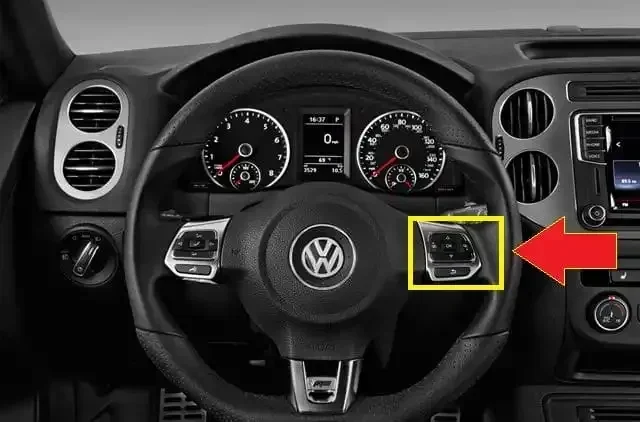
Method 3: Dashboard Button Combination
Some Volkswagen models allow you to reset the computer using button combinations on the dashboard. This method varies by model year and trim. Here is a general approach that works on many VW models:
- Turn the ignition to the ON position. Do not start the engine.
- Press and hold the trip reset button on the instrument cluster.
- Turn the ignition off and then back on while holding the button.
- Hold the button for about 10 seconds until the dashboard lights flash or the display resets.
- Release the button and start the engine.
This method works best for resetting maintenance lights and basic system resets. It may not clear deep fault codes. If you need help with a specific VW model, the owner manual will have the exact button sequence.
How to Reset Specific VW Systems After a Computer Reset
A full computer reset affects more than just the engine light. Several systems in your Volkswagen may need individual attention after the reset. Here is what to check and how to handle each one.
Resetting the Oil Change Reminder
After a reset, your oil change light may still be on. To reset it on most VW models, turn the ignition to ON and press the trip button on the instrument cluster. Scroll to the service menu and hold the button until the light blinks and then turns off.
Resetting the Maintenance Required Light
The maintenance light follows a different reset procedure than the oil change light. On older VW models, you hold the trip reset button while turning the key to position two. On newer models with digital displays, you navigate to the service interval menu and select reset.
If your maintenance light stays on after a reset, you can still drive safely. However, it is best to address it promptly. Learn more about driving with maintenance lights on in our guide about whether you should drive with a maintenance required light on — the same principles apply to Volkswagens.
Resetting the Tire Pressure Monitoring System
After a computer reset, your TPMS may need recalibration. Press and hold the TPMS button (usually located near the steering column) until you hear a beep. The system will relearn the tire pressure values.
Resetting the Radio and Infotainment System
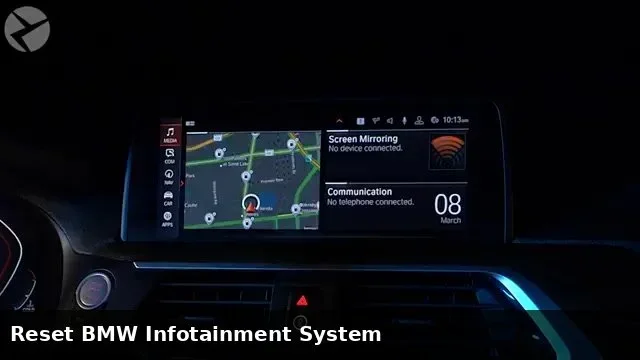
A full power loss from a battery disconnect will reset your radio settings. Simply go into the radio menu and re-enter your presets. For the infotainment system, a soft reset often works — just hold the power button for 10 seconds.
Common Mistakes to Avoid When Resetting Your VW Computer
Resetting a Volkswagen computer seems straightforward, but small mistakes can cause big problems. Here are the most common errors owners make:
- Disconnecting the positive terminal first: Always disconnect negative first. This prevents short circuits and protects your electrical system.
- Not waiting long enough: Rushing the process means the ECU does not fully reset. Wait at least 15 minutes before reconnecting.
- Resetting without fixing the root problem: A reset clears codes but does not fix the underlying issue. If a sensor is bad, it will trigger the light again.
- Using the wrong scanner: Cheap generic scanners sometimes do not communicate properly with VW computers. Use a compatible scanner for best results.
- Forgetting to reset individual systems: After a full reset, you need to reset oil lights, maintenance lights, and other reminders separately.
- Driving aggressively right after a reset: The ECU needs gentle driving to relearn properly. Avoid hard acceleration for the first few drives.
Expert Tips for Keeping Your Volkswagen Computer in Top Shape
Resetting your VW computer is one thing. Keeping it healthy long-term is another. Here are expert tips that help your Volkswagen computer run smoothly for years:
Keep Your Battery Healthy
A weak battery causes voltage drops that confuse the ECU. Check your battery condition regularly and replace it every 4 to 5 years. A healthy battery means stable computer performance.
Use Quality Fuel and Oil
Cheap fuel and old oil create more deposits and sensor errors. Use the recommended octane and change your oil on schedule. Clean fuel and oil mean fewer codes and fewer resets.
Address Warning Lights Promptly
Do not ignore warning lights hoping they will go away. The longer you wait, the more damage can occur. Address issues early to avoid complex resets later.
Perform Regular Scans
Even if no lights are on, getting a periodic diagnostic scan catches small problems before they become big ones. Many auto parts stores offer free OBD-II scans.
Keep Your Software Updated
Volkswagen occasionally releases ECU software updates through dealerships. These updates improve performance and fix known issues. Ask your dealer if your model has any pending updates.
Frequently Asked Questions
How long does it take to reset a Volkswagen computer?
A basic battery disconnect reset takes about 20 to 30 minutes including wait time. Using an OBD-II scanner is faster and can clear codes in just a few minutes. Dashboard button combinations take only a couple of minutes but may not clear all codes.
Will resetting my VW computer erase my saved settings?
Yes, a full power disconnect will reset radio presets, clock, power window calibration, and some personal settings. However, your radio station presets are usually stored in the infotainment system and do not get erased by a simple reset.
Can I drive my Volkswagen immediately after a computer reset?
Yes, you can drive right away. However, it is best to drive gently for the first 20 to 30 miles. This gives the ECU time to relearn your driving habits and recalibrate sensor readings properly.
Do I need any special tools to reset my VW computer?
For the battery disconnect method, you only need a basic wrench. For scanner-based resets, you need an OBD-II scanner compatible with Volkswagen. Dashboard button combinations require no tools at all.
Why did my check engine light come back after a reset?
If the light returns, the underlying problem was not fixed. The reset only cleared the code. You need to diagnose and repair the actual issue. Use a scanner to read the new code and address the root cause.
Is it safe to reset the Volkswagen computer myself?
Yes, it is safe as long as you follow the proper steps. Always disconnect the negative battery terminal first, wait the full recommended time, and reconnect securely. If you feel unsure, a dealership or mechanic can perform the reset for you.
Final Thoughts
Resetting your Volkswagen computer does not have to be scary. With the right method and a little patience, you can handle it yourself in under 30 minutes. Whether you choose the battery disconnect method, an OBD-II scanner, or dashboard buttons, the key is to follow each step carefully.
Remember that a reset is a tool, not a cure. It clears codes and refreshes your system, but it does not replace proper maintenance. Keep up with your regular service schedule, address warning lights promptly, and your VW computer will serve you well for years to come.
Now that you know exactly how to reset your Volkswagen computer step by step, you have the confidence to tackle this task on your own. Grab your tools, follow our guide, and give your VW the fresh start it deserves.