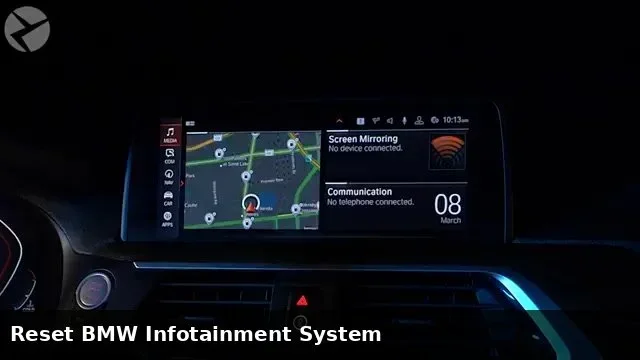
How Do I Reset My BMW Audio System to Fix Sound Issues
Resetting your BMW audio system is often the fastest way to fix sound problems, distortion, or unresponsive controls. Whether you need a simple soft reboot or a full factory reset, this guide walks you through every method step by step. You will learn how to reset my BMW audio system safely without visiting a dealer.
Key Takeaways
- Soft reset: A quick reboot that fixes most minor audio glitches in under two minutes.
- Hard reset: A deeper reset that clears all audio settings and can resolve persistent sound issues.
- Battery disconnect: A reliable method that fully resets the BMW infotainment system and audio module.
- iDrive reset: Navigating the iDrive menu to reboot the audio and infotainment head unit.
- Preventive tips: Simple habits that keep your BMW sound system running smoothly for years.
- Professional help: Know when a reset is not enough and a technician is needed.
📑 Table of Contents
- Why Your BMW Audio System Might Need a Reset
- How to Perform a Soft Reset on Your BMW Audio System
- How to Perform a Hard Reset on Your BMW Audio
- How to Reset Your BMW Audio Using a Battery Disconnect
- Common BMW Audio Problems and How to Fix Them
- Preventing BMW Audio Problems in the Future
- When to Seek Professional Help for BMW Audio Issues
- Final Thoughts
Why Your BMW Audio System Might Need a Reset
Your BMW sound system is a complex network of speakers, amplifiers, and software. Over time, this system can develop glitches. You might notice static, no sound at all, or distorted audio coming from your dashboard.
A BMW audio reset clears temporary errors and refreshes the system. Think of it like restarting your phone when it acts up. Most sound problems are software-related, not hardware failures.
Common reasons your BMW sound system troubleshooting might be needed include software freezes, corrupted audio settings, or after-market accessory conflicts. A simple reset often brings back your BMW sound quality to factory-level clarity.
Before you panic or spend money at a shop, try a reset. This guide covers every method you can use at home. You will also learn when a reset is not enough and a professional is needed.
Let us dive into the most common BMW audio problems and how a quick reset can solve them.
How to Perform a Soft Reset on Your BMW Audio System
A soft reset is the easiest and fastest method. It reboots the audio module without erasing any settings or saved stations. This should always be your first step when you notice sound issues.
What Is a Soft Reset?
A BMW audio system reboot simply restarts the audio processor. It clears temporary memory and stops any frozen processes. Most minor glitches disappear after a soft reset.
You do not need any special tools. No codes. No dealer visits. Just a simple restart that takes about one to two minutes.
Step-by-Step Soft Reset Instructions
Follow these steps to soft reset your BMW audio:
- Press and hold the volume knob on your iDrive controller for about 10 seconds.
- The screen will go dark or show a reset prompt.
- Wait for the system to fully restart. This usually takes 30 to 60 seconds.
- Test your audio by playing a song or radio station.
If the BMW radio not working issue was caused by a temporary software freeze, this will fix it. The system will reload your last saved settings and audio preferences.
When a Soft Reset Works Best
Use a soft reset when you notice minor issues. These include slight audio distortion, intermittent sound cutouts, or unresponsive audio controls. It is also helpful after you update your BMW audio system update software.
Soft resets work on most BMW models including the 3 Series, 5 Series, X3, and X5. The process is nearly identical across iDrive generations.
How to Perform a Hard Reset on Your BMW Audio
A hard reset goes deeper than a soft reset. It clears all custom audio settings and returns the system to its default state. Use this method when a soft reset does not solve the problem.
What Is a Hard Reset?
A BMW factory reset wipes your saved EQ settings, favorite stations, and Bluetooth audio preferences. The system returns to its original out-of-the-box configuration. This can fix deep-rooted audio errors that a soft reset cannot touch.
Be prepared to reconfigure your preferences after a hard reset. Save any important settings before you begin if possible.
Step-by-Step Hard Reset Instructions
Here is how to perform a hard reset on most BMW models:
- Turn the ignition to the ACC or ON position. Do not start the engine.
- Press and hold the radio power button and the volume knob together for 20 seconds.
- Release both buttons when the screen goes blank.
- Wait for the system to reboot completely. This may take up to two minutes.
- Navigate to the audio settings menu and reconfigure your preferences.
This method performs a BMW head unit reset at the system level. It clears error codes stored in the audio module and refreshes all connections to the amplifier and speakers.
Hard Reset vs. Soft Reset
| Feature | Soft Reset | Hard Reset |
|---|---|---|
| Time Required | 1-2 minutes | 2-5 minutes |
| Erases Settings | No | Yes |
| Fixes Minor Glitches | Yes | Yes |
| Fixes Deep Errors | No | Yes |
| Tools Needed | None | None |
Choose a soft reset for quick fixes. Choose a hard reset for persistent or recurring audio problems.
How to Reset Your BMW Audio Using a Battery Disconnect
The battery disconnect method is one of the most effective BMW audio reset techniques. It fully powers down every electronic module in your car. This includes the infotainment system, the amplifier, and all connected audio components.
When to Use the Battery Disconnect Method
Use this method when neither a soft nor hard reset works. It is especially helpful for BMW audio distortion issues that persist after other resets. The battery disconnect clears all residual power from the system.
This method also works well if you have installed aftermarket accessories that may be conflicting with your factory audio system.
Step-by-Step Battery Disconnect Instructions
- Park your BMW on a flat surface and turn off the engine.
- Open the hood and locate the negative battery terminal.
- Use a wrench to loosen the nut on the negative cable clamp.
- Remove the cable and place it away from the battery terminal.
- Wait at least 15 minutes. This allows all capacitors to fully discharge.
- Reconnect the negative cable and tighten the nut securely.
- Start the engine and test your audio system.
This BMW battery disconnect reset effectively gives your entire electrical system a fresh start. Your radio, speakers, and amplifier will all reload their default configurations.
Warning: Disconnecting the battery may also reset your clock, radio presets, and some driver preferences. Have these settings ready to reconfigure.
Common BMW Audio Problems and How to Fix Them
Not all audio issues require a full reset. Some problems have simple fixes you can do in minutes. Here are the most common BMW audio problems and their solutions.
BMW Speakers Not Working
If one or more speakers are silent, check the balance and fade settings first. These controls are in the BMW audio settings menu. A accidentally shifted balance setting can make it seem like a speaker is dead.
If the balance and fade are correct, the issue may be a blown speaker or a wiring problem. A reset will not fix a blown speaker. You will need to inspect or replace the affected speaker.
Distorted or Crackling Sound
BMW sound distortion fix often starts with checking the audio source. Try playing a different CD, USB, or Bluetooth source. If the distortion follows the source, the problem is not your BMW system.
If the distortion is present on all sources, try a soft reset first. If that fails, a hard reset or battery disconnect may resolve it. Persistent distortion can also indicate a failing amplifier or wiring issue.
Bluetooth Audio Cutting In and Out
Bluetooth connectivity issues are common after software updates or when pairing a new device. Try unpairing and re-pairing your phone first. If that does not work, a BMW iDrive reset can clear the Bluetooth module cache.
No Sound at All
A complete loss of sound can be alarming. First, check that the volume is not muted. Check that the correct audio source is selected. If everything looks correct, perform a soft reset.
If no sound returns after a soft reset, try a hard reset. If the problem persists, the issue may be a faulty amplifier, blown fuse, or wiring problem that needs professional diagnosis.
Audio System Freezing or Unresponsive
A frozen iDrive screen or unresponsive audio controls usually means the system needs a reboot. A soft reset is your first move. If the system remains frozen, a battery disconnect will force a full power cycle.
Keeping your BMW infotainment system software up to date can prevent freezing issues. BMW regularly releases updates that fix known software bugs.
Preventing BMW Audio Problems in the Future
Prevention is always better than repair. A few simple habits can keep your BMW audio system running smoothly for years.
- Keep your software updated: Check for iDrive and audio system updates during regular service visits.
- Avoid volume extremes: Playing music at maximum volume for extended periods can strain your speakers and amplifier.
- Use quality audio sources: Low-quality compressed audio files can sound distorted on a high-end BMW sound system.
- Protect your system from moisture: Keep windows closed when using the sound system in the rain.
- Reset after changes: If you install a new battery or disconnect any wiring, consider performing a BMW audio system reboot afterward.
These simple steps reduce the chance of audio problems. They also extend the life of your speakers, amplifier, and head unit.
When to Seek Professional Help for BMW Audio Issues
Sometimes a reset is not enough. If you have tried every method in this guide and your BMW sound system troubleshooting still fails, it is time to see a professional.
Signs you need expert help include:
- Persistent BMW audio error messages that do not go away after a reset.
- Physical damage to speakers, such as torn cones or rattling components.
- A burning smell or unusual noises coming from the amplifier.
- Complete audio failure that returns immediately after every reset.
- Wiring issues that cause intermittent sound loss across multiple speakers.
A certified BMW technician can run diagnostic tests on your BMW amplifier reset system and identify hardware failures. They can also perform BMW coding audio adjustments that are not available through standard reset methods.
Do not ignore persistent audio problems. What starts as minor distortion can become a complete system failure if left unaddressed.
Final Thoughts
Resetting your BMW audio system is one of the simplest and most effective ways to fix sound problems. A soft reset handles minor glitches in seconds. A hard reset clears deeper errors and restores default settings. And a battery disconnect gives the entire system a fresh start.
Most BMW audio issues are software-related and respond well to a reset. You do not need expensive dealer visits for common sound problems. With the steps in this guide, you can troubleshoot and fix most issues yourself.
Remember that resetting your car systems is a normal part of car maintenance. Just like you might reset after an oil change or reset your car key after a battery swap, resetting your audio system keeps everything running smoothly.
Try the methods in this guide the next time your BMW sound system acts up. You will be surprised how often a simple reset solves the problem. Your ears will thank you for the restored BMW sound quality.
Frequently Asked Questions
How long does it take to reset a BMW audio system?
A soft reset takes about one to two minutes. A hard reset may take up to five minutes including reboot time. A battery disconnect reset requires at least 15 minutes of wait time for capacitors to fully discharge. The actual hands-on time is short for all methods.
Will resetting my BMW audio system erase my saved radio stations?
A soft reset keeps all your saved settings including radio stations. A hard reset and battery disconnect will erase saved stations and audio preferences. You will need to reprogram your favorites after these deeper resets.
Can I reset my BMW audio system without starting the engine?
Yes. Both the hard reset and battery disconnect methods work with the ignition in the ACC or ON position. You do not need to start the engine. The audio module receives power in these modes and can be fully reset.
Why does my BMW audio keep distorting even after a reset?
Persistent distortion after a reset may indicate a hardware problem. This could be a failing amplifier, a blown speaker, or a wiring issue. In this case, you should visit a BMW technician for a thorough BMW stereo troubleshooting inspection.
Is it safe to disconnect my BMW battery to reset the audio system?
Yes, it is safe and a common method for a full system reset. However, you should know that disconnecting the battery may also reset your clock, security settings, and some driver preferences. Have your radio codes handy if required.
How often should I reset my BMW audio system?
You should not need to reset your audio system regularly. Only perform a reset when you notice sound problems. Routine resets are not necessary and can erase your saved preferences. Focus on keeping your software updated instead.