What Does the Push Reset Button Mean on Your Devices
The push reset button is a small but powerful tool that helps your devices restart, recover, or clear errors. Whether it is on your phone, car, or home appliance, understanding its purpose saves you time and stress. This guide breaks down exactly what the reset button does and how to use it safely.
You have probably seen a tiny button labeled “Reset” on your phone, car dashboard, or home appliance. But what does the push reset button mean, really? It is more than just a small hole or a flush-mounted switch. A push reset button is a control designed to restart, reboot, or restore a device to its default settings.
People often press reset buttons without fully understanding what happens next. Some resets clear temporary errors. Others wipe your data entirely. The key is knowing which type of reset you need and when to use it. This guide explains everything in simple terms so you never have to guess again.
Whether you are dealing with a frozen phone, a car warning light, or a stubborn appliance, the reset button plays a big role. Let us walk through what it means, how it works, and how to use it the right way.
Key Takeaways
- A reset button restores your device to a default or fresh state.
- Soft resets and hard resets serve different purposes and work differently.
- You should only reset when needed to avoid losing important data.
- Cars, electronics, and appliances all use reset buttons for maintenance.
- Knowing where your reset button is can save you from costly repairs.
- Always back up your data before performing a factory reset.
📑 Table of Contents
What Is a Push Reset Button?
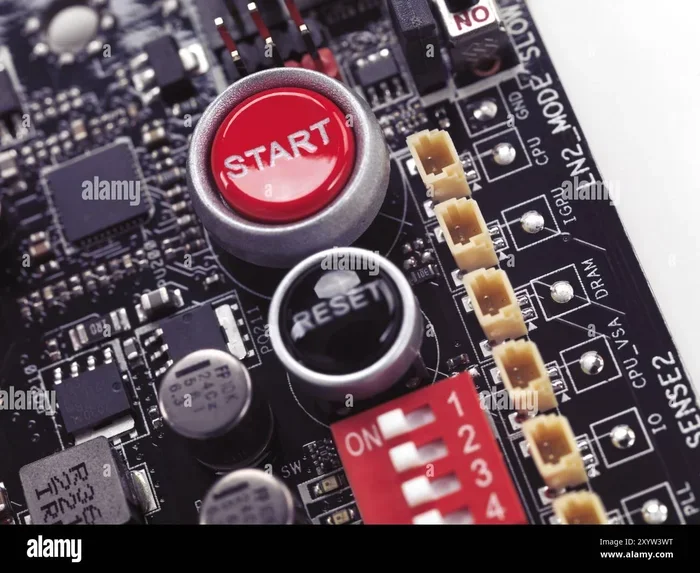
A push reset button is a physical or digital control that triggers a reset action on a device. When you press it, the device either restarts, clears error codes, or returns to factory settings. The exact outcome depends on the type of device and the kind of reset involved.
Reset buttons come in different shapes and sizes. Some are tiny pinhole buttons you need a paperclip to press. Others are large switches clearly labeled “Reset.” No matter the design, the core purpose stays the same. The button tells the device to stop its current process and start fresh.
How Does a Reset Button Work?
When you press a reset button, it sends a signal to the device’s processor or system. This signal tells the device to stop what it is doing and begin again. Think of it like restarting your computer when it freezes. The reset button does the same thing but often faster and more directly.
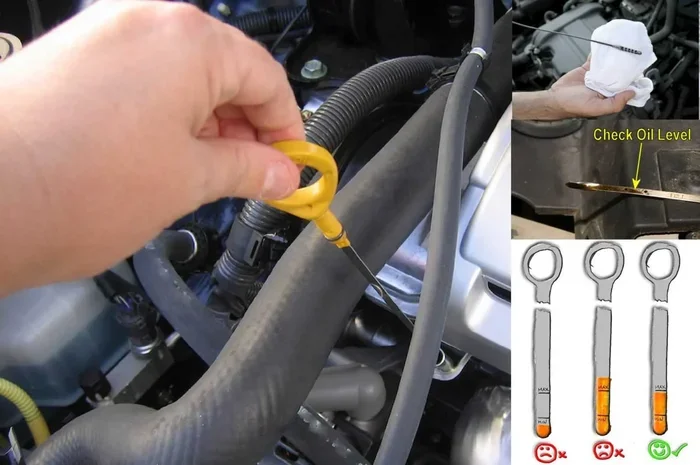
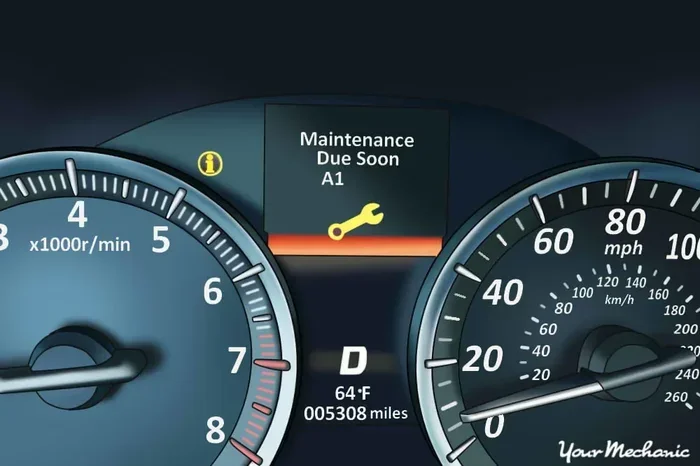
In electronics, a reset button clears the temporary memory, called RAM. This wipes out small errors or glitches that may be causing problems. The device then reloads its main software from storage, which often fixes the issue. In cars, a reset button may clear fault codes or reset maintenance reminders like an oil change counter.
The reset button function varies from device to device. A soft reset simply restarts the system without deleting anything. A hard reset or factory reset wipes all data and returns the device to its original out-of-box state. Understanding this difference is very important before you press any reset button.
Types of Reset Buttons You Will Find
Not all reset buttons are the same. Different devices use different types of resets for different purposes. Here are the most common types you will encounter.
Soft Reset
A soft reset simply restarts the device. It does not delete any data or settings. This is the safest type of reset and is usually the first thing you should try when something goes wrong. On a phone, a soft reset is the same as turning it off and back on again.
Soft resets clear temporary glitches and minor software errors. They do not touch your photos, apps, or saved information. If your device is running slow or freezing, a soft reset is always the best first step.
Hard Reset
A hard reset goes deeper than a soft reset. It forces the device to restart by cutting power or using a hardware button combination. Hard resets are useful when the device is completely frozen and unresponsive to normal inputs.
Most hard resets do not delete your data. However, some devices may lose unsaved information during a hard reset. Always save your work before attempting a hard reset if possible. On phones and tablets, a hard reset often involves holding down the power button and volume button together.
Factory Reset
A factory reset is the most powerful type of reset. It wipes all data, settings, and apps from the device. The device returns to the exact state it was in when you first bought it. Factory resets are also called master resets or data wipes.
You should only perform a factory reset when absolutely necessary. This includes selling or giving away a device, fixing serious software problems, or removing personal data before disposal. Always back up your files before doing a factory reset because the process is permanent and cannot be undone.
Maintenance Reset
A maintenance reset is common in cars and appliances. It clears service reminders, oil change counters, or error codes. This type of reset does not affect your personal data. It simply updates the device’s internal maintenance log.
For example, after you do you reset after an oil change, you are performing a maintenance reset. These resets keep your vehicle or appliance running smoothly and help you track service schedules. They are simple and safe to perform regularly.
When Should You Use the Reset Button?
Knowing when to press the reset button is just as important as knowing what it does. Using the reset button at the wrong time can cause data loss or other problems. Here are the best times to use a reset button.
Device Is Frozen or Unresponsive
If your phone, tablet, or computer stops responding, a reset can bring it back to life. A soft reset or hard reset forces the system to restart and clears temporary errors causing the freeze. This is one of the most common reasons people use a push reset button.
Software Errors or Glitches
Small software bugs can cause apps to crash, screens to flicker, or devices to behave strangely. A reset clears these temporary issues and reloads the software fresh. If you notice random errors, a reset is often the quickest fix.
Before Selling or Giving Away a Device
When you pass on a device, you want to remove all your personal information. A factory reset ensures no one can access your photos, messages, or accounts. This is an important step for privacy and security.
After Troubleshooting Steps Fail
If you have tried restarting, updating, and clearing caches but the problem persists, a reset may help. A soft reset is worth trying first. If that does not work, a factory reset can often solve deep-rooted software issues.
How to Use the Reset Button Safely
Using a reset button safely means knowing what to do before, during, and after the reset. Follow these tips to avoid problems and protect your data.
Step-by-Step Reset Process
Here is a simple process you can follow for most devices:
- Save all your work. Close open apps and save any files you are working on.
- Back up your data. Copy important photos, contacts, and documents to the cloud or an external drive.
- Identify the correct reset type. Decide if you need a soft reset, hard reset, or factory reset.
- Press the reset button or follow the menu steps. Hold the button for the right amount of time or select the reset option from settings.
- Wait for the device to restart. Do not unplug or turn off the device during the reset process.
- Restore your data if needed. After a factory reset, copy your backed-up files back to the device.
Common Mistakes to Avoid
Many people make avoidable mistakes when using a reset button. Here are the most common ones:
- Pressing reset without backing up data. This can lead to permanent data loss.
- Confusing a soft reset with a factory reset. Always know what type of reset you are performing.
- Pressing the reset button too many times. Repeated resets can sometimes cause more problems.
- Ignoring the device manual. Different devices have different reset procedures. Always check the manual first.
- Resetting during a software update. Never reset while the device is updating. This can cause serious damage.
Quick Tips for Safe Resets
- Always charge your device to at least 50 percent before resetting.
- Write down your passwords before a factory reset.
- Take a photo of your home screen layout so you can recreate it easily.
- If you are unsure, search for your specific device model and reset instructions online.
Reset Buttons in Cars and Vehicles
Cars have reset buttons too, and they serve a very specific purpose. These buttons help drivers manage maintenance reminders, clear warning lights, and reset trip meters. Understanding your car’s reset buttons can save you a trip to the mechanic for simple issues.
What Car Reset Buttons Do
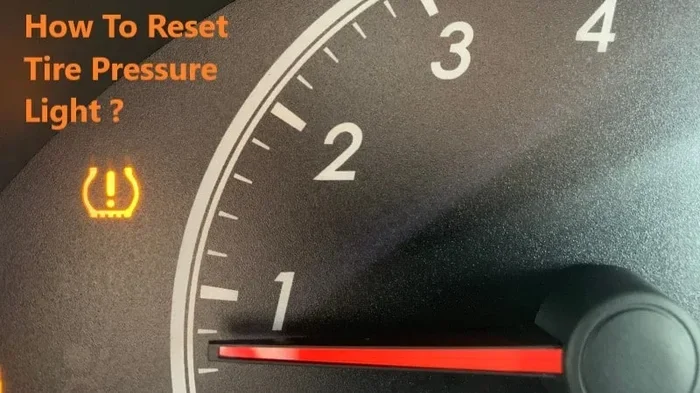
Most modern vehicles have reset buttons on the dashboard or steering wheel. These buttons can reset the oil change light, tire pressure warning, or service interval counter. They also help you clear trip meters and average fuel economy readings.
Some cars have a small pinhole reset button behind the dashboard or near the steering column. Others use a combination of buttons on the instrument panel. The exact location depends on your car model and year.
Resetting Warning Lights
If your car shows a warning light like the check engine light, you might want to clear it. However, clearing a warning light does not fix the underlying problem. It simply turns off the light on your dashboard. If the problem persists, the light will come back.
For minor issues, you can try can I clear the check engine light myself by using the reset procedure for your specific car. If the light returns after resetting, you should have a mechanic diagnose the real issue.
Resetting the Key After Battery Replacement
If you replace the battery in your car key fob, you may need to reset the key. This ensures the key can still communicate with your car’s security system. If your car will not start after a battery swap, try do you have to reset the car key after changing the battery for step-by-step guidance.
Key Fob Battery and Reset Issues
A dead key fob battery can prevent you from starting your car or locking your doors. Before replacing the battery, check if the fob still works at close range. After replacing the battery, you may need to reset the fob by following the car manufacturer’s instructions.
If your car will not detect the key fob after a battery change, a reset usually fixes the problem. This is a common and simple fix that many drivers overlook. Keep spare batteries in your glove box so you are always prepared.
Reset Buttons in Everyday Electronics
Reset buttons are not just for cars. They are found in many everyday devices that you use every day. Understanding how these reset buttons work helps you troubleshoot problems quickly and effectively.
TVs and Streaming Devices
Many TVs and streaming devices like Roku or Fire Stick have a small reset button on the back or bottom. A factory reset on these devices clears all your login information and settings. You will need to set up the device again from scratch after a factory reset.
Home Appliances
Washing machines, microwaves, and dishwashers often have reset buttons or reset procedures. If your appliance shows an error code, a reset can often clear it. Check your appliance manual for the specific reset steps for your model.
Computers and Laptops
Computers do not always have a physical reset button. Instead, they use software-based reset options. You can restart your computer from the menu or perform a hard reset by holding the power button for 10 seconds. For a full factory reset, use the settings menu in Windows or macOS.
Reset Button Troubleshooting Guide
Sometimes the reset button itself can cause problems. Here is how to troubleshoot common reset button issues.
Reset Button Does Not Work
If pressing the reset button does nothing, try these steps:
- Check if the device is powered on. Some reset buttons only work when the device is running.
- Make sure you are pressing the button long enough. Some resets require a 10-second hold.
- Look for a small pinhole reset button that needs a paperclip or SIM ejector tool.
- Try a software reset through the device menu if a hardware reset does not work.
Device Does Not Respond After Reset
If your device stays off or frozen after a reset, the battery or power source may be the issue. Try charging the device for at least 30 minutes and then attempt the reset again. If the problem continues, you may need professional repair.
When to Seek Professional Help
If you have tried all reset options and the device still does not work, it is time to see a professional. A persistent problem that does not respond to resets may indicate a deeper hardware issue. A qualified technician can diagnose and fix the real problem safely.
Final Thoughts
The push reset button is one of the most useful tools you have for troubleshooting and maintaining your devices. Whether it is on your phone, car, or home appliance, knowing what it does and how to use it properly makes a big difference. A soft reset can fix minor glitches. A factory reset can solve deep software problems. And a maintenance reset keeps your car running smoothly.
Always remember to back up your data before any major reset. Know the difference between a soft reset, hard reset, and factory reset. And when in doubt, consult your device manual or seek professional help. With the right knowledge, you can handle most reset situations confidently and safely.
Understanding your reset button gives you more control over your devices. It saves you time, money, and frustration. So the next time you see that small reset button, you will know exactly what it means and how to use it the right way.
Frequently Asked Questions
What happens when you press a reset button?
Pressing a reset button tells your device to restart or clear its current state. A soft reset simply reboots the system without deleting anything. A factory reset wipes all data and returns the device to its original settings. The exact result depends on the type of reset and the device you are using.
Is it safe to press the reset button on my car?
Yes, it is generally safe to press the reset button on your car for maintenance purposes. These resets clear oil change reminders, trip meters, and service warnings. However, resetting a warning light does not fix the underlying issue. If a light comes back after resetting, have a mechanic check your vehicle.
Will a factory reset delete everything on my device?
Yes, a factory reset deletes all personal data, apps, photos, and settings from your device. This is why you should always back up your files before performing a factory reset. Once the reset is complete, the device will be in the same state as when you first bought it.
How long does a reset take?
A soft reset usually takes one to two minutes. A factory reset can take anywhere from 15 minutes to over an hour depending on the device. The time depends on how much data needs to be erased and how fast the processor is. Avoid using the device during the reset process.
Can I reset my device without losing data?
Yes, a soft reset or hard reset will not delete your data. These types of resets simply restart the system and clear temporary errors. Only a factory reset removes all data. Always choose the gentlest reset option first to protect your files.
Where is the reset button on a key fob?
Most key fobs do not have a visible reset button. Instead, you reset a key fob by following a specific button sequence in your car manual. If you recently replaced the battery and the fob is not working, try the pairing or reset procedure for your car model. The process is different for each manufacturer.
=== CONCLUSION ===
The push reset button is a simple yet powerful tool that every device user should understand. From soft resets that fix minor glitches to factory resets that wipe everything clean, each type of reset serves an important purpose. Knowing when and how to use the reset button helps you solve problems quickly and keep your devices running smoothly.
Remember to back up your data, follow the right steps, and choose the appropriate reset type for your situation. With this knowledge, you are ready to handle any reset challenge that comes your way. Stay informed, stay prepared, and let the reset button work for you.