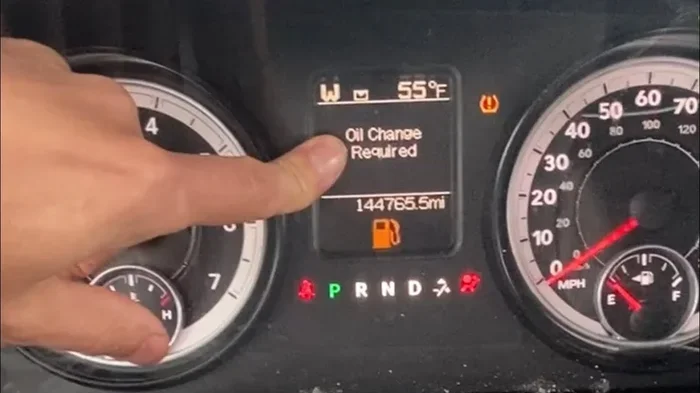
How Do You Reset the Light After an Oil Change Today
Resetting the oil change light after an oil change is simple and takes just a few minutes. Whether you drive a Toyota, Honda, Ford, or another brand, the process involves a few button presses on your dashboard or steering wheel. Knowing how to reset the light after an oil change saves you time and keeps your dashboard clear. This guide covers every major vehicle method so you can handle it yourself with confidence.
So you just got your oil changed. Great job! But now there is that annoying little light on your dashboard staring you down. It is like your car is saying, “Hey, I still need an oil change!” Even though you just had it done, the light stays on. This is frustrating, right? The good news is that resetting the oil change light is usually a quick and easy fix. You do not need a mechanic or expensive tools. In most cases, a few button presses will do the trick. This guide walks you through every step so you can turn off that light and get back on the road with peace of mind.
Many car owners ignore the maintenance light for weeks or even months. That is a bad habit. The oil change reminder exists for a reason. It tracks your oil life percentage and tells you when it is time for fresh lubricant. Ignoring it can lead to engine wear and costly repairs down the road. Whether you drive a Toyota, Honda, Ford, Chevrolet, or any other brand, the reset process is straightforward once you know where to look. Let us dive in and get that light off your dashboard for good.
Key Takeaways
- Quick Reset Process: Most vehicles let you reset the oil light in under five minutes using the steering wheel or dashboard buttons.
- Brand-Specific Steps: Different car brands use different button combinations, so knowing your vehicle type matters.
- Oil Life Percentage: Many modern cars track oil life as a percentage rather than mileage, and resetting it helps maintain accurate service intervals.
- Common Mistakes: Leaving the ignition in the wrong position or holding buttons too briefly are the most frequent errors people make.
- When to Seek Help: If the light persists after resetting, it may signal a deeper issue that needs professional diagnosis.
- Preventive Maintenance: Regular oil changes and proper resets keep your engine healthy and your car running smoothly for years.
📑 Table of Contents
- Why Does the Oil Change Light Come On?
- How to Reset the Light After an Oil Change
- What If the Light Won’t Turn Off?
- Common Mistakes People Make When Resetting the Oil Light
- How Often Should You Change Your Oil?
- Quick Tips for Keeping Your Engine Healthy
- Can You Reset the Oil Light Yourself or Should You Visit a Mechanic?
- Final Thoughts
Why Does the Oil Change Light Come On?
Before we get into the reset process, it helps to understand why the light appears in the first place. Your vehicle has a built-in oil change reminder system. This system tracks either mileage or engine hours. When you reach the recommended interval, the light activates. It is essentially your car telling you, “Hey, time for an oil change!”
Most modern cars use an oil life monitoring system. This is different from older vehicles that simply tracked mileage. The oil life system considers several factors. These include driving habits, temperature, and engine load. Based on these conditions, the system calculates when your oil is no longer performing at its best. Once the oil life drops below a certain threshold, the light comes on.
Some vehicles display a percentage, like “15% oil life remaining.” Others show a simple message like “OIL” or “CHANGE OIL.” Either way, the message means the same thing. Your oil has reached the end of its useful life and needs replacing. After you get fresh oil and a new filter, you need to reset the light after an oil change so the system starts tracking again from zero.
How to Reset the Light After an Oil Change
Here is where the fun begins. The reset process varies by vehicle brand and model. Below, we cover the most common methods. Find your car brand and follow the steps. If you are unsure about your vehicle type, check your owner’s manual. It will have the exact procedure for your specific model.
Reset Method for Toyota and Lexus Vehicles
Toyota and Lexus vehicles are among the most popular on the road. The reset process is simple and consistent across most models. Follow these steps carefully:
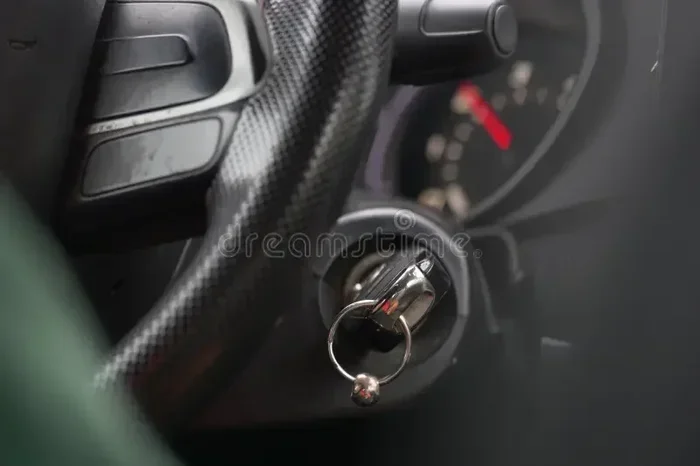
- Turn the ignition to the “ON” position. Do not start the engine. Just press the start button once or turn the key to the “ON” position.
- Locate the trip meter reset button on the dashboard or steering wheel controls.
- Press and hold the trip reset button.
- While holding the button, turn the ignition off and then back to “ON.”
- Continue holding the button for about five to ten seconds.
- The maintenance light should start flashing and then turn off.
- Release the button. Start the engine to confirm the light is off.
If the light does not turn off, try repeating the process. Sometimes it takes two attempts. Also, make sure you are holding the button long enough. Rushing this step is a common mistake. Patience is key here.
Reset Method for Honda and Acura Vehicles
Honda and Acura vehicles use a slightly different approach. Here is how to handle them:
- Press the “MAIN” button on the steering wheel controls until the maintenance light appears on the display.
- Hold the “MAIN” button down for about ten seconds.
- The light should blink and then go off.
- Turn the ignition off and then back on to verify the reset worked.
Some older Honda models use a different method involving the trip meter. In those cases, you hold the trip reset stem on the dashboard while cycling the ignition. If you are unsure, check your Honda owner’s manual for the exact sequence.
Reset Method for Ford and Lincoln Vehicles
Ford vehicles offer a few different ways to reset the oil change light depending on the model year. Here is the most common method:
- Use the steering wheel arrows to navigate to the “Vehicle Information” menu on the dashboard display.
- Scroll down to find the “Maintenance” or “Oil Life” option.
- Press the “OK” or “Reset” button.
- Select “Reset Oil Life” from the menu.
- Hold the button until the display shows “Oil Life Reset.”
- Turn the ignition off and restart the engine to confirm.
For older Ford models without a digital display, the process involves pressing the gas pedal three times within five seconds while the ignition is in the “ON” position. This method works on many Ford trucks and SUVs from the 2000s and early 2010s.
Reset Method for Chevrolet and GMC Vehicles
Chevrolet and GMC trucks and SUVs use the Infotainment system for most reset functions. Here is the general process:
- Press the “Vehicle” button on the Infotainment screen.
- Navigate to “Vehicle Maintenance” or “Oil Life System.”
- Select “Reset Oil Life.”
- Confirm the reset when prompted.
- Turn the vehicle off and back on to verify.
For older Chevrolet models, you may need to press and hold the trip reset button on the instrument cluster while turning the key to the “ON” position. Hold it for about ten seconds until the light resets.
Reset Method for Nissan and Infiniti Vehicles
Nissan and Infiniti vehicles follow a similar pattern to Toyota. Here is what to do:
- Turn the ignition to the “ON” position without starting the engine.
- Press the trip meter button repeatedly until the maintenance screen appears.
- Press and hold the trip button for about five seconds.
- The maintenance light should turn off.
- Cycle the ignition off and back on to test.
Nissan Pathfinder, Altima, and Sentra owners have reported success with this method across multiple model years. Infiniti vehicles follow the same process since they share the Nissan platform.
What If the Light Won’t Turn Off?
Sometimes the light persists even after you follow the reset steps correctly. This can be frustrating, but there are a few things to check before panicking.
First, double-check that you completed the oil change properly. A loose oil drain plug or a missing oil filter can trigger the sensor. The oil life monitoring system detects low oil pressure or insufficient oil levels. If the oil level is too low, the light will stay on no matter how many times you reset it.
Second, make sure you are using the correct reset procedure for your vehicle. Every brand has its own method. Using the wrong steps will not work. If you are unsure, search for your specific vehicle model online or consult the owner’s manual.
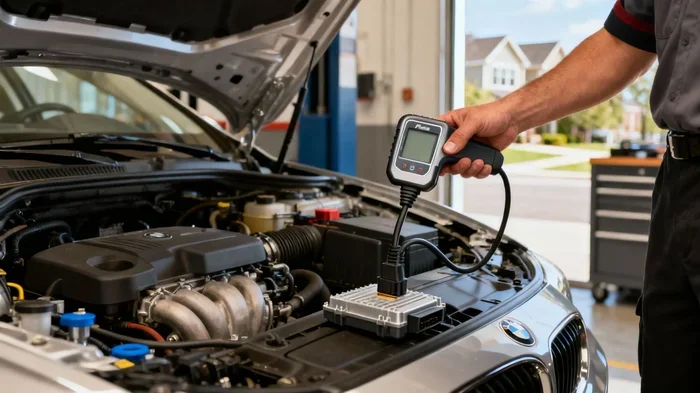
Third, some vehicles require a professional scan tool to reset the maintenance light. This is especially true for European brands like BMW, Mercedes-Benz, and Audi. In these cases, a dealership or qualified mechanic can connect a diagnostic scanner and clear the code. This is not expensive and usually takes just a few minutes.
If none of these solutions work, there may be an underlying issue with the oil pressure sensor or the engine itself. In that case, it is worth visiting a mechanic to run a proper diagnosis. Ignoring a persistent warning light can lead to bigger problems over time.
Common Mistakes People Make When Resetting the Oil Light
Resetting the oil change light seems simple, but people make mistakes all the time. Here are the most common errors and how to avoid them:
- Not holding the button long enough: Most reset procedures require holding a button for five to ten seconds. Releasing it too early means the reset does not register. Count slowly and be patient.
- Starting the engine during the reset: Many procedures require the ignition to be in the “ON” position, not “START.” If you accidentally start the engine, the reset sequence may cancel. Start over and be more careful.
- Using the wrong button: Dashboards have many buttons. Make sure you are pressing the trip reset or menu button, not the fog light or windshield wiper control.
- Resetting before the oil change is complete: This sounds obvious, but some people reset the light before the mechanic even finishes. Always wait until the new oil is in and the vehicle has been checked.
- Ignoring the oil level check: After an oil change, always check the oil level with the dipstick. Low oil can keep the warning light active even after a successful reset.
How Often Should You Change Your Oil?
The frequency of oil changes depends on several factors. Your driving habits, the type of oil you use, and your vehicle model all play a role. Here is a general breakdown to help you stay on track.
| Oil Type | Typical Interval | Best For |
|---|---|---|
| Conventional Oil | Every 3,000 to 5,000 miles | Older vehicles and high-mileage engines |
| Synthetic Blend | Every 5,000 to 7,500 miles | Moderate driving conditions |
| Full Synthetic Oil | Every 7,500 to 10,000 miles | Modern engines and extreme conditions |
Many people wonder whether they really need to change synthetic oil every six months. The answer depends on your driving conditions and manufacturer recommendations. If you mostly drive short trips in stop-and-go traffic, you may need more frequent changes. If you drive long distances on highways, your oil may last longer.
The best approach is to follow your vehicle’s oil life monitoring system. Most modern cars will tell you exactly when an oil change is due. Pay attention to the percentage or mileage reading and schedule your service accordingly. After the change, always reset the light after an oil change so the system can track the next interval accurately.
Quick Tips for Keeping Your Engine Healthy
Resetting the oil light is just one part of vehicle maintenance. Here are some quick tips to keep your engine running strong between oil changes:
- Check your oil level monthly: Pop the hood and use the dipstick to verify the oil level. Low oil can damage your engine over time.
- Watch for dark or gritty oil: Fresh oil is amber in color. If it looks dark or gritty on the dipstick, it is time for a change even if the light has not come on yet.
- Use the right oil grade: Check your owner’s manual for the recommended oil weight. Using the wrong grade can affect engine performance and fuel economy.
- Replace the oil filter every change: A clogged oil filter reduces oil flow and can cause engine wear. Always install a new filter with every oil change.
- Keep a maintenance log: Write down every oil change date and mileage. This helps you track your service history and stay on schedule.
- Address warning lights promptly: Do not ignore dashboard warnings. The faster you respond, the less likely you are to face expensive repairs later.
Can You Reset the Oil Light Yourself or Should You Visit a Mechanic?
For most vehicles, you can absolutely reset the oil light yourself. The process takes just a few minutes and requires no special tools. As we covered above, each brand has its own button sequence. Once you learn it for your vehicle, you can do it every time.
However, there are situations where professional help makes sense. If your vehicle requires a diagnostic scanner to reset the maintenance light, a quick visit to a dealership or auto shop is worth it. Many places will reset the light for free or for a minimal charge. Additionally, if the light keeps coming back after resetting, a mechanic can diagnose the underlying issue and fix it properly.
Some people also wonder whether low oil levels can trigger the maintenance light. The answer is yes. If your oil level drops below the minimum threshold, the sensor will activate the warning. Always check your oil level before resetting the light to make sure everything is in order. This simple step can save you from resetting the light only to have it come right back on.
Another common question involves whether mechanics check transmission fluid during an oil change service. While this depends on the shop and service package, it is worth asking. Proper fluid maintenance contributes to overall vehicle health and can prevent unexpected breakdowns. If you want to learn more about what mechanics check during an oil change, check out this detailed guide on what mechanics check during an oil change.
Final Thoughts
Resetting the oil change light is one of the simplest maintenance tasks you can do for your vehicle. It takes just a few minutes and keeps your dashboard clean and your service schedule on track. Whether you drive a Toyota, Honda, Ford, or any other brand, the process follows a similar pattern. Find the right button combination, hold it for the correct duration, and confirm the reset worked.
The key is to be patient and follow the steps carefully. Rushing through the process is the number one reason people fail to reset the light. Take your time, count to ten, and verify the result before you drive away.
Remember that the oil change light exists to protect your engine. Fresh oil keeps all the moving parts lubricated and running smoothly. By staying on top of your oil changes and resetting the reminder each time, you are investing in the long-term health of your vehicle. So the next time that light comes on, do not stress. Just follow the steps in this guide and you will be back on the road in no time.
If you ever find yourself unsure about any vehicle maintenance task, do not hesitate to consult a professional. A trusted mechanic can handle the details and give you peace of mind. And always keep your owner’s manual handy. It is the best resource for your specific vehicle and will answer many questions you may have along the way.
Frequently Asked Questions
Can I drive my car with the oil change light on?
You can drive a short distance with the light on, but it is not recommended for an extended period. The light indicates that your oil has reached the end of its useful life. Driving without fresh oil can cause increased engine wear and potentially serious damage. Get your oil changed and reset the light after an oil change as soon as possible to keep your engine protected.
How long does it take to reset the oil change light?
For most vehicles, the reset process takes less than five minutes. You need to locate the correct button combination for your car brand, follow the steps, and verify the reset. The entire process is quick and does not require any tools or professional assistance. Just a few button presses and you are done.
Will the oil change light reset itself after I get new oil?
No, the oil change light will not reset itself automatically in most vehicles. You need to manually trigger the reset using your dashboard controls or steering wheel buttons. The system is designed to keep the light on until you explicitly reset it. This ensures you do not forget to service your vehicle. Always remember to reset the light after an oil change so the tracking system starts fresh.
What should I do if the oil change light comes back after resetting?
If the light returns shortly after resetting, check your oil level first. Low oil can trigger the sensor again. If the oil level is fine, the reset may not have completed properly. Try the reset process again following the correct steps for your vehicle brand. If the light persists, visit a mechanic to check for sensor issues or other engine problems.
Do all cars have the same oil change reset process?
No, every car brand and model has its own reset procedure. Toyota, Honda, Ford, Chevrolet, and other brands each use different button combinations and menu paths. Some older vehicles require a specific sequence of turning the ignition and pressing buttons, while newer models use digital displays and infotainment systems. Always refer to your owner’s manual for the exact process for your vehicle.
Is it safe to reset the oil light without changing the oil?
No, resetting the oil light without actually changing the oil is not safe. The light exists to remind you that your oil needs replacing. Clearing the warning without servicing the engine means you will continue driving with old, degraded oil. This can lead to reduced engine performance, increased wear, and potentially expensive repairs. Always change the oil first, then reset the light after an oil change to keep your engine in good shape.