How to Fix an Unresponsive Touch Screen Car Right Now
A car touch screen that stops responding can be incredibly frustrating, especially when you rely on it for navigation, music, and climate control. The good news is that most unresponsive car touchscreen problems have simple fixes you can try at home. This guide walks you through proven solutions ranging from quick reboots to deeper troubleshooting steps that will bring your car touch screen back to life in no time.
You are driving down the road, and you tap the screen to change the music. Nothing happens. You press again. Still nothing. Your unresponsive car touch screen has officially taken control of your day, and it is not letting go. This is one of those car problems that sneaks up on you at the worst possible moment. Whether your car touchscreen not working issue started suddenly or has been building over time, you are in the right place. This guide covers every practical fix you can try today.
Modern vehicles rely heavily on their car infotainment system. The touch screen controls your radio, GPS, phone pairing, climate settings, and sometimes even your rearview camera. When that screen goes dark or stops responding, it feels like your entire car has stalled. But here is the truth: most touch screen car problems are easy to solve. You do not need a mechanic, and you do not need to spend hundreds of dollars. You just need the right steps.
In this article, we will walk you through every solution from the simplest to the most advanced. We will cover why your car display issues happen in the first place, what you can do right now, and how to stop the problem from coming back. Let us get your screen working again.
Key Takeaways
- Soft Reset First: A simple restart often fixes frozen or unresponsive car screens instantly.
- Check for Software Updates: Outdated infotainment software is a leading cause of touchscreen issues.
- Clean the Screen Properly: Dirt, moisture, and grime can interfere with touch responsiveness.
- Inspect Hardware Connections: Loose cables or damaged wiring behind the screen can cause persistent problems.
- Know When to Seek Help: Some issues require professional diagnosis, especially if the screen is physically damaged.
- Prevent Future Problems: Regular maintenance and smart usage habits keep your car display working smoothly.
📑 Table of Contents
Why Your Car Touch Screen Becomes Unresponsive
Before you start fixing anything, it helps to understand what went wrong. A car touchscreen not working problem rarely happens for just one reason. Several factors can cause your screen to freeze, lag, or stop responding entirely. Knowing the root cause helps you pick the right fix faster.
Software Glitches and Freezes
Your car’s infotainment system runs on software, just like your phone. And just like your phone, it can freeze or crash. A car software update gone wrong, a memory overload, or a background process eating up resources can all make your screen unresponsive. This is the most common reason behind a frozen car touchscreen, and it is usually the easiest to fix.
Moisture and Dirt Buildup
Your car screen gets touched constantly. Over time, oils from your fingers, dust, and moisture build up on the surface. This layer can interfere with the screen’s ability to detect your touches. If you have ever noticed your screen works better after a quick wipe, this is likely your problem. Touchscreen car maintenance is simpler than most people think, and regular cleaning goes a long way.
Loose or Damaged Connections
Behind your car’s touch screen, there are cables and connectors linking the display to the main computer unit. Vibrations from driving, temperature changes, and general wear and tear can loosen these connections. When that happens, your screen might flicker, show artifacts, or stop responding altogether. This is a more serious car touchscreen troubleshooting issue that may need professional attention.
Outdated or Corrupted Software
Car manufacturers release software updates to fix bugs and improve performance. If your system is running an old version, you might run into compatibility issues that cause the screen to freeze or respond slowly. Checking for updates is one of the first steps in fixing car touchscreen problems.
Hardware Failure
Sometimes the problem is physical. The touch layer of the screen can wear out, or the display panel itself can fail. This is more common in older vehicles or cars that have been exposed to extreme heat over long periods. If none of the software fixes work, a hardware issue might be the culprit.
Quick Fixes to Try Right Now
Before you dig into complex solutions, try these quick fixes. Most people solve their unresponsive touch screen car problem with one of these steps alone.
1. Restart Your Car Infotainment System
A restart works miracles. It clears temporary files, resets background processes, and gives your system a fresh start. Here is how to do it:
- Press and hold the power button on your screen for 10 to 15 seconds.
- Wait for the screen to go completely dark.
- Wait another 30 seconds.
- Press the power button again to turn it back on.
This simple reset car infotainment step solves the problem more often than people realize. Give it a try before moving on to anything else.
2. Check for a System Update
Many car touchscreen troubleshooting cases come down to outdated software. Your car’s system may have a pending update that fixes known bugs. Go to your settings menu and look for a “System Update” or “Software Update” option. If an update is available, install it and restart the system. Updating car software is one of the best preventive steps you can take.
3. Clean the Screen Thoroughly
Grab a microfiber cloth and gently wipe your screen. Avoid using harsh chemicals or paper towels, as these can scratch the surface. If there is stubborn grime, slightly dampen the cloth with distilled water. A clean screen often restores full touch responsiveness. This is a simple step in touchscreen car maintenance that many people skip entirely.
4. Remove Any Phone or Device Connections
Sometimes a connected device causes conflicts with your car’s system. Disconnect your phone, unplug any USB devices, and remove any Bluetooth pairings temporarily. Restart the screen and see if it responds normally. If it does, reconnect your devices one at a time to find the culprit. This is especially helpful if your car screen flickering or freezing started after connecting a new device.
5. Try a Factory Reset
If the quick fixes above do not work, a factory reset can help. This wipes your system back to its original settings. You will lose saved Wi-Fi networks, paired devices, and custom preferences, so make sure you note down anything important first. Look for a “Factory Reset” or “Master Reset” option in your settings menu. After the reset, restart the system and set it up again.
Also, check out how to sync your iPhone to your new car if connectivity issues are part of your touch screen problem. Sometimes the sync process itself can interfere with screen responsiveness.
Deeper Troubleshooting: Software and System Solutions
If the quick fixes did not solve your unresponsive touch screen car problem, it is time to dig deeper. These steps address underlying software and system issues that are harder to spot.
Clear the System Cache
Your car’s infotainment system stores temporary data, just like a computer. Over time, this cache can grow large and cause performance issues. Clearing the cache can speed up your system and fix touch response problems. The method varies by car brand, but you can usually find a “Clear Cache” option in the settings under “System” or “Storage.”
Check Your Car’s Fuse Box
Your touch screen is powered by a specific fuse. If that fuse has blown, the screen will not work at all or will behave erratically. Open your car’s fuse box and locate the fuse for the infotainment system. Look for a broken filament inside the fuse. If you find a blown fuse, replace it with one of the same amperage. This is a simple fix that many people overlook when dealing with car display issues.
Inspect the Wiring Behind the Screen
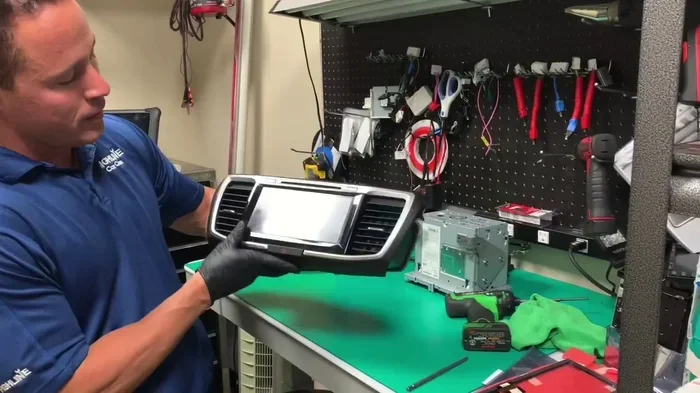
If you are comfortable working with car electronics, you can check the wiring behind the touch screen panel. Look for loose connectors, frayed wires, or signs of corrosion. A loose connection is one of the most common causes of a car screen flickering or intermittently unresponsive display. If you find any damaged wires, it is best to take your car to a professional for repair.
Perform a Full System Reboot
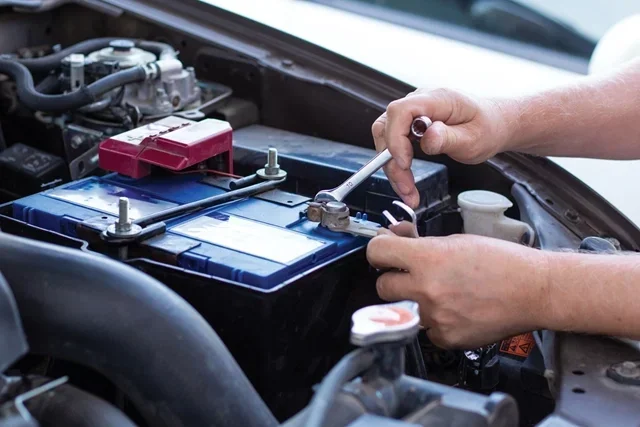
Some car systems need more than a simple restart. A full system reboot involves disconnecting the car battery for a few minutes. This drains all residual power and forces the system to start fresh when you reconnect. Here is how:
- Turn off the engine and remove the key.
- Open the hood and locate the car battery.
- Disconnect the negative terminal first.
- Wait 3 to 5 minutes.
- Reconnect the negative terminal.
- Start the car and check the touch screen.
This method is especially effective for car infotainment troubleshooting when the system is deeply frozen or stuck in a boot loop.
Update or Reinstall the Infotainment Software
If your system is running outdated software, a full software reinstall might be necessary. Visit your car manufacturer’s website or contact your dealer to get the latest software version. Some brands offer over-the-air updates, while others require a visit to the dealership. Keeping your car software update current is one of the best ways to prevent future touch screen problems.
You may also want to upgrade your vehicle’s system if your car model supports newer software versions that address known touchscreen bugs.
When to Seek Professional Help
Not every touch screen car problem can be solved with a DIY fix. Some issues require the expertise of a trained technician. Here are signs that it is time to see a professional:
- The screen is physically cracked or damaged.
- The display shows persistent lines, flickering, or color distortion.
- None of the software fixes have worked after multiple attempts.
- The screen works intermittently and you cannot identify a pattern.
- Other electronic systems in your car are also malfunctioning.
A professional mechanic or dealership technician can run diagnostic tests that pinpoint the exact cause of your car display issues. They have access to specialized tools and manufacturer-specific software that most car owners do not. While a service visit costs money, it is far cheaper than replacing an entire infotainment unit.
Also, if your car touchscreen not working issue started after a recent repair or modification, go back to the shop that performed the work. The technician may have accidentally damaged a connection during the service. Most shops will recheck their work at no extra charge.
Preventing Touch Screen Problems in the Future
Once you have fixed your unresponsive touch screen car, you want to keep it working. Prevention is always better than cure, and these habits will help you avoid future problems.
Keep Your Screen Clean
Wipe your screen regularly with a microfiber cloth. Do this at least once a week, especially if you live in a dusty area or use your phone on the car screen frequently. Clean screens respond better and last longer. This is one of the simplest forms of touchscreen car maintenance.
Install Software Updates Promptly
When your car notifies you of a software update, do not ignore it. These updates often include bug fixes for known issues, including touch screen responsiveness. Set a reminder to check for updates once a month if your car does not notify you automatically.
Avoid Overloading the System
Your car’s infotainment system has limited memory and processing power. Installing too many apps, storing large files, or keeping dozens of Bluetooth connections active can slow the system down and cause touch lag. Keep your system lean by deleting unused apps and disconnecting devices you are not actively using.
Protect the Screen from Extreme Temperatures
Extreme heat and cold can damage the internal components of your touch screen. In summer, try to park in shaded areas or use a windshield sun shade. In winter, let your car warm up gradually before cranking up the infotainment system. Protecting your car touch screen from temperature extremes extends its lifespan significantly.
Handle the Screen Gently
Press lightly when using the screen. Avoid hitting or tapping the screen aggressively. Use the tip of your finger rather than a fingernail or sharp object. Gentle usage reduces wear on the touch layer and keeps the screen responsive for years.
How to Know if Your Touch Screen Needs Replacement
Sometimes, despite your best efforts, the touch screen needs to be replaced. Here are clear signs that replacement is the right move:
- The screen is physically cracked or shattered.
- Touch responses are completely absent even after a factory reset.
- The display shows dead spots that do not respond to any input.
- The screen flickers constantly and cannot be stabilized.
- Your mechanic confirms that the internal touch layer has failed.
Replacement costs vary widely depending on your car’s make and model. A basic unit might cost a few hundred dollars, while a premium system for a luxury vehicle could run into the thousands. Always get a quote from your dealer before committing to a replacement. You can also check with independent auto electronics shops, which often offer competitive pricing. If you are considering a replacement, it is also worth checking your car’s weight capacity if you are adding any aftermarket equipment to the dashboard area.
Dealing with an unresponsive touch screen car is never fun, but most problems are fixable with patience and the right approach. Start with the simple steps, work your way up to deeper solutions, and do not hesitate to call a professional when needed. Your car’s infotainment system is a vital part of your daily driving experience, and getting it back to full function makes every trip better.
Remember that regular touchscreen car maintenance and timely software updates are your best defense against future problems. Keep your screen clean, keep your software current, and treat the hardware gently. These small habits add up and save you from the frustration of a frozen or unresponsive display down the road.
If you have been struggling with a car touchscreen not working issue, you now have everything you need to tackle it head-on. Try the quick fixes first, move to the deeper solutions if needed, and reach out to a professional when the problem is beyond DIY. You have got this, and your car screen will be back to normal before you know it.
Also, if you are troubleshooting connectivity issues alongside your touch screen problem, consider putting your phone on pairing mode to refresh the connection. Sometimes a fresh pairing resolves display freezes caused by device conflicts.
Frequently Asked Questions
Why is my car touch screen suddenly unresponsive?
A sudden loss of responsiveness is usually caused by a software glitch, a frozen system, or a loose connection. Try restarting the screen first, as this resolves the issue in most cases. If the problem persists, check for software updates or inspect the wiring behind the display.
Can a dirty screen cause touch screen problems in a car?
Yes, absolutely. Dirt, oil, and moisture on the screen surface can interfere with touch detection. Clean your screen regularly with a microfiber cloth to maintain full responsiveness. This is one of the simplest forms of touchscreen car maintenance you can do.
How do I reset my car touch screen?
You can reset your car touch screen by holding down the power button for 10 to 15 seconds until the screen goes dark. Wait 30 seconds, then press the power button again. For a deeper reset, look for a factory reset option in your system settings. This will restore the screen to its original state.
Is it safe to update my car’s infotainment software myself?
Yes, most car manufacturers provide clear instructions for updating the infotainment system. You can usually find the update option in the settings menu or on the manufacturer’s website. Always make sure your car is parked and the engine is off before starting any update process.
How much does it cost to replace a car touch screen?
Replacement costs vary widely based on your car’s make, model, and the type of system installed. Basic units may cost a few hundred dollars, while premium systems can run into the thousands. Always get multiple quotes before committing to a replacement.
Can extreme temperatures damage my car touch screen?
Yes, prolonged exposure to extreme heat or cold can damage the internal components of your touch screen. Parking in shaded areas during summer and letting your car warm up gradually in winter can help protect the display. These simple habits extend the life of your car infotainment system significantly.
=== CONCLUSION ===
Fixing an unresponsive touch screen car does not have to be a stressful experience. With the right steps, you can diagnose and solve most problems on your own. Start with a simple restart, clean the screen, and check for software updates. If those do not work, move on to deeper solutions like clearing the cache, checking fuses, or performing a factory reset. And remember, when the problem is beyond your control, a professional technician is always a good call.
Your car’s touch screen is a central hub for navigation, entertainment, and safety features. Keeping it in good shape makes every drive smoother and more enjoyable. Use the tips in this guide, practice regular touchscreen car maintenance, and you will keep your display working flawlessly for years to come. Now go out there and get that screen back up and running.