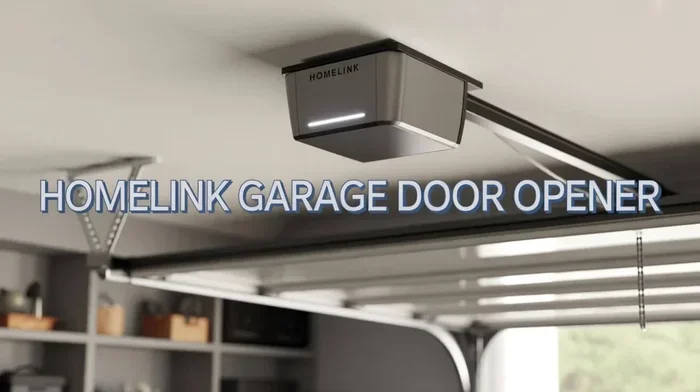
How to Set Up HomeLink for Easy Hands Free Garage Access
Setting up HomeLink is one of the simplest upgrades you can make for hands free garage access. This guide walks you through every step, from checking vehicle compatibility to programming your universal transceiver with ease. You will learn how to connect your garage door opener to your car console in just a few minutes.
There is something incredibly satisfying about pulling into your driveway and gliding into your garage without ever touching a remote. HomeLink makes this possible. This clever little system built into your vehicle turns your car into a universal garage door opener. No more fumbling for remotes. No more stepping out in the rain just to open the door.
If you have ever wondered what HomeLink is or how to set it up, you are in the right place. This guide covers everything from the basics to advanced programming. Whether you drive a new SUV or a classic truck, you can get hands free garage access working in no time. Let us walk through it together.
The HomeLink system is a universal transceiver installed in your vehicle. It communicates directly with your garage door opener using radio frequency signals. Most vehicles come with a HomeLink control panel on the overhead console. You will see three buttons there. These buttons program to work with almost any garage door, gate, or automated entry system. HomeLink has been around for decades and remains one of the most popular vehicle integration features on the market today.
Key Takeaways
- HomeLink works with most vehicles: Nearly every car, truck, and SUV made after 2000 supports this system.
- Programming takes minutes: You can set up your HomeLink unit in under 15 minutes with basic tools.
- Rolling code systems need extra steps: These require you to press a learn button on your garage door opener.
- MyQ integration adds smart features: You can monitor and control your garage from your phone.
- Common issues are easy to fix: Most problems involve signal interference or dead batteries in the remote.
- Maintenance keeps it running smooth: A simple monthly check ensures your HomeLink stays reliable for years.
📑 Table of Contents
- What Is HomeLink and How Does It Work
- Checking Your Vehicle Compatibility
- How to Set Up HomeLink: Step by Step
- Programming HomeLink with Rolling Code Systems
- Troubleshooting Common HomeLink Issues
- Tips for Maintaining Your HomeLink System
- Common Mistakes to Avoid When Setting Up HomeLink
- Expert Insights on Getting the Most from HomeLink
- Key Takeaways
- Conclusion
What Is HomeLink and How Does It Work
HomeLink is a wireless control system embedded in your vehicle. It replaces the need for multiple handheld remotes. Instead of carrying three or four different devices, you simply press a button in your car. The system sends a signal to your garage door receiver, which then activates the door.
The technology behind HomeLink is surprisingly simple. The system uses radio waves to communicate. When you press a programmed button, the HomeLink unit sends a specific frequency to your opener. The opener recognizes the signal and responds accordingly. This is the same basic idea behind a garage door remote, but it is built right into your vehicle.
There are two main types of signals used by HomeLink systems. The first is a fixed code system. This sends the same signal every time. It is older technology but still works with many basic openers. The second is a rolling code system. This changes the signal each time you use it. Rolling code is much more secure and is found in most modern openers today.
Benefits of Using HomeLink
The benefits of HomeLink go way beyond convenience. Here is why so many drivers love this feature:
- Hands free operation: Open your garage without ever leaving the driver seat.
- No extra remotes needed: Consolidate all your garage controls into one system.
- Works with gates and gates operators: Not just for garages. HomeLink can control many automated entries.
- Increased safety: You do not have to leave your vehicle in bad weather or dark conditions.
- Built in reliability: Since it is part of your vehicle, there is nothing extra to charge or maintain.
- Smart home integration: Newer HomeLink models connect with apps like myQ for added control.
Checking Your Vehicle Compatibility
Before you start programming, you need to confirm that your vehicle supports HomeLink. Most cars, trucks, and SUVs come with this feature. However, some vehicles may not have it built in. Here is how to check.
Look at your overhead console between the front seats. You should see three buttons with a HomeLink logo. The logo looks like a house with a circle around it. If you see these buttons, you are good to go. If you do not see them, your vehicle might not have HomeLink factory installed.
Do not worry if your car does not have HomeLink. You can still add it. Many aftermarket HomeLink universal kits are available. These kits plug into your vehicle’s existing wiring or attach to the console. They work just as well as factory installed units. You can find them at most auto parts stores or online.
Which Vehicles Support HomeLink
Almost every major vehicle manufacturer offers HomeLink as either standard or optional equipment. Here are some common brands:
- Ford and Lincoln vehicles
- Chevrolet and GMC trucks and SUVs
- Toyota and Lexus models
- Honda and Acura vehicles
- BMW and Mercedes Benz cars
- Jeep and Ram trucks
- Nissan and Infiniti models
If you are unsure, check your owner’s manual. Look for a section on HomeLink or universal garage door control. You can also contact your car manufacturer dealer for confirmation. The vehicle compatibility check only takes a couple of minutes and saves you a lot of frustration later.
How to Set Up HomeLink: Step by Step
Now for the fun part. Setting up your HomeLink system is straightforward. You will need your garage door opener remote and your vehicle within a few feet of the opener. Follow these steps carefully and you will be done in no time.
Step 1: Clear the HomeLink Buttons
Before you program new buttons, you should clear any existing settings. Press and hold the two outer HomeLink buttons for about 20 seconds. The indicator light will flash and then stay solid. Release the buttons. This erases any previous programming and gives you a clean start.
Step 2: Put Your Garage Door Opener in Programming Mode
Go to your garage door opener unit. This is usually mounted on the ceiling. Look for a “learn” or “smart” button. The location varies by model. On most openers, you will find it near the antenna wire or on the back of the unit. Press the learn button. The indicator light on the opener will turn on or start flashing.
You usually have about 30 seconds to complete the next step. Work quickly but calmly. If you miss the window, just press the learn button again and start over.
Step 3: Program the HomeLink Button
Return to your vehicle. Press and hold the HomeLink button you want to use. At the same time, press the button on your handheld garage door remote. Hold both buttons down together for about 10 seconds. You may see the HomeLink indicator light blink or change behavior. This means the system is learning the signal.
Release both buttons. Press the newly programmed HomeLink button once. Your garage door should respond. If it does, congratulations. You are done with the basic setup. If it does not respond, do not worry. We will cover troubleshooting below.
Step 4: Test the System
Always test your new HomeLink setting before you rely on it. Stand in your vehicle and press the programmed button. The garage door should open or close smoothly. Try it a second time to make sure the signal is consistent. If the door does not respond, check the next section for common fixes.
Programming HomeLink with Rolling Code Systems
Many modern garage door openers use rolling code technology. This is a security feature that changes the access code every time you use the remote. HomeLink supports rolling code systems, but the programming process is slightly different.
With a rolling code opener, you need to use the “smart” or “learn” button on the opener unit. This is the same button used in the basic setup. The key difference is that you must complete the pairing process within the time window the opener gives you. Usually this is about 30 seconds.
Here is the process for rolling code systems:
- Prepare your opener by pressing the learn button. Wait for the indicator light to turn on.
- Go to your vehicle and press and hold the HomeLink button you want to program.
- Simultaneously, press and hold the button on your handheld remote.
- Continue holding both buttons until the HomeLink indicator light changes from slow to fast blinking.
- Release both buttons.
- Press the HomeLink button once to test the connection.
If this process does not work on the first try, do not get frustrated. Simply repeat the steps. Sometimes the signal needs a couple of attempts to sync properly. The important thing is to stay patient and follow each step carefully.
Using the MyQ App with HomeLink
Newer HomeLink models offer smart features through the myQ app. This app lets you control your garage door from your smartphone. You can check if the door is open, close it remotely, and get notifications when someone enters or leaves. The myQ app works with most major garage door opener brands, including Chamberlain, LiftMaster, and Craftsman.
To connect HomeLink with the myQ app, you need a compatible smart garage door opener. Follow the app instructions to link your opener to your home Wi-Fi network. Once connected, the myQ app and your HomeLink system work together seamlessly. You get the best of both worlds: in car convenience and phone based control.
Troubleshooting Common HomeLink Issues
HomeLink is a reliable system, but sometimes things do not go as planned. If your garage door opener is not responding, try these troubleshooting steps before calling a professional.
HomeLink Button Does Not Respond
If pressing the HomeLink button does nothing, start with the basics. Check the battery in your handheld remote. A weak battery often causes signal problems. Replace the battery and try again. Also make sure your vehicle is parked within a few feet of the garage door opener unit. The frequency signal needs a clear path to work properly.
Signal Interference Problems
Sometimes other electronic devices can interfere with the HomeLink signal. Cell phones, Wi-Fi routers, and even neighboring garage door openers can cause issues. If you suspect interference, try parking in a different spot in your driveway and test again. Moving your vehicle even a few feet can make a big difference.
Indicator Light Stays On or Does Not Blink
The HomeLink indicator light tells you what is happening during programming. If the light stays solid and does not blink, the system may not be in programming mode. Try clearing the buttons again by holding the two outer buttons for 20 seconds. Then restart the programming process from step one.
Door Opens but Does Not Close
This is a less common issue but it does happen. If your HomeLink opens the door but will not close it, check the safety sensors. These are the small photo eye sensors mounted near the floor on both sides of your garage door. Make sure they are aligned and clean. A misaligned sensor can prevent the door from closing, even when triggered by HomeLink.
When to Reset Your HomeLink System
If none of the above fixes work, a full reset might be the answer. To reset, press and hold all three HomeLink buttons simultaneously for about 10 seconds. The indicator light should turn off. Wait a few seconds, then release the buttons. This clears all programming and gives you a fresh start. You can then reprogram your buttons using the steps outlined earlier.
Tips for Maintaining Your HomeLink System
Once your HomeLink is set up and working, a little maintenance goes a long way. These simple tips will keep your system running smoothly for years.
Check Your Garage Door Opener Regularly
Your garage door opener is the other half of the HomeLink equation. Make sure the opener unit is functioning properly. Test the handheld remote periodically. If the remote starts acting up, replace the battery. A well maintained opener means a reliable HomeLink connection.
Keep the HomeLink Buttons Clean
Dust and grime can build up on the HomeLink buttons over time. This can cause intermittent signal problems. Wipe the buttons down with a dry cloth every few weeks. This simple habit prevents many common issues before they start.
Update Your Opener Firmware
If you have a smart opener with myQ connectivity, keep the firmware updated. Manufacturers release updates that improve performance and fix bugs. Check the app regularly for available updates. An up to date opener ensures the best possible HomeLink experience.
Replace Batteries in Handheld Remotes
Even though HomeLink is built into your vehicle, the handheld remote still uses it as a backup or for programming. Keep spare batteries on hand. A dead battery in your remote can be a real headache when you need to program a new HomeLink button or troubleshoot a connection issue.
Common Mistakes to Avoid When Setting Up HomeLink
Even with clear instructions, people sometimes make mistakes during HomeLink setup. Here are the most common ones and how to avoid them.
- Skipping the clear step: Always clear old programming before setting up new buttons. Leftover settings can cause conflicts.
- Not acting fast enough: The learn button on your opener gives you a limited time window. Have everything ready before you start.
- Parking too far away: Your vehicle needs to be close enough to the opener unit for a strong signal. Park within 10 feet for best results.
- Using the wrong remote frequency: Most HomeLink systems work with standard 315 MHz or 390 MHz frequencies. Check your opener manual to confirm.
- Forgetting to test: Always test your HomeLink setup immediately after programming. Catching problems early saves time and frustration.
- Ignoring the learn button on the opener: Some people try to program HomeLink without putting the opener in learn mode. This will not work. The learn button is essential.
Expert Insights on Getting the Most from HomeLink
HomeLink technology has evolved a lot over the years. The latest models offer features that go far beyond simple garage door control. Here are some expert tips to help you get the most out of your system.
One of the best features of modern HomeLink is its ability to control multiple devices. You can program one button for your garage door, another for your driveway gate, and a third for your backyard gate. This makes home automation much simpler. Instead of juggling several remotes, you have everything right in your vehicle.
If you are replacing an older HomeLink unit, make sure the new one is compatible with your vehicle model. HomeLink replacement units are available online and at auto parts stores. Installation is usually straightforward, but if you are not comfortable working with your vehicle’s wiring, a professional installer can help.
Another expert tip is to name your HomeLink buttons. Use small labels or stickers to identify which button controls which device. This sounds basic, but it saves a lot of confusion, especially if you have multiple automated entries at your home.
Finally, consider upgrading to a smart garage door opener if you have an older model. Newer openers offer better signal range, enhanced security features, and smart home integration. Pairing a modern opener with HomeLink gives you the best possible experience for hands free garage access.
Key Takeaways
- HomeLink works with most vehicles: Nearly every car, truck, and SUV made after 2000 supports this system.
- Programming takes minutes: You can set up your HomeLink unit in under 15 minutes with basic tools.
- Rolling code systems need extra steps: These require you to press a learn button on your garage door opener.
- MyQ integration adds smart features: You can monitor and control your garage from your phone.
- Common issues are easy to fix: Most problems involve signal interference or dead batteries in the remote.
- Maintenance keeps it running smooth: A simple monthly check ensures your HomeLink stays reliable for years.
Conclusion
Setting up HomeLink is one of the most rewarding DIY upgrades you can do for your vehicle. It gives you hands free garage access that makes every trip home a little more convenient. The process is simple, the cost is minimal, and the benefits last for years.
Whether you are programming a new HomeLink system for the first time or troubleshooting an existing one, the steps are straightforward. Clear your buttons, put your opener in learn mode, and sync the signals. If you run into issues, the troubleshooting tips in this guide will help you get back on track quickly.
Remember to maintain your system with regular checks and battery replacements. A little care goes a long way in keeping your HomeLink working flawlessly. Now that you know how easy it is to set up and use HomeLink, there is no reason not to enjoy the convenience of hands free garage access every single day.
Take a few minutes today to program your HomeLink buttons. Once you experience the ease of gliding into your garage without reaching for a remote, you will wonder how you ever lived without it.
Frequently Asked Questions
What vehicles are compatible with HomeLink?
HomeLink is compatible with most vehicles manufactured after 2000. Nearly every major brand, including Ford, Chevrolet, Toyota, Honda, BMW, and Mercedes Benz, offers HomeLink as either standard or optional equipment. Check your overhead console for the HomeLink buttons or consult your owner’s manual to confirm compatibility.
How long does it take to set up HomeLink?
The entire HomeLink setup process typically takes between 5 and 15 minutes. The exact time depends on your vehicle model and the type of garage door opener you have. If you are using a rolling code system, it may take a few extra minutes, but the process is still straightforward.
Can HomeLink control devices other than garage doors?
Yes. HomeLink can control many types of automated entry systems. This includes driveway gates, backyard gates, and even some home automation devices. As long as the device uses a compatible radio frequency signal, HomeLink can be programmed to operate it.
Why is my HomeLink not working after programming?
The most common reasons include weak batteries in the handheld remote, signal interference from nearby electronics, or not completing the programming within the time window. Try replacing the remote battery, moving your vehicle closer to the opener, and reprogramming the button. If the issue persists, a full reset of the HomeLink system often resolves the problem.
Do I need any special tools to set up HomeLink?
No special tools are needed. All you require is your garage door opener remote and your vehicle parked within a few feet of the opener unit. A fresh battery in your handheld remote is recommended for the best signal strength during programming.
Can I replace my HomeLink unit if it stops working?
Yes. HomeLink replacement units are widely available and easy to install. You can purchase an aftermarket universal transceiver kit from auto parts stores or online. If you are not comfortable with a DIY installation, a professional automotive technician can install the new unit for you quickly and affordably.