Can an AirTag Track a Car and Keep Your Vehicle Safe
Yes, you can use an AirTag to track a car. It leverages the Find My network and Bluetooth to help you locate your vehicle. However, it has limits compared to a dedicated GPS tracker. This guide covers how it works, its pros and cons, and practical tips to keep your car secure.
Key Takeaways
- AirTag can track a car: It uses Bluetooth and the Find My network to show your vehicle’s location.
- It is not a full GPS tracker: AirTag relies on nearby Apple devices, so range and accuracy differ.
- Setup is easy: Pairing an AirTag with your iPhone takes just a few minutes.
- Battery lasts about a year: The CR2032 battery is simple to replace.
- Use it alongside other tools: For best results, pair AirTag with a real GPS tracker or a car security system.
- Privacy features exist: AirTag alerts you if an unknown tracker is moving with you.
- It is affordable: At around $29, it is a budget-friendly option for basic car tracking.
📑 Table of Contents
- Can an AirTag Track a Car and Keep Your Vehicle Safe?
- How Does an AirTag Track a Car?
- Can You Use an AirTag to Track Your Car in Real Time?
- Limitations of Using an AirTag for Car Tracking
- AirTag vs Dedicated GPS Trackers for Cars
- Tips to Use an AirTag Safely and Effectively for Your Car
- Is an AirTag Worth It for Car Tracking?
- Final Thoughts on Using an AirTag to Track Your Car
Can an AirTag Track a Car and Keep Your Vehicle Safe?
Have you ever parked your car in a huge lot and walked straight past it? Or worried about your vehicle being stolen? You are not alone. Many car owners look for simple ways to track their car and boost vehicle security. One popular option is the Apple AirTag.
So, can an AirTag track a car? The short answer is yes. But there is more to it than a simple yes or no. An AirTag can help you find your car using Bluetooth and the massive Find My network. It is not a full-blown GPS unit, though. It works best as a supplement to other security tools.
In this article, we will walk through everything you need to know. We will cover how AirTag tracking works, what the limits are, and how it compares to dedicated GPS trackers. You will also get practical tips, common mistakes to avoid, and expert advice. By the end, you will know exactly whether an AirTag is right for your car.
How Does an AirTag Track a Car?
The Technology Behind AirTag Tracking
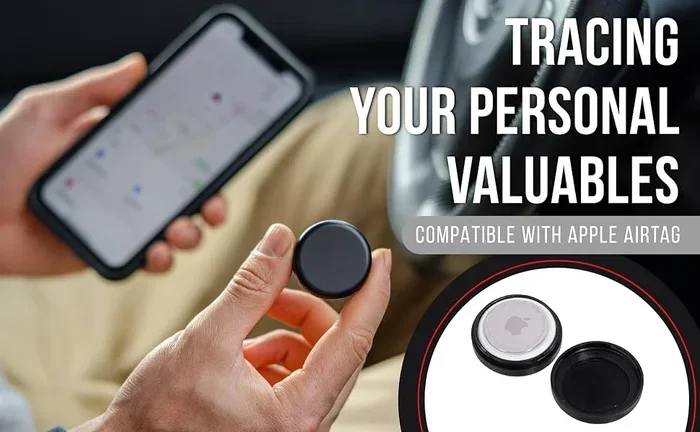
An AirTag is a small, coin-shaped device made by Apple. It uses Bluetooth Low Energy (BLE) to connect with your iPhone. But here is the clever part. It does not need its own GPS chip. Instead, it taps into the Find My network.
The Find My network is made up of hundreds of millions of Apple devices worldwide. When your AirTag is far from your phone, nearby Apple devices pick up its Bluetooth signal. They send the location data back to Apple servers. Then you can see where your AirTag is on a map in the Find My app.
This process is called crowdsourced tracking. It means your AirTag can be located even if you are miles away from it. That is a big advantage for lost car recovery.
Setting Up an AirTag for Car Tracking
Setting up an AirTag is simple. Here is how to do it in a few easy steps:
- Open the Find My app on your iPhone.
- Tap the Items tab at the bottom.
- Tap Add Item and choose your AirTag.
- Follow the on-screen prompts to pair it.
- Place the AirTag inside your car. A common spot is under the seat or in the glove box.
Once paired, your AirTag will start sending its location. You can open the Find My app anytime to see where your car is. The process is smooth and user-friendly. You do not need any tech skills to get it working.
What You Will See on the Map
When you open the Find My app, you will see your AirTag’s location on a map. The map shows the real-time location as accurately as nearby Apple devices allow. If your car is parked at home, you will see it right on your street. If it is at the mall, the map will show the parking lot.
Apple also added Precision Finding for newer iPhones. This feature uses ultra-wideband technology to guide you right to the AirTag. It works like a digital compass with distance indicators. You can follow arrows on your screen to find your car in a crowded parking garage.
Can You Use an AirTag to Track Your Car in Real Time?
Real-Time Tracking: What to Expect
Many people want to know if an AirTag gives live GPS tracking. The honest answer is no, not exactly. An AirTag does not send constant location updates like a car GPS or a dedicated GPS tracker. It updates its location when a nearby Apple device passes by.
This means there can be a delay. If your car is parked in a quiet area with few Apple devices, the location might not update for a while. In a busy city, updates happen more often because there are more phones around to pick up the signal.
For most people, this level of tracking is good enough. You can check where your car was parked. You can see if it has moved. But if you need second-by-second live location sharing, an AirTag is not the best tool.
When AirTag Tracking Works Best
AirTag tracking shines in certain situations:
- Finding a parked car: You walked past it and forgot where you left it.
- Confirming your car is still at home: Quick check before you leave the house.
- Recovering a stolen car: If someone takes your car, nearby devices may help you locate it.
- Tracking a car you loaned out: Know if your friend returned it to the right spot.
In all of these cases, the AirTag provides useful location data. It is not perfect, but it adds a layer of car theft prevention and peace of mind.
When AirTag Tracking Falls Short
There are times when AirTag tracking struggles:
- In remote areas: Fewer Apple devices mean fewer updates.
- In dense buildings or underground parking: Bluetooth signals can be blocked.
- For real-time navigation: You cannot follow a car on the move like a GPS tracker.
- During long trips: The location may jump between updates rather than showing a smooth path.
Knowing these limits helps you set the right expectations. An AirTag is a helpful tool, not a replacement for a full asset tracking system.
Limitations of Using an AirTag for Car Tracking
Range and Connectivity Limits
An AirTag does not have its own cellular connection. It depends on Bluetooth and the Find My network. The Bluetooth range is about 30 to 100 feet in open air. Beyond that, it needs a nearby Apple device to relay its signal.
This is different from a dedicated GPS tracker for cars. A GPS tracker has its own cellular modem. It sends location data directly to a server, no matter where it is. An AirTag simply cannot do that on its own.
No Subscription, But Limited Features
One big plus of the AirTag is that it requires no subscription fee. You buy it once, and it works with your Apple ID. There is no monthly bill. This is a huge advantage over many GPS trackers that charge a monthly fee for their service.
But that also means you get fewer features. No real-time alerts, no history playback, and no speed tracking. It is a basic location tool, not a full monitoring system.
Battery Life and Maintenance
The AirTag uses a standard CR2032 coin cell battery. Apple says it lasts about one year. When the battery dies, you need to replace it. You do this by twisting open the AirTag, swapping the battery, and snapping it shut.
You will get a low-battery notification on your iPhone when it is time to change the battery. This is easy to manage, but it does require occasional maintenance. A dedicated GPS tracker often has a rechargeable battery that lasts a few days or weeks.
Privacy and Legal Considerations
Apple has built strong privacy features into the AirTag. If an unknown AirTag is moving with you over time, your iPhone will alert you. This helps prevent stalking and misuse.
However, there are legal considerations. In some places, tracking someone’s car without permission is illegal. Always make sure you are using an AirTag on your own vehicle or with the owner’s consent.
AirTag vs Dedicated GPS Trackers for Cars
Head-to-Head Comparison
How does an AirTag stack up against a real car GPS tracker? Let us break it down:
| Feature | Apple AirTag | Dedicated GPS Tracker |
|---|---|---|
| Pricing | $29 one-time cost | $20-$150+ device + monthly fee |
| Tracking Method | Bluetooth + Find My network | GPS + cellular network |
| Real-Time Updates | No | Yes |
| Range | Depends on nearby Apple devices | Worldwide, with cellular coverage |
| Battery Life | About 1 year | Days to weeks (rechargeable) |
| Subscription Required | No | Usually yes |
| Size | Small and slim | Varies, often larger |
| Precision Finding | Yes (with compatible iPhone) | No |
| History Playback | No | Yes |
| Speed and Direction Tracking | No | Yes |
Which One Should You Choose?
If you want a simple, affordable way to find your parked car, the AirTag is a great choice. It costs just $29, has no monthly fee, and works seamlessly with the iPhone.
If you need true real-time car tracking, speed alerts, or trip history, a dedicated GPS tracker is better. Brands like Tile, LandAirSea, and Bouncie make solid options for vehicle security.
Many people use both. They put an AirTag in the car for quick location checks and a GPS tracker for ongoing monitoring. This gives the best of both worlds.
Tips to Use an AirTag Safely and Effectively for Your Car
Best Places to Hide an AirTag in a Car
Where you place your AirTag matters. You want it hidden from view but still able to send a signal. Here are the best spots:
- Under a seat: Hidden from view and close to the center of the car.
- In the glove box: Easy to access for battery changes.
- In the center console: Tucked away and well-protected.
- Inside the trunk near the spare tire: Far from prying eyes.
- Attached to the undercarriage with a magnet: Some AirTag holders come with magnets for this purpose.
Avoid placing it near metal surfaces that might block the Bluetooth signal. Also, make sure it is not in a spot where it could shift around and drain the battery faster.
Quick Tips for Better Tracking
- Keep your iPhone updated: Newer iOS versions improve Find My accuracy.
- Use a protective case: Cars get hot and cold. A case protects the AirTag from extreme temperatures.
- Check battery monthly: Set a reminder to check the battery every few months.
- Enable notifications: Turn on alerts so you know when the AirTag moves.
- Use Precision Finding: When you are close to your car, this feature saves time.
Common Mistakes to Avoid
- Placing it in the engine bay: Extreme heat will damage the AirTag and shorten its life.
- Forgetting to check the battery: A dead battery means you lose tracking ability.
- Relying on it as your only security: An AirTag helps you find your car. It does not stop theft on its own.
- Hiding it too well: If you cannot access it easily, you will struggle to replace the battery or check it.
- Expecting GPS-level accuracy: AirTag location depends on nearby devices. It is not always pinpoint precise.
Expert Insights on AirTag Car Tracking
Security experts agree that an AirTag is a useful addition to car safety. But they stress it should not be your only tool. “An AirTag is great for finding a lost or stolen vehicle,” says automotive security specialist Mark Reeves. “But pair it with a good alarm system and a steering wheel lock for real protection.”
Tech reviewers also note the Find My network is a game-changer. Because it relies on millions of devices, your AirTag can be located even in areas where you would never expect coverage. This crowdsourced approach gives Apple a unique edge over many competitors.
Still, experts recommend understanding the limits. In rural areas or places with few Apple users, the AirTag may not update its location for hours. For those situations, a dedicated GPS tracker with cellular connectivity is a better fit.
Is an AirTag Worth It for Car Tracking?
After all of this, is an AirTag worth it for tracking your car? For most people, the answer is yes. At $29, it is an affordable way to add vehicle security and peace of mind. It is easy to set up, has no monthly fee, and works with the device you already carry.
If you frequently lose track of where you parked, an AirTag is a game-changer. If you live in a high-theft area, it adds another layer of protection. And if your car ever goes missing, it gives you a better chance of recovering it quickly.
Just remember: it is a supplement, not a replacement. For full real-time GPS tracking and advanced features, you need a dedicated device. But for everyday convenience and basic car location, the AirTag does a great job.
Final Thoughts on Using an AirTag to Track Your Car
The Apple AirTag is a handy little device that can help you track your car in many situations. It uses the power of the Find My network and Bluetooth technology to show you where your vehicle is. It is affordable, easy to set up, and requires no subscription.
But it is not a full GPS tracker. It has limits in range, real-time updates, and accuracy. For the best results, use it alongside other security tools like a car alarm or a dedicated GPS tracker.
If you want a simple way to keep tabs on your car, an AirTag is a solid choice. It gives you confidence and control over your vehicle security. Place it wisely, maintain the battery, and enjoy the peace of mind that comes with knowing your car is never truly lost.
Take action today. Buy an AirTag, set it up in your car, and experience the difference. Your future self will thank you the next time you forget where you parked.
Frequently Asked Questions
Can an AirTag track a car in real time?
No, an AirTag does not provide real-time GPS tracking. It updates its location when nearby Apple devices pick up its Bluetooth signal. This means there can be delays between location updates. For true live tracking, you need a dedicated GPS tracker with cellular connectivity.
How accurate is an AirTag for locating a car?
The accuracy depends on how many Apple devices are nearby. In busy urban areas, the location can be very precise. In rural or remote areas, it may be less accurate. Apple’s Precision Finding feature, available on newer iPhones, can guide you right to the AirTag when you are within Bluetooth range.
Does using an AirTag to track a car cost money monthly?
No. The AirTag has no monthly subscription fee. You pay once for the device, and it works with your free Apple ID and Find My app. There are no ongoing costs, which makes it an affordable option for basic car tracking.
Can someone else track my car with an AirTag without me knowing?
Apple has built in privacy protections. If an unknown AirTag is moving with you over time, your iPhone will send you an alert. Android users can also download the Tracker Detect app to find unknown AirTags nearby. These features help prevent unauthorized tracking.
How long does the AirTag battery last when used for car tracking?
Apple estimates the AirTag battery lasts about one year with normal use. Battery life can vary based on how often the AirTag sends location updates. When the battery is low, your iPhone will notify you so you can replace it with a standard CR2032 coin cell battery.
Should I use an AirTag or a dedicated GPS tracker for my car?
It depends on your needs. An AirTag is great for finding a parked car and basic location checks. A dedicated GPS tracker offers real-time updates, trip history, and speed tracking. For the best protection, many car owners use both an AirTag and a GPS tracker together.
=== CONCLUSION ===
Can an AirTag track a car? Yes, it can. The Apple AirTag is a simple, affordable, and effective tool for basic vehicle tracking. It uses the Find My network and Bluetooth to help you locate your car when you need it most. While it is not a full GPS replacement, it adds valuable vehicle security and peace of mind.
Use it wisely. Place it in a good spot. Keep the battery fresh. And pair it with other security tools for the best results. With the right setup, an AirTag can make a real difference in how you protect your car.