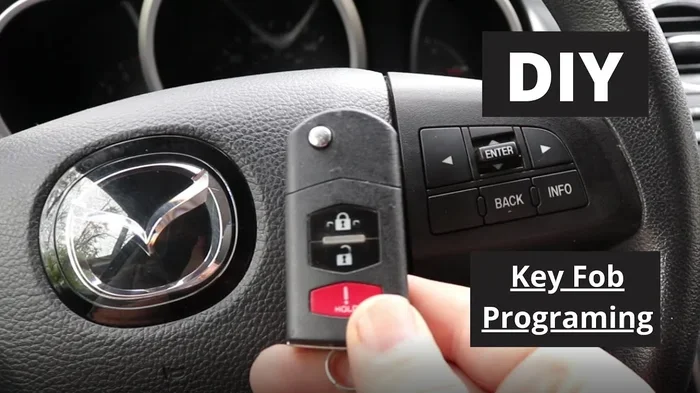
How to Program a Mazda Key Fob Without Going to a Dealer
Learning how to program a Mazda key fob yourself is easier than you think. This guide walks you through every step so you can skip the dealer and save serious money. You will learn the tools you need, the programming steps for different Mazda models, and how to troubleshoot common problems.
Have you ever stood in your driveway, pressing the buttons on your Mazda key fob, only to realize it is not responding? That moment is frustrating. You might think the only fix is to drive to the dealer, pay a hefty fee, and wait hours. But here is the good news: you can program a Mazda key fob yourself at home with just a few simple steps.
Whether your key fob stopped working after a battery change, or you bought a replacement fob online, this guide has you covered. I have put together everything you need to know about Mazda key fob programming without visiting a dealership. The process is straightforward, and most people finish in under 15 minutes.
In this article, you will learn what tools you need before starting, the exact programming steps for popular Mazda models, how to fix common problems, and tips to keep your smart key working for years. Let us dive in and get your Mazda remote working again.
Key Takeaways
- Save Money: Programming your Mazda key fob at home can save you $50 to $200 compared to a dealer visit.
- Simple Process: Most Mazda models follow a similar programming sequence that takes just minutes.
- Right Tools Matter: Having a working battery and a second programmed key makes the process much smoother.
- Troubleshooting Is Normal: If your Mazda key fob not working after programming, simple resets often fix the issue.
- Know When to Seek Help: Some complex situations, like lost all keys, still require professional assistance.
- Battery Maintenance: Regularly replacing the key fob battery keeps it working reliably for years.
📑 Table of Contents
- What You Need Before Programming Your Mazda Key Fob
- Step-by-Step Guide to Programming a Mazda Key Fob
- Common Mazda Key Fob Programming Problems and Solutions
- How Much Does Mazda Key Fob Programming Cost at a Dealer?
- Tips to Keep Your Mazda Key Fob Working Longer
- When You Should Still Visit a Dealer
- Frequently Asked Questions About Mazda Key Fob Programming
- Conclusion
What You Need Before Programming Your Mazda Key Fob
Before you start the programming process, gathering everything you need is important. Showing up unprepared can turn a quick 10-minute job into a frustrating experience. Here is a simple checklist to make sure you are ready.
Your Mazda Key Fob
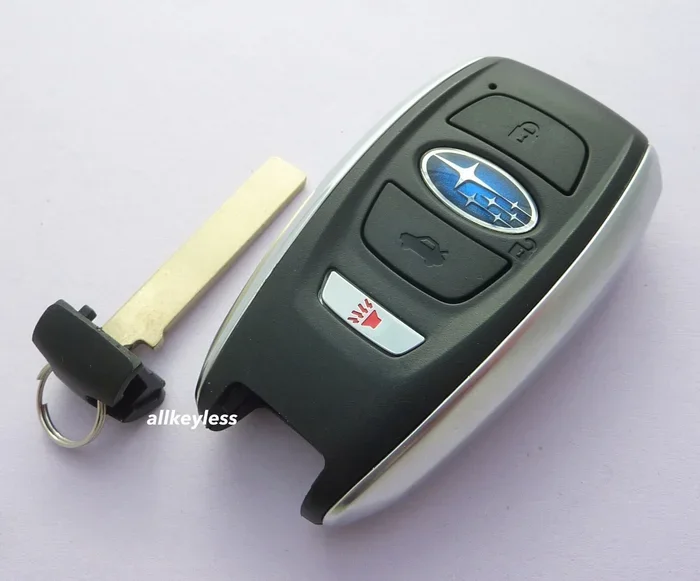
You will need the new or replacement Mazda key fob you want to program. Make sure it is the correct model for your vehicle. Mazda uses different fob designs across model years, so double-check your owner’s manual or the part number before purchasing.
A Working Key Fob
Having at least one already programmed key fob makes the process much easier. Most Mazda models require you to use an existing working fob during the programming sequence. If you have lost all keys, you may need a different approach, which I will cover later in this guide.
A Fresh Battery
Nothing is more annoying than going through the programming steps only to find the fob has a dead battery. Before you begin, make sure your key fob battery is fresh. A common choice is the CR2025 or CR2032 battery, but check your specific model. You can replace a key fob battery yourself in seconds if needed.
Your Vehicle
You will need physical access to your Mazda. Park it in a quiet area where you can hear the locks engage. Keep the driver’s door open and the ignition accessible throughout the process.
Your Owner’s Manual
Your Mazda owner’s manual is a goldmine of information. It contains model-specific programming instructions and troubleshooting tips. If you do not have the physical copy, you can usually find a PDF version on the Mazda website.
Step-by-Step Guide to Programming a Mazda Key Fob
Now for the part you have been waiting for. The exact steps vary slightly depending on your Mazda model and year, but the general process is very similar across most vehicles. I will walk you through the most common method used for Mazda models from 2010 onward.
Step 1: Enter Your Vehicle
Sit in the driver’s seat and close all doors. Make sure the ignition is in the off position. If your Mazda has a push-button start, make sure your foot is not on the brake pedal. This is an important first step because the car needs to recognize you are ready to begin the programming sequence.
Step 2: Turn the Ignition On and Off
Insert your key into the ignition and turn it to the “On” position. Wait about five seconds. Then turn it back to the “Off” position. Repeat this cycle two more times so you end with the key in the “Off” position. You should have turned the key on and off three times total. This signals the vehicle that you are entering the programming mode.
Step 3: Close and Open the Driver’s Door
After the third “Off” cycle, close the driver’s door firmly. Then open it again. This action tells the car’s system that you are ready to program a new remote key fob. You should hear a chime or see the doors lock and unlock, indicating the vehicle is now in programming mode.
Step 4: Press the Lock Button on the New Fob
Take your new Mazda key fob and press the lock button once within five seconds. You should hear the doors lock and unlock again. This confirms the car has accepted the new fob into its memory. If nothing happens, repeat the process from Step 1.
Step 5: Program Additional Fobs
If you have more fobs to program, press the lock button on each additional fob within 10 seconds of the previous one. The doors will lock and unlock to confirm each new fob has been accepted. This is a great time to program all your spare key fobs at once.
Step 6: Exit Programming Mode
Once you have programmed all your fobs, close the driver’s door and turn the ignition to the “On” position. The doors may lock and unlock one more time. Then turn the ignition off and remove the key. Your new Mazda smart key is now ready to use.
Quick Tip: Always test your newly programmed fob from a distance before walking away. Stand about 10 feet from the car and press the lock and unlock buttons. If the doors respond, you are all set. If not, repeat the process and make sure your battery is fresh.
Programming for Different Mazda Models
While the method above works for most Mazda models, some years and trims have slight variations. For example, the Mazda CX-5 and Mazda 3 from 2014 onward use a very similar sequence. However, older models like the Mazda 6 from 2008 might require you to hold the door switch instead of opening and closing the door. Always refer to your specific owner’s manual for model-year details.
Common Mazda Key Fob Programming Problems and Solutions
Even when you follow the steps perfectly, things can sometimes go wrong. Do not panic. Most issues have simple fixes. Here are the most common problems people face when programming their Mazda key fob and how to solve them.
The Car Does Not Enter Programming Mode
If the doors do not lock and unlock after you open and close the driver’s door, you may not have completed the ignition cycle correctly. Make sure you turned the key on and off exactly three times. Also, check that all doors are fully closed before you start. A door that is even slightly ajar can prevent the car from entering programming mode.
The New Fob Does Not Respond
This is usually a battery issue. Even if the fob is brand new, the battery might be low. Try replacing it with a fresh one. Also, make sure you are pressing the lock button within the required time window. If you wait too long between steps, the car exits programming mode and you need to start over.
Only One Fob Works After Programming
If you programmed multiple fobs but only one works, the second fob may not have been accepted in time. Try programming them one at a time with a longer pause between each. Also, make sure each fob has a good battery before you start.
The Key Fob Still Does Not Work After Programming
Sometimes the fob needs a reset after programming. Try resetting your car key after changing the battery by removing the battery for 30 seconds, then reinserting it. This clears any residual errors in the fob’s memory. You can also try standing very close to the car and pressing the buttons several times to re-establish the connection.
If you are dealing with a Mazda key fob not working issue and none of the above fixes help, the fob itself might be defective. Contact the seller for a replacement or visit a Mazda dealership for further diagnosis.
How to Reset Your Mazda Key Fob
Resetting your key fob is often the simplest fix for many issues. Remove the battery, wait one minute, and reinsert it. Then try programming the fob again. This clears any stored codes and gives you a fresh start. Think of it like restarting your phone when it acts up.
How Much Does Mazda Key Fob Programming Cost at a Dealer?
One of the biggest reasons people want to program their own key fob is cost. Dealerships charge for this service, and the prices can add up fast. Let me break down what you can expect.
Dealer Programming Costs
Most Mazda dealerships charge between $50 and $200 for key fob programming. The exact cost depends on your model, the number of fobs, and your location. Some dealers also charge for diagnostic time, which can add another $50 to $100 to the bill.
Cost of a Replacement Key Fob
A new Mazda key fob from the dealer typically costs between $100 and $300. If you buy a replacement fob online, you can often find compatible options for $30 to $80. Programming it yourself saves you the labor cost entirely.
Total Savings
By programming your fob at home, you can save anywhere from $50 to $250 compared to a dealer visit. That is real money in your pocket. Plus, you do not have to take time out of your day to drive to the dealership and wait for service.
When the Cost Difference Matters Most
If you need to program multiple fobs or replace a lost key, the savings add up quickly. For families with two or three fobs, self-programming can save over $300. Even if you only need to program one fob, the time savings are significant.
Some people wonder if programming your own car key is worth the risk. The answer is yes for most situations. The process is well-documented and very safe. You are not modifying your car in any way that could cause damage. You are simply teaching the vehicle to recognize a new remote.
Tips to Keep Your Mazda Key Fob Working Longer
Once you have your Mazda key fob programmed and working, you want to keep it in great shape. A well-maintained fob lasts for years and avoids the hassle of reprogramming. Here are some simple tips that make a big difference.
Replace the Battery Regularly
Most key fob batteries last between one and two years. Do not wait until the fob stops working to replace it. Signs of a weak battery include reduced range, slow response, and needing to press buttons multiple times. Replacing a key fob battery yourself takes just a few seconds with a small flathead screwdriver.
Keep Your Fob Away from Heat and Moisture
Extreme heat can damage the internal electronics of your fob. Do not leave it on the dashboard in direct sunlight. Also, keep it away from moisture. If your fob gets wet, remove the battery and let it dry completely before reinserting it.
Store Your Spare Fob Properly
Keep your spare key fob in a cool, dry place. Some people keep one at home and one in their bag or glove box. Just make sure you know where both are when you need them.
Avoid Dropping Your Fob
Key fobs are small and get tossed around a lot. Dropping them can damage the internal circuit board or crack the casing. Consider using a protective case or keeping your fob in a dedicated pocket.
Do You Have to Reset the Car Key After Changing the Battery?
In most cases, simply replacing the battery does not require reprogramming. However, if your fob acts strange after a battery change, a quick reset (removing and reinserting the battery) often fixes the issue. Some models may need a brief re-sync, but this is rare.
Clean Your Fob Periodically
Dirt and grime can build up around the buttons and battery compartment. Wipe your fob down with a soft, damp cloth every few months. This keeps the buttons responsive and prevents grime from interfering with the signal.
When You Should Still Visit a Dealer
Self-programming works great in most cases, but there are situations where a dealer visit is the right call. Knowing when to seek professional help saves you time and frustration.
You Have Lost All Key Fobs
If you have lost every single key fob for your Mazda, you cannot enter the normal programming sequence because there is no working fob to use. In this case, a dealer or locksmith with the proper tools is required to reprogram the vehicle’s immobilizer system.
Your Ignition Does Not Recognize Any Key
If your Mazda key fob is not being recognized by the ignition at all, there may be a deeper issue with the vehicle’s computer system. A dealer can run a full diagnostic to identify the problem.
You Have a Rare or Older Model
Very old Mazda models or rare trims may have unique programming requirements that are not covered in standard guides. A dealer has access to proprietary tools and databases that can handle these special cases.
You Are Uncomfortable Doing It Yourself
There is no shame in asking for help. If you are not comfortable with the process, a dealer or a trusted locksmith can program your fob quickly and correctly. The peace of mind is worth the cost.
Can You Start an Ignition Without a Key?
If you are dealing with a situation where your key fob is completely dead and you need to start your car, most modern Mazdas have a backup method. You can usually place the dead fob directly against the start button, and the vehicle will read the passive RFID chip inside the fob to allow ignition. Check your owner’s manual for your specific model’s backup start procedure.
Frequently Asked Questions About Mazda Key Fob Programming
Can I program a Mazda key fob myself without any special tools?
Yes, in most cases you do not need any special tools. You only need a working key fob, a replacement fob with a fresh battery, and access to your Mazda. The programming process uses your vehicle’s existing systems and does not require any additional equipment.
How long does it take to program a Mazda key fob at home?
The entire process typically takes between 5 and 15 minutes. If you are programming multiple fobs, it may take a little longer. The steps are quick and straightforward once you have done them once.
What should I do if my Mazda key fob stops working after programming?
First, check the battery. A weak battery is the most common cause of fob issues. If the battery is fresh, try resetting the fob by removing the battery for 30 seconds. If the problem persists, repeat the programming process from the beginning.
Can I use a generic replacement key fob for my Mazda?
Yes, you can use a compatible aftermarket key fob. Make sure you purchase the correct model for your Mazda year and trim. After buying a replacement, you will need to program it using the steps in this guide. Always verify compatibility before purchasing.
Do I need to reprogram my key fob after replacing the battery?
In most cases, no. Simply replacing the battery does not erase your programming. However, if your fob stops working after a battery change, a quick reset or reprogramming usually fixes the issue. Always make sure the new battery is the correct type and is inserted properly.
Is it safe to program a key fob at home instead of going to a dealer?
Absolutely. Programming a key fob at home is safe and does not modify your vehicle in any harmful way. You are simply teaching the car’s computer to recognize a new remote signal. This is a standard feature built into all modern Mazdas for owner convenience.
Conclusion
Programming your Mazda key fob at home is one of the easiest and most rewarding DIY tasks you can do. It saves you money, saves you time, and gives you the satisfaction of handling car maintenance on your own terms. With the steps outlined in this guide, you now have everything you need to program a replacement fob, add spare fobs, or troubleshoot common issues.
Remember, the key to success is preparation. Have your tools ready, use a fresh battery, and follow each step carefully. If something goes wrong, do not worry. Most issues are simple to fix with a reset or a battery replacement.
Take a few minutes today to program your Mazda key fob and enjoy the convenience of a working remote. Your future self will thank you the next time you are standing at your car with your hands full and a working fob in your pocket.