Does Tesla Auto Lock Here Is What You Really Need To Know
Yes, Tesla vehicles do auto lock when you walk away, but the feature works differently depending on your model, settings, and key type. Tesla auto lock uses passive entry and walk-away detection to secure your car automatically. In this guide, you will learn exactly how Tesla auto lock behaves, how to adjust settings, and what to do when it does not work as expected.
Have you ever walked away from your Tesla and wondered, “Did it lock?” You are not alone. Tesla auto lock is one of the most discussed features among Tesla owners. It sounds simple, but there is more going on behind the scenes than most people realize.
In this article, we will break down exactly how Tesla auto lock works. You will learn about the different settings, which Tesla models support it, and what to do when things do not go as planned. Whether you are a new Tesla owner or have been driving one for years, this guide has practical tips you can use today.
Key Takeaways
- Tesla auto lock activates automatically when you walk away from the vehicle with your key.
- Walk-away door lock is available on most Tesla models but can be toggled on or off.
- Auto lock settings can be customized through the touchscreen or mobile app.
- Tesla Model 3, Model Y, Model S, and Model X all support auto lock features with slight differences.
- Common issues like delayed locking or failure to lock can usually be fixed with simple troubleshooting.
- Tesla mobile app lets you manually lock or unlock your car from anywhere.
- Auto lock and auto unlock are separate features that work together for seamless entry and exit.
📑 Table of Contents
How Tesla Auto Lock Works
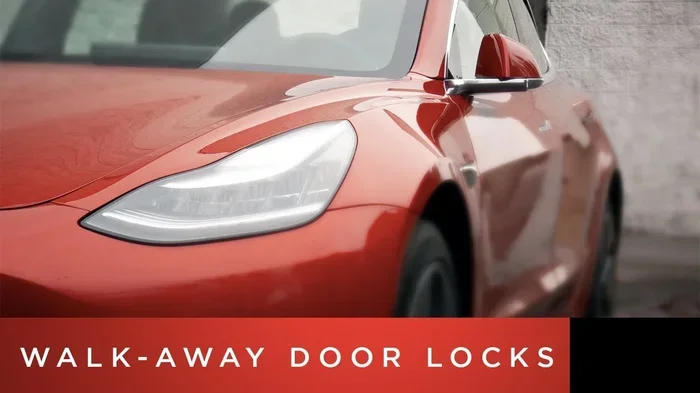
Tesla auto lock is a smart security feature designed to lock your doors without you pressing a button. The system uses sensors, Bluetooth signals, and your key to detect when you have left the vehicle. Once you walk a certain distance away, the car locks itself.
The technology behind this is called passive entry. Your Tesla key fob, phone key, or key card communicates with the car. When the system no longer detects your key nearby, it triggers the lock sequence. This is what Tesla calls the walk-away door lock feature.
The Role of Your Tesla Key
Your Tesla key plays a big role in how Tesla auto lock behaves. There are three main ways to unlock and lock your Tesla:
- Phone key: Uses Bluetooth and Ultra-Wideband (UWB) on supported devices. Your phone acts as your primary key.
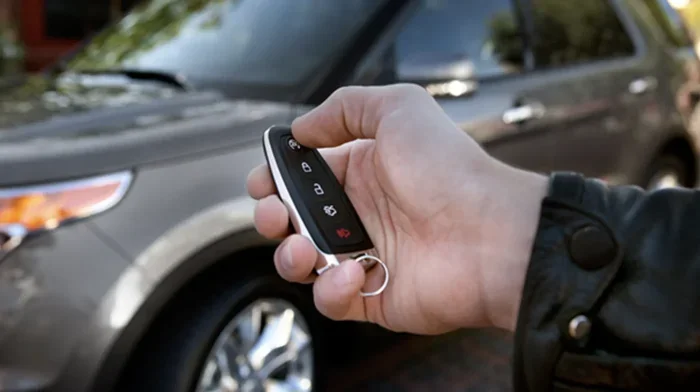
- Key fob: A small wireless remote that comes with some Tesla models. It uses Bluetooth to communicate with the car.
- Key card: A passive NFC card you tap on the B-pillar to unlock or lock the doors.
Each key type interacts slightly differently with the auto lock system. For example, the phone key uses proximity detection to know when you are near or far from the car. The key fob works in a similar way but has a shorter Bluetooth range. The key card requires a manual tap, so auto lock behavior may vary when using it.
What Triggers the Auto Lock
So what exactly tells your Tesla to lock? Here are the main triggers:
- You walk beyond a set distance from the vehicle, usually around 5 to 8 feet.
- The system loses contact with your key for a few seconds.
- All doors and the trunk are closed and the car is in Park.
- You press the brake pedal and shift out of Drive before walking away.
Once these conditions are met, Tesla auto lock engages. You will hear a click and see the door handles retract if your model has them. The taillights may flash briefly too. This confirms the lock was successful.
Tesla Auto Lock Settings and Customization
Not everyone wants Tesla auto lock to work the same way. That is why Tesla gives you control over the settings. You can turn features on or off, adjust timing, and even set up PIN protection.
Where to Find Auto Lock Settings
To access your auto lock settings, follow these steps:
- Tap the Controls icon on the touchscreen.
- Go to Safety and Security.
- Look for Auto Lock or Walk-Away Door Lock.
- Toggle the feature on or off.
On newer Tesla software versions, you may also find options under Locks in the settings menu. The exact path can vary slightly depending on your Tesla software version.
Customizing Lock Delay
Some Tesla owners want a short delay before the car locks after they walk away. Others want it to lock instantly. Tesla auto lock settings let you adjust this in many cases. You can also set whether the car locks automatically when you shift into Drive or when you exit the vehicle.
Here is a quick tip: if you often leave items in your car and want to double-check before it locks, set a short delay. This gives you a few extra seconds to walk back if needed.
PIN to Drive and Lock Settings
PIN to Drive is a security feature that requires a personal identification number before the car can move. While it is not directly part of auto lock, it works hand in hand with vehicle security. You can also set a PIN to unlock for extra protection. This means someone cannot simply walk up to your Tesla and open the doors, even with a key fob.
To enable PIN to Drive:
- Go to Controls > Safety and Security.
- Tap PIN to Drive.
- Enter a 4 to 6 digit code.
- Save your settings.
Auto Lock Across Different Tesla Models
Tesla auto lock is available across all current Tesla models. However, the exact behavior and available settings can differ slightly between the Model S, Model 3, Model X, and Model Y. Let us look at each one.
Tesla Model 3
The Model 3 was one of the first Teslas to feature full passive entry and walk-away door lock. It uses the phone key or key fob to detect when you are leaving. Auto lock on the Model 3 is reliable and fast. The doors lock automatically when you walk away, and the mirrors fold in if that setting is enabled.
Tesla Model Y
The Model Y shares many of the same auto lock features as the Model 3 since they are closely related platforms. Tesla auto lock on the Model Y works seamlessly with the phone key. The walk-away door lock is standard and can be customized through the touchscreen settings.
Tesla Model S
The Model S has a slightly different user interface due to its larger screen and updated interior design. Auto lock behavior is the same in principle. The Model S also supports key card entry, which is useful if your phone battery dies. With the key card, you tap the door handle to unlock, and the car can auto lock when you walk away if the feature is enabled.
Tesla Model X
The Model X includes all the standard auto lock features. Its falcon-wing doors add a unique element. When you walk away, the Model X locks just like any other Tesla. The auto lock system works with the falcon-wing doors, rear hatch, and front doors simultaneously.
Comparison Table: Auto Lock Features by Model
| Feature | Model 3 | Model Y | Model S | Model X |
|---|---|---|---|---|
| Walk-Away Door Lock | Yes | Yes | Yes | Yes |
| Phone Key Auto Lock | Yes | Yes | Yes | Yes |
| Key Fob Auto Lock | Yes | Yes | Yes | Yes |
| Key Card Auto Lock | Yes | Yes | Yes | Yes |
| Custom Lock Delay | Yes | Yes | Yes | Yes |
| PIN to Lock | Yes | Yes | Yes | Yes |
| Mirror Fold on Lock | Yes | Yes | Yes | Yes |
As you can see, Tesla auto lock is consistent across all models. Tesla has made sure every vehicle in its lineup offers the same core locking experience.
Does Tesla Auto Lock When You Walk Away
This is the question most Tesla owners ask. The short answer is yes, but with some conditions. Tesla auto lock when you walk away depends on a few factors working together.
Walk-Away Door Lock Explained
The walk-away door lock is the feature that locks your Tesla after you leave. It uses Bluetooth Low Energy (BLE) to monitor the distance between your key and the car. When the distance exceeds a threshold for a few seconds, the lock command triggers.
Here is what happens step by step:
- You exit the vehicle and close all doors and the trunk.
- You shift the car into Park.
- You walk away from the Tesla.
- The system detects your key is no longer nearby.
- The car locks itself within 2 to 5 seconds.
This process is automatic and requires no input from you. It is one of the reasons Tesla owners love the convenience of their vehicles. You never have to worry about forgetting to lock the car.
When Walk-Away Lock May Not Work
There are situations where Tesla auto lock may not activate when you walk away:
- Your phone battery is dead: If your phone key has no charge, the car may not detect it leaving.
- You left the key fob inside the car: The system sees the key is still inside and will not lock.
- A door or trunk is not fully closed: Tesla will not auto lock if it detects an open entry point.
- Walk-away lock is turned off: If you disabled the feature in settings, it will not activate.
- Bluetooth interference: Nearby devices or obstacles can sometimes interfere with the signal.
Understanding these scenarios helps you troubleshoot when Tesla auto lock does not behave as expected.
Tesla Auto Lock vs Auto Unlock
Tesla auto lock and auto unlock are two sides of the same coin. They work together to create a seamless experience. But they are different features with different triggers.
How Auto Unlock Works
Auto unlock happens when you approach your Tesla. As you get close with your key, the doors unlock automatically. The mirrors fold out, and the touchscreen lights up. This is called passive entry or smart access.
Auto unlock activates when:
- You walk toward the Tesla with your key nearby.
- The car detects your Bluetooth signal.
- The doors are closed and the vehicle is in Park.
Key Differences Between Lock and Unlock
Here is a quick comparison:
- Auto unlock triggers when you approach the car. Auto lock triggers when you walk away.
- Auto unlock requires the car to be in Park. Auto lock also requires Park.
- Auto unlock uses proximity detection. Auto lock uses distance-based detection.
- Auto unlock happens when you are within about 6 feet. Auto lock happens when you are beyond that range.
Both features rely on the same Bluetooth and sensor technology. They are designed to make your daily routine easier. You never need to press a button to lock or unlock your Tesla in most situations.
Common Issues With Tesla Auto Lock
Even though Tesla auto lock is generally reliable, some owners experience issues. Here are the most common problems and how to fix them.
Car Does Not Lock After Walking Away
This is the most reported issue. If your Tesla does not auto lock when you walk away, try these steps:
- Check that walk-away door lock is enabled in settings.
- Make sure all doors and the trunk are fully closed.
- Verify your phone key or key fob has battery power.
- Restart the Tesla touchscreen by holding the two scroll wheels for 10 seconds.
- Check for any pending software updates.
Delayed Locking
Sometimes the car takes longer than expected to lock. This can happen if:
- Your phone is far from the car but still within Bluetooth range.
- The car is in a crowded area with Bluetooth interference.
- The auto lock delay setting is configured for a longer wait time.
To reduce delay, move closer to the car before walking away, or adjust the lock timing in settings.
Car Locks but Unlocks Itself
On rare occasions, a Tesla may lock and then unlock moments later. This usually happens when:
- The system detects the key is still nearby (maybe in a bag or pocket near the car).
- A software glitch causes a temporary loop.
- The auto unlock feature re-triggers because you are still in range.
Restarting the system usually resolves this. If it keeps happening, contact Tesla service for assistance.
Expert Tips for Getting the Most From Tesla Auto Lock
Want to make sure Tesla auto lock works perfectly every time? Here are some expert tips from experienced Tesla owners.
Keep Your Phone Key Charged
Your phone is the most common Tesla key. If the battery dies, auto lock and auto unlock stop working. Keep your phone charged, and carry a key card as a backup. The key card fits in your wallet and never runs out of battery.
Enable Sentry Mode for Extra Security
Sentry Mode uses the Tesla cameras to monitor your vehicle when it is parked. When someone approaches the car, Sentry Mode activates an alarm and records video. This pairs well with auto lock because it adds another layer of protection. If the auto lock fails for any reason, Sentry Mode can still alert you to a potential threat.
Use the Tesla Mobile App
The Tesla mobile app lets you control your car from your phone. You can manually lock or unlock doors, check lock status, and receive notifications. If you are ever unsure whether your Tesla locked, open the app and check. This is a great habit to build, especially when you are in a new or unfamiliar place.
Regularly Update Tesla Software
Tesla frequently releases software updates that improve auto lock performance. These updates fix bugs, enhance Bluetooth connectivity, and add new features. Keep your car connected to Wi-Fi and install updates promptly. A well-updated Tesla runs more smoothly and locks more reliably.
Set Up Notifications
You can configure Tesla notifications to alert you when the car locks or unlocks. This is helpful if you want confirmation that auto lock activated. Go to Controls > Notifications to set up lock and unlock alerts.
Frequently Asked Questions
Does Tesla auto lock on all models?
Yes, Tesla auto lock is available on all current Tesla models including the Model 3, Model Y, Model S, and Model X. The feature uses walk-away door lock technology and works with phone keys, key fobs, and key cards. You can check your specific model settings under Safety and Security in the touchscreen menu.
Can I turn off Tesla auto lock?
Yes, you can disable Tesla auto lock if you prefer to lock the car manually. Go to Controls > Safety and Security > Walk-Away Door Lock and toggle it off. Keep in mind that turning this off means you will need to lock your Tesla manually every time you exit the vehicle.
Why does my Tesla not auto lock sometimes?
Several factors can cause Tesla auto lock to fail. Common reasons include a dead phone battery, an unclosed door or trunk, Bluetooth interference, or the walk-away lock feature being disabled. Restarting the touchscreen and checking your settings usually resolves the issue quickly.
How long after I walk away does Tesla auto lock?
Tesla auto lock typically activates within 2 to 5 seconds after you walk beyond the Bluetooth detection range. The exact timing depends on your Tesla model, software version, and the distance between you and the car. You can adjust some timing preferences in the lock settings.
Does Tesla auto lock work with the key card?
Yes, Tesla auto lock works with the key card, but the behavior may be slightly different. The key card uses NFC technology, and the car detects when you leave the vicinity. However, for the most reliable auto lock experience, Tesla recommends using the phone key or key fob, which use Bluetooth for proximity detection.
Is Tesla auto lock secure against relay attacks?
Tesla has implemented several security measures to protect against relay attacks, where thieves amplify your key signal to unlock the car. The Ultra-Wideband (UWB) technology in newer phones and key fobs adds an extra layer of security. You can also enable PIN to unlock for additional protection. Keeping your Tesla software updated ensures you have the latest security enhancements.