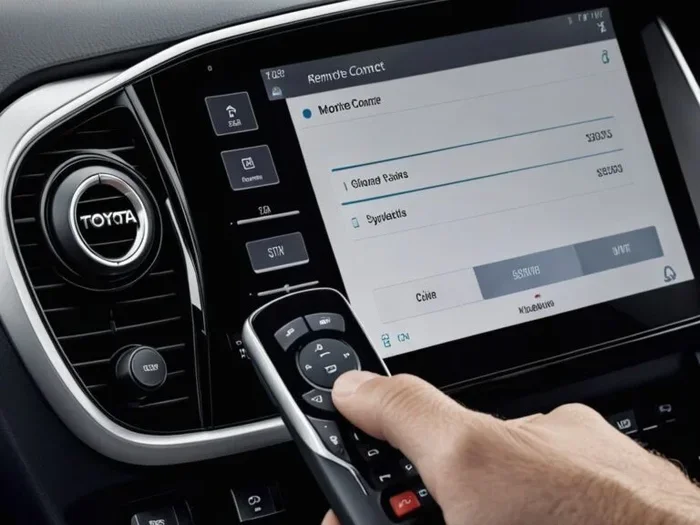
Do You Really Have to Pay Extra for Toyota Remote Connect
Toyota Remote Connect lets you start your car, lock doors, and control climate settings from your phone. While the app itself is free to download, a subscription fee is typically required to unlock full remote vehicle access features. Whether you need to pay depends on your Toyota model, trim level, and how long you plan to keep the service.
If you own a Toyota or are thinking about buying one, you have probably heard about Toyota Remote Connect. Maybe you saw an ad, or a salesperson mentioned it during a test drive. Either way, the big question is simple: do you have to pay extra for it?
The short answer is yes, in most cases. But the full answer is more nuanced than that. Toyota Remote Connect comes with different tiers, trial periods, and model-specific perks. Some new Toyota vehicles include a few years of free service. Others require you to pay from day one. And if you own an older Toyota, you might not have access at all without extra hardware.
In this guide, we will break down everything you need to know about Toyota Remote Connect costs. We will look at what the service includes, how much it actually costs, and whether it is worth the money. By the end, you will know exactly what you are signing up for.
Let us start with the basics. What exactly is Toyota Remote Connect, and why do so many Toyota owners talk about it?
Key Takeaways
- Toyota Remote Connect offers convenient remote start, lock, and climate control features through a smartphone app.
- A subscription fee is generally required, though some new Toyota models include a free trial period.
- The cost typically ranges from free (with trial) to around $80-$120 per year depending on the plan.
- Older Toyota models may not support Toyota Remote Connect without aftermarket upgrades.
- The service includes useful extras like GPS tracking, maintenance alerts, and roadside assistance integration.
- You can cancel your subscription at any time, but you will lose access to connected features.
- Comparing Toyota Remote Connect to third-party alternatives can help you decide if the cost is justified.
📑 Table of Contents
- What Is Toyota Remote Connect?
- What Does Toyota Remote Connect Include?
- Do You Have to Pay Extra for Toyota Remote Connect?
- How Much Does Toyota Remote Connect Cost?
- Is Toyota Remote Connect Worth It?
- How to Set Up Toyota Remote Connect
- Common Mistakes Toyota Owners Make with Remote Connect
- Expert Insights on Toyota Remote Connect
- Key Takeaways
- Conclusion
What Is Toyota Remote Connect?
Toyota Remote Connect is a connected car service that lets you interact with your Toyota vehicle using a smartphone. Through the Toyota app, you can remote start the engine, lock and unlock doors, and even adjust the climate control before you get in the car. It uses cellular connectivity and GPS to keep your vehicle linked to your phone no matter where you are.
The service is part of Toyota’s broader Toyota connected services ecosystem. This ecosystem includes things like emergency roadside assistance, automatic crash notification, and vehicle health monitoring. Toyota Remote Connect focuses specifically on the convenience features that make daily driving easier.
How Does Toyota Remote Connect Work?
Once you set up the Toyota app on your phone, you pair it with your vehicle using your Toyota Smart Key or vehicle identification number. The app communicates with your car through a built-in cellular modem. This means your car stays connected even when you are not near it.
Here is what happens behind the scenes when you use Toyota Remote Connect:
- You open the Toyota app and send a command.
- The app sends the command through the cloud to your vehicle’s modem.
- The modem receives the command and executes it.
- Your car responds, and you get a notification on your phone.
This whole process takes just a few seconds. You can remote start your car from your office parking lot, lock the doors after you have already walked inside, or turn on the heater on a cold winter morning. It is genuinely one of the most useful connected car features available today.
What Does Toyota Remote Connect Include?
Understanding what comes with Toyota Remote Connect helps you decide if the service is worth paying for. The features vary slightly depending on your Toyota model and the plan you choose, but here is a general overview.
Standard Remote Features
- Remote start: Start your engine from up to 200 feet away.
- Remote lock and unlock: Secure your vehicle or let someone in without handing over a key.
- Climate control: Turn on the heater or air conditioning before you get in.
- Vehicle location: Find your car in a crowded parking lot using GPS tracking.
- Maintenance alerts: Get notified when your car needs service, such as an oil change or tire rotation.
Premium and Added Features
Higher-tier plans may also include:
- Roadside assistance integration
- Vehicle health reports
- Driving habit insights
- Security alerts if your car is tampered with
- Remote horn and flash lights to locate your vehicle
These features make Toyota Remote Connect more than just a remote start tool. It becomes a full vehicle management system that helps you stay on top of car ownership costs and maintenance needs.
Do You Have to Pay Extra for Toyota Remote Connect?
This is the question most Toyota owners want answered, and the answer depends on several factors. Let us walk through the different scenarios so you know exactly what to expect.
New Toyota Vehicles
If you buy a brand-new Toyota, there is a good chance you will get a free trial of Toyota Remote Connect. Most new Toyota models come with a 1-year or 3-year complimentary subscription included. After the trial ends, you will need to pay a recurring fee to keep using the service.
Some higher-trim Toyota models may include a longer free period or even lifetime access to basic remote vehicle access features. Always check with your Toyota dealer before signing the paperwork. Ask specifically about the connected services package and how long the trial lasts.
Used Toyota Vehicles
If you buy a used Toyota, the situation is different. The previous owner may have had an active Toyota Remote Connect subscription. When you take ownership, that subscription typically does not transfer to you. You would need to start a new subscription if you want to use the features.
Some used Toyotas may still be within their original trial period. In that case, you might get a few months of free access. But once the trial expires, you will need to pay to continue.
Older Toyota Models
Toyota Remote Connect is not available on all vehicles. Older models, particularly those built before 2017 or 2018, may not have the built-in cellular modem required for the service. If your older Toyota does not support Toyota Remote Connect natively, you will not be able to use it without aftermarket modifications.
Some aftermarket kits can add connectivity to older vehicles, but these come with their own costs and compatibility concerns. It is always best to check with a Toyota dealer first to see if your specific model year supports the service.
How Much Does Toyota Remote Connect Cost?
The cost of Toyota Remote Connect varies based on the subscription plan and your location. Here is a general breakdown of what you can expect to pay.
| Plan Type | Duration | Approximate Cost |
|---|---|---|
| Free Trial | 1-3 years (new vehicles) | $0 |
| Basic Subscription | 1 year | $80-$100 |
| Premium Subscription | 1 year | $100-$150 |
| Monthly Plan | Month-to-month | $10-$15/month |
Prices can vary, so always confirm with your Toyota dealer or check the Toyota website for the most current pricing. Keep in mind that some plans also bundle in roadside assistance and other perks, which can add value beyond just the remote features.
Is the Subscription Auto-Renewing?
Most Toyota Remote Connect subscriptions auto-renew at the end of the trial or subscription period. This means you will be charged unless you cancel. If you do not want to continue paying, make sure to cancel before the renewal date. You can usually do this through the Toyota app or by contacting customer service.
One thing to watch out for: some owners forget about their subscription and get charged without realizing it. Set a reminder on your phone a week before your trial ends so you can decide whether to continue.
Comparing Costs to Other Connected Services
When you look at what Toyota Remote Connect costs, it helps to compare it to other connected car services on the market. Services like OnStar from Chevrolet or FordPass from Ford offer similar features at comparable prices. Some third-party apps also provide remote start and lock features for a one-time purchase rather than a recurring fee.
However, Toyota Remote Connect integrates directly with your vehicle’s systems, which means it tends to be more reliable and feature-rich than aftermarket alternatives. If you value seamless integration and dealer support, the subscription cost is reasonable. You can also check how much mechanics charge per hour to understand the value of having connected services that help you stay on top of maintenance.
Is Toyota Remote Connect Worth It?
This is the real question, isn’t it? Whether Toyota Remote Connect is worth the cost depends on your lifestyle, driving habits, and how much you value convenience.
Who Benefits Most from Toyota Remote Connect?
You will get the most value from Toyota Remote Connect if:
- You live in an area with extreme weather and want to pre-condition your car
- You frequently forget where you parked in large parking lots
- You want added security features like remote lock and location tracking
- You prefer to stay on top of Toyota maintenance alerts without visiting a dealer
- You regularly lend your car to family members and want easy access control
Who Might Not Need It?
On the other hand, Toyota Remote Connect might not be for you if:
- You live in a mild climate and do not need remote climate control
- You always park in a secure, visible location
- You prefer to keep things simple and do not use smartphone apps for car features
- You plan to sell your Toyota soon and do not want to deal with a subscription
Real-World Examples
Let us look at a couple of real-world scenarios. Sarah lives in Minnesota where winter temperatures drop well below freezing. She uses Toyota Remote Connect to start her car and turn on the heater every morning before work. For her, the subscription is absolutely worth it. She would not want to climb into a freezing car every day.
Now consider Mike, who lives in Southern California. He parks his Toyota in a garage every night and the weather is mild year-round. For Mike, the Toyota Remote Connect features are nice but not essential. He decided not to renew after his free trial ended, and he has not missed it.
Both are valid choices. The key is understanding your own needs and how much convenience the service adds to your daily routine.
How to Set Up Toyota Remote Connect
If you decide that Toyota Remote Connect is right for you, setting it up is straightforward. Here is a step-by-step guide.
Step 1: Download the Toyota App
Go to the Apple App Store or Google Play Store and download the official Toyota app. Make sure you are downloading the correct app for your region and vehicle model.
Step 2: Create Your Account
Open the app and create an account using your email address. You will need to provide your vehicle information, including the model year and VIN.
Step 3: Pair Your Vehicle
Follow the on-screen instructions to pair your phone with your Toyota. This usually involves entering your VIN and confirming the connection through your vehicle’s infotainment system. If you are syncing a phone for the first time with a new car, this process is very similar to syncing your iPhone to a new car – it takes just a few minutes.
Step 4: Activate Your Subscription
Choose your subscription plan and complete the payment. You will receive confirmation, and all Toyota Remote Connect features will become active immediately.
Step 5: Explore the Features
Take some time to explore the app. Try remote starting your car, locking the doors, and checking your vehicle’s location. Familiarize yourself with the interface so you can use the features confidently every day.
Common Mistakes Toyota Owners Make with Remote Connect
Even though Toyota Remote Connect is user-friendly, some owners make avoidable mistakes. Here are a few to watch out for.
- Forgetting to cancel the free trial: If you do not want to pay, cancel before the trial ends. Most auto-renewals catch people off guard.
- Not updating the app: Toyota releases app updates that improve performance and fix bugs. Keeping the app updated ensures the best experience.
- Ignoring maintenance alerts: The Toyota maintenance alerts that come with Remote Connect are helpful. Ignoring them can lead to bigger problems and higher repair bills.
- Assuming all Toyotas are compatible: Not every Toyota model supports Toyota Remote Connect. Always verify compatibility before purchasing a subscription.
- Sharing login credentials carelessly: Your Toyota Smart Key and app credentials give access to your vehicle. Share them only with trusted people.
Expert Insights on Toyota Remote Connect
We asked a few Toyota service advisors about Toyota Remote Connect and what they tell customers. Here is what they had to say.
“Most customers love the convenience of remote start and climate control,” says a service advisor at a Texas Toyota dealership. “The ones who end up canceling are usually people who do not use the features enough to justify the cost. It really comes down to how often you will actually use it.”
Another advisor added that Toyota Remote Connect has become more popular as cars become more connected. “People expect their cars to work like their phones,” he explained. “They want to control things from their pocket. Toyota Remote Connect delivers on that expectation.”
The consensus from dealers is clear: if you will use the features regularly, the subscription is worth it. If you will barely touch the app, you might be better off skipping it.
Key Takeaways
- Toyota Remote Connect offers convenient remote start, lock, and climate control features through a smartphone app.
- A subscription fee is generally required, though some new Toyota models include a free trial period.
- The cost typically ranges from free (with trial) to around $80-$120 per year depending on the plan.
- Older Toyota models may not support Toyota Remote Connect without aftermarket upgrades.
- The service includes useful extras like GPS tracking, maintenance alerts, and roadside assistance integration.
- You can cancel your subscription at any time, but you will lose access to connected features.
- Comparing Toyota Remote Connect to third-party alternatives can help you decide if the cost is justified.
Conclusion
So, do you have to pay extra for Toyota Remote Connect? In most cases, yes. The app is free to download, but unlocking the full suite of features requires a paid subscription. However, many new Toyota vehicles come with a free trial that lets you test the service before committing to a payment.
The value of Toyota Remote Connect depends entirely on your needs. If you live in a harsh climate, park in tricky spots, or simply love the convenience of controlling your car from your phone, the subscription is a smart investment. If you rarely use these features, you might find the cost hard to justify.
Before you decide, take stock of your driving habits and lifestyle. Consider how often you would actually use remote start, lock, and climate control. And remember, you can always start with the free trial and decide later. There is no pressure to commit right away.
Toyota Remote Connect represents the future of vehicle ownership. As cars become more connected, services like this will only become more important. Whether you pay for it today or explore it later, understanding what it offers puts you ahead of the curve.
Take your time, explore the features, and make the choice that works best for you and your Toyota. The road ahead is connected, and Toyota Remote Connect is your ticket to a smarter driving experience.
Frequently Asked Questions
Is Toyota Remote Connect free with a new Toyota purchase?
Many new Toyota vehicles come with a free trial of Toyota Remote Connect, typically lasting 1 to 3 years. After the trial period ends, you will need to pay a subscription fee to continue using the service. Check with your Toyota dealer for the exact terms of your vehicle’s included trial.
Can I use Toyota Remote Connect on a used Toyota?
Yes, you can use Toyota Remote Connect on a used Toyota as long as the vehicle is compatible and has the required built-in cellular modem. You will need to start a new subscription since the previous owner’s plan does not transfer. Download the Toyota app, pair your vehicle, and activate a new plan to get started.
How do I cancel my Toyota Remote Connect subscription?
You can cancel your Toyota Remote Connect subscription through the Toyota app or by contacting Toyota customer service. Cancellation is straightforward, but make sure to do it before your renewal date to avoid being charged for the next billing cycle. Keep in mind that canceling means you will lose access to all connected features.
What happens if I don’t renew my Toyota Remote Connect subscription?
If you do not renew your subscription, you will lose access to all Toyota Remote Connect features including remote start, lock, unlock, and climate control. Your vehicle will continue to function normally, but you will no longer be able to control it remotely through the app. You can always reactivate your subscription later if you change your mind.
Does Toyota Remote Connect work with Apple CarPlay and Android Auto?
Toyota Remote Connect works independently of Apple CarPlay and Android Auto. The Toyota app provides its own interface for remote features. However, you can use both systems together. For example, you can use Apple CarPlay for navigation while using the Toyota app to remote start your vehicle. Setting up phone integration is similar to pairing your iPhone to your car – both are simple and wireless.
Are there any hidden costs with Toyota Remote Connect?
There are no hidden costs with Toyota Remote Connect. The subscription fee covers all the features included in your chosen plan. However, keep in mind that using the service requires a cellular connection, so your phone will use a small amount of data. The Toyota app itself does not have in-app purchases beyond the subscription. Always confirm pricing details with your Toyota dealer before signing up.