Car Driving Whatsapp Status Video Download
Car driving whatsapp status video download is one of the most searched topics among car enthusiasts and social media lovers. This guide walks you through easy, safe methods to grab the perfect driving clips for your WhatsApp status. You will learn the best tools, legal tips, and step-by-step instructions to get high-quality car driving videos in seconds.
There is something exciting about a beautiful car driving video on your WhatsApp status. It shows your personality. It sparks conversations. And it gives your friends a glimpse of your love for cars. If you have been searching for the best ways to do a car driving whatsapp status video download, you have come to the right place. This guide covers everything you need to know. From finding the perfect clip to downloading it safely, we have you covered.
Car driving videos are hugely popular on WhatsApp. Millions of users share them every day. They show scenic drives. They showcase luxury cars. They capture the thrill of the open road. But finding the right video and downloading it can be tricky. Many websites are slow. Some are unsafe. And others simply do not work. That is why we created this complete guide. You will learn all the reliable methods. You will discover the best tools. And you will avoid common mistakes that waste your time.
Whether you love sports cars, SUVs, or classic vehicles, there is a car driving whatsapp status video download method for you. The process is simpler than you think. You do not need to be a tech expert. With a few clicks, you can have a stunning driving video on your status. Let us dive into the details and get you started.
Key Takeaways
- Easy Methods: Multiple simple ways to download car driving whatsapp status video without any technical skills.
- Free Tools Available: Several trusted websites and apps let you save driving status videos for free.
- Safety First: Always use legal and safe download sources to protect your device and privacy.
- Quality Matters: Learn how to choose HD car driving clips that look great on your WhatsApp status.
- Step-by-Step Guide: Follow our clear instructions to download and set your favorite driving video as your status.
- Legal Awareness: Understand copyright rules and respect creators when downloading car driving content.
📑 Table of Contents
- Why Car Driving Videos Are So Popular on WhatsApp Status
- Best Methods to Download Car Driving WhatsApp Status Videos
- Top Websites and Apps for Car Driving Status Video Downloads
- How to Choose the Perfect Car Driving Video for Your Status
- Step-by-Step Guide to Download and Set Your Car Driving Status Video
- Common Mistakes to Avoid When Downloading Car Driving Status Videos
- Expert Tips for Creating Stunning Car Driving WhatsApp Status Videos
- Legal and Ethical Considerations for Downloading Status Videos
- Frequently Asked Questions
- Final Thoughts
Why Car Driving Videos Are So Popular on WhatsApp Status
Car driving clips dominate WhatsApp status feeds. They are visually striking. They tell a story. And they connect with people who share a passion for automobiles. But why exactly are they so popular? Let us explore the reasons behind this trend.
The Appeal of Car Content on Social Media
Cars represent freedom. They represent style. They represent adventure. When you post a car driving video on your WhatsApp status, you share more than just a clip. You share an emotion. Your friends and followers feel the excitement of the drive. They imagine themselves behind the wheel. This emotional connection makes car driving content incredibly engaging.
WhatsApp status videos are short. They last only a few seconds. This makes car clips perfect for the format. A quick shot of a car speeding down a highway looks amazing in a small video frame. The movement catches the eye. The sound adds excitement. And the visual impact is immediate.
Trending Car Driving Themes on WhatsApp
Several car driving themes trend heavily on WhatsApp status. Here are the most popular ones:
- Scenic Highway Drives: Cars cruising along coastal roads or mountain highways look breathtaking.
- Luxury Car Reveals: Videos showcasing premium brands like BMW, Mercedes, and Lamborghini get tons of views.
- Night Driving Clips: Cars driving through city lights at night create a cinematic feel.
- Off-Road Adventures: SUVs tackling rough terrain appeal to adventure lovers.
- Drifting and Stunts: High-energy driving clips attract younger audiences on WhatsApp.
- Classic Car Walks: Vintage cars driving through old streets have a timeless charm.
Each of these themes offers great material for your WhatsApp status. You can find clips for every taste. And with a car driving whatsapp status video download, you can save them instantly.
Best Methods to Download Car Driving WhatsApp Status Videos
Now let us get into the practical part. How do you actually download a car driving video for your WhatsApp status? There are several reliable methods. Each one works well. Some are better for certain situations than others. Let us walk through them.
Method 1: Use a WhatsApp Status Downloader Website
This is the easiest method. Many websites allow you to download WhatsApp status videos directly. Here is how it works:
- Open WhatsApp and find the car driving status video you want.
- Tap the share button on the status video.
- Copy the link or take a screenshot of the status sender info.
- Visit a trusted WhatsApp status downloader website.
- Paste the link or search for the video.
- Click the download button and save the video to your phone.
Popular websites for this include Status Saver, WaStatusDownloader, and similar tools. These platforms are free. They work on both Android and iPhone. And they do not require any software installation.
Quick Tip: Always use well-known downloader sites. Avoid sketchy websites that ask for unnecessary permissions. Your phone security matters.
Method 2: Use a Third-Party App
Several apps are designed specifically for downloading WhatsApp status videos. These apps make the car driving whatsapp status video download process even simpler. Here are some popular options:
- Status Saver for WhatsApp: This app lets you browse and save status videos easily. It has a clean interface and works smoothly.
- WhatsApp Status Downloader: A lightweight app that downloads videos quickly without ads.
- SaveStatus: This app supports both video and image downloads from WhatsApp status.
- Dr. Fone Toolkit: A more advanced tool that offers additional features for managing WhatsApp data.
Most of these apps are free. They are available on the Google Play Store. Some may have premium features. But the free versions work great for basic downloading needs.
Quick Tip: Before installing any app, read the reviews. Check the developer information. This keeps your device safe from malware or harmful software.
Method 3: Screen Recording
If you cannot find a direct download link, screen recording is a reliable backup. Almost all modern phones have built-in screen recording features. Here is how to use this method:
- Open the WhatsApp status video you want to save.
- Start your phone screen recorder.
- Play the car driving video fully.
- Stop the recording once the video ends.
- Trim the video in your gallery to remove any extra parts.
- Set it as your WhatsApp status.
This method does not require any extra apps. It works on every phone. The only downside is that the video quality may not be perfect. But for most WhatsApp status purposes, it looks great.
Method 4: Ask the Status Sender Directly
This might be the simplest and most respectful method. If you see a car driving video on someone’s WhatsApp status, you can just ask them. Many people are happy to share their favorite clips. A quick message like “Hey, love your car driving status! Can you share the video with me?” works wonders.
This method has several benefits. It builds connections. It shows respect for the content creator. And you get the video in the highest possible quality. It is a win-win situation.
Top Websites and Apps for Car Driving Status Video Downloads
Finding the right platform makes all the difference. Here is a closer look at some of the best tools for downloading car driving whatsapp status video content.
Comparison of Popular Download Tools
| Tool Name | Platform | Free? | Ease of Use |
|---|---|---|---|
| Status Saver | Android/iOS | Yes | Very Easy |
| WaStatusDownloader | Web Browser | Yes | Easy |
| SaveStatus | Android/iOS | Yes | Very Easy |
| WhatsApp Status Downloader | Android | Yes | Easy |
| Dr. Fone Toolkit | Android/iOS/PC | Trial | Moderate |
| Screen Recorder | Built-in Phone | Yes | Very Easy |
Each tool has its strengths. Web-based downloaders work fast without installation. Apps offer more features and organization. Screen recording is the most universal method. Choose the one that fits your needs best.
What Makes a Good Download Tool?
Not all download tools are created equal. Here are the qualities you should look for:
- No Malware: The tool should be safe and free from viruses or harmful code.
- Fast Download Speed: Nobody wants to wait minutes for a short video clip.
- High-Quality Output: The downloaded car driving video should look sharp and clear.
- No Watermarks: A clean video without logos or watermarks looks professional on your status.
- Easy Interface: You should be able to download a video in under a minute.
- Regular Updates: The tool should work with the latest WhatsApp versions.
How to Choose the Perfect Car Driving Video for Your Status
Not every car driving video will look good on your WhatsApp status. The wrong clip can look blurry or boring. Here is how to pick the best ones.
Video Quality and Resolution
Always aim for high-definition videos. A 720p or 1080p resolution looks crisp on any phone screen. Low-quality videos appear pixelated and unprofessional. When you do a car driving whatsapp status video download, check the quality first. If the source video is blurry, the result will be blurry too.
Quick Tip: Look for videos that are at least 10 seconds long. WhatsApp status videos can be up to 30 seconds. A slightly longer clip gives you more flexibility when trimming.
Car Type and Visual Appeal
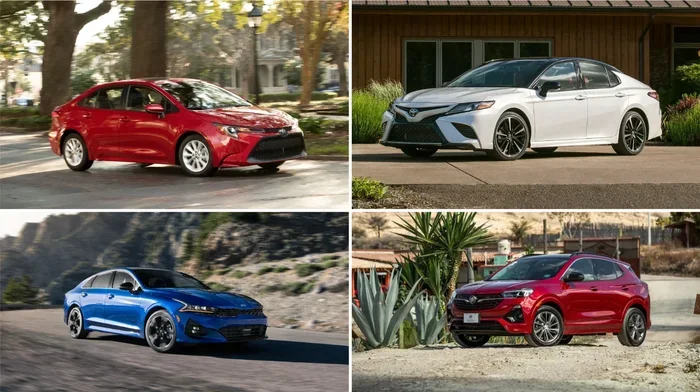
The type of car in the video matters a lot. Sports cars like Ferraris and Lamborghinis grab attention. Luxury sedans like Mercedes and BMW project sophistication. Off-road SUVs show adventure and ruggedness. Choose a car that matches your personality. Your WhatsApp status should reflect who you are.
Scenery and Background
A car driving through a beautiful mountain road or a coastal highway looks stunning. City night drives with lights reflecting off the car body create a cinematic mood. Empty desert roads give a sense of freedom and solitude. The background sets the tone for the entire video. Pick scenery that matches the vibe you want to convey.
Step-by-Step Guide to Download and Set Your Car Driving Status Video
Let us put it all together. Here is a complete walkthrough from finding a video to posting it on your WhatsApp status.
Step 1: Find the Video You Want
Browse WhatsApp status or search online for car driving videos. You can explore YouTube, Instagram Reels, or TikTok for trending car clips. Save the link or note the creator’s name for reference.
Step 2: Download the Video
Use one of the methods we discussed earlier. A downloader website or app works best for most people. Paste the link or search for the video. Tap the download button. Wait for the video to save to your phone gallery.
Step 3: Edit the Video (Optional)
Use your phone’s built-in video editor or a free app like CapCut or InShot. Trim the video to 15 to 30 seconds. Add filters if you want a cinematic look. Adjust brightness and contrast for a more polished finish.
Step 4: Set It as Your WhatsApp Status
Open WhatsApp. Go to the Status tab. Tap the camera icon or the gallery icon. Select your downloaded car driving video. Add a caption if you like. Tap the send button. Your status is live.
Quick Tip: Post your status during peak hours for maximum views. Evenings between 7 PM and 10 PM are usually the best times. Your friends and followers are most active then.
Common Mistakes to Avoid When Downloading Car Driving Status Videos
Even with the best tools, mistakes can happen. Here are the most common errors and how to avoid them.
Using Unsafe Websites
Some websites are full of pop-ups and malicious links. They can harm your phone or steal your data. Always stick to well-known and trusted downloader sites. If a website looks suspicious, close it immediately. Your online safety should always come first.
Ignoring Copyright Rules
Many car driving videos are created by professional videographers or content creators. Using their work without permission can lead to copyright issues. Always try to credit the original creator. Or better yet, ask for permission before sharing their video on your status.
Downloading Low-Quality Videos
A blurry or pixelated video does not look good on your status. It can actually make your profile look unprofessional. Always choose the highest quality option available. A clear, sharp car driving video attracts more views and engagement.
Forting to Give Credit
If you download a video from someone else’s WhatsApp status or social media, give credit when possible. A simple mention in your status caption goes a long way. It shows respect and builds goodwill within your community.
Expert Tips for Creating Stunning Car Driving WhatsApp Status Videos
Want to take your car driving status to the next level? Here are some expert insights that make a real difference.
Use Music to Set the Mood
WhatsApp now lets you add music to your status videos. Choose a soundtrack that matches the driving vibe. Epic rock for sports cars. Smooth jazz for luxury sedans. Lo-fi beats for scenic drives. The right music transforms a good video into a great one.
Keep It Short and Impactful
Your WhatsApp status video should be between 10 and 30 seconds. Longer videos lose viewer attention quickly. Focus on the most exciting or visually striking moments. A short, powerful car driving clip gets more views than a long, drawn-out one.
Post Regularly but Not Too Often
Posting one or two car driving videos per week keeps your profile fresh. It gives your followers something to look forward to. But posting too frequently can feel spammy. Find the right balance and stick to it.
Engage with Your Audience
When people react to your car driving status, respond to them. Ask questions in your captions. Create polls about car types. Build a community around your content. Engagement boosts your visibility on WhatsApp.
Legal and Ethical Considerations for Downloading Status Videos
Downloading car driving whatsapp status video content comes with responsibilities. Understanding the legal and ethical side keeps you safe and respectful.
Copyright and Intellectual Property
Every video has a creator. That creator owns the rights to their content. Downloading a video for personal use is generally fine. But re-uploading it as your own or using it commercially can lead to legal trouble. Always respect the original creator’s rights.
Privacy Concerns
Some car driving videos may feature private property or identifiable people. Always be mindful of privacy. Do not download or share videos that invade someone’s privacy or show restricted areas without permission.
Terms of Service
WhatsApp has specific terms of service. Downloading and sharing status videos for personal use is generally acceptable. But mass downloading or redistributing content may violate those terms. Stay informed and use common sense.
Frequently Asked Questions
Can I download car driving WhatsApp status videos for free?
Yes, absolutely. Many free tools and websites allow you to download car driving whatsapp status video clips without paying a dime. Apps like Status Saver and websites like WaStatusDownloader offer free downloads. Just make sure to use trusted sources to keep your device safe.
Is it legal to download WhatsApp status videos?
Downloading videos for personal use is generally legal. However, re-uploading someone else’s content as your own or using it commercially can violate copyright laws. Always give credit to the original creator and respect their rights.
What is the best app for downloading car driving WhatsApp status videos?
Status Saver and SaveStatus are among the most popular and reliable apps. They are free, easy to use, and work on both Android and iPhone. They let you download videos quickly without watermarks or quality loss.
Can I download WhatsApp status videos on iPhone?
Yes, you can. iPhone users can use apps from the App Store or web-based downloader tools. The screen recording method also works perfectly on iPhone. Just open Control Center, start recording, and play the status video.
Why is my downloaded car driving video blurry?
The video quality depends on the original source. If the WhatsApp status video was low quality, the downloaded copy will also be low quality. Always try to download from the highest quality source available. Using a reputable downloader tool also helps preserve video clarity.
How can I make my car driving WhatsApp status video stand out?
Use high-definition clips, add trending music, keep the video between 10 and 30 seconds, and post during peak hours. A well-edited car driving whatsapp status video download will naturally attract more views and engagement from your contacts.
Final Thoughts
Downloading a car driving whatsapp status video is easier than you think. With the right tools and methods, you can have stunning driving clips on your status in minutes. Whether you use a downloader website, a third-party app, or screen recording, each method works well. The key is to choose safe, reliable sources and respect the creators behind the content.
Car driving videos bring excitement and personality to your WhatsApp profile. They start conversations. They showcase your interests. And they make your status feed more interesting. By following the tips and steps in this guide, you are now equipped to find, download, and share the perfect car driving video with confidence.
So go ahead. Find that perfect car driving clip. Download it safely. Set it as your status. And watch as your friends and followers enjoy the ride. Your next great WhatsApp status is just a few clicks away. Happy downloading!