Everything About Your Car Booking Cancel Application
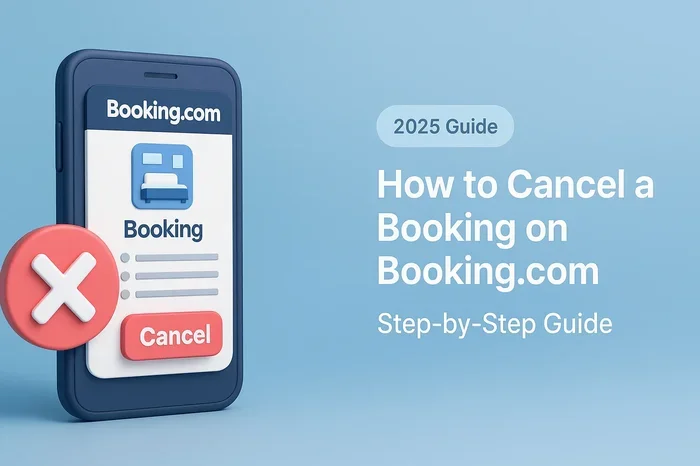
Learn everything you need to know about using a car booking cancel application to cancel rides, avoid fees, and secure refunds quickly. This guide walks you through the step-by-step process, common mistakes to avoid, and expert tips for managing cancellations like a pro. Whether you use a ride-hailing app or a car rental platform, understanding cancellation policies saves you time and money.
Have you ever booked a car ride and then realized you no longer need it? Maybe your plans changed, or perhaps you simply made a mistake. Whatever the reason, knowing how to use a car booking cancel application can save you a lot of stress and money.
In this guide, we will walk you through everything you need to know about canceling car bookings. We will cover how the process works, what fees to expect, and how to get your money back. By the end, you will feel confident navigating any cancellation situation.
The car booking cancel application is a tool built into most ride-hailing and car rental platforms. It allows users to cancel their reservations quickly and easily. But there is more to it than just pressing a button. Understanding how cancellation works helps you avoid unnecessary charges and keeps your experience smooth.
Key Takeaways
- Easy Cancellation: Most car booking cancel applications let you cancel rides in just a few taps.
- Know the Fees: Cancellation fees vary by platform, timing, and booking type.
- Refunds Are Possible: You can often get a full or partial refund if you cancel on time.
- Read the Policy: Always check the cancellation policy before confirming your booking.
- Act Fast: The sooner you cancel, the less you pay in fees.
- Keep Records: Save confirmation emails and receipts for any disputes.
📑 Table of Contents
- What Is a Car Booking Cancel Application?
- Why Do People Cancel Car Bookings?
- Understanding Cancellation Fees and Refunds
- Step-by-Step Guide to Canceling a Car Booking
- Common Mistakes When Canceling Car Bookings
- Expert Insights on Car Booking Cancellations
- How to Dispute an Unfair Cancellation Charge
- Tips to Avoid Needing to Cancel in the First Place
- Comparison of Cancellation Policies Across Platforms
- Final Thoughts
What Is a Car Booking Cancel Application?
A car booking cancel application is a feature within ride-hailing or car rental apps that lets users cancel their bookings. It is available on both iOS and Android devices. You can find it in the “My Trips” or “Active Bookings” section of most apps.
When you book a car, the app holds your payment details. If you decide to cancel, the app processes the cancellation and determines any applicable fees. Some cancellations are free, while others come with a charge. This depends on the platform and how close you are to the pickup time.
How Does the Cancellation Process Work?
Here is a simple breakdown of how cancel booking online works in most apps:
- Open the app and go to your active bookings.
- Tap on the booking you want to cancel.
- Select the “Cancel” option.
- Choose a reason for cancellation if prompted.
- Confirm the cancellation.
- Check for refund details on your screen.
The whole process takes less than a minute. Most apps show you the refund amount before you confirm. This way, there are no surprises.
Why Do People Cancel Car Bookings?
Cancellations happen for many reasons. Sometimes life gets in the way. Other times, a better option comes along. Let us look at some common reasons people use a car booking cancel application.
Change of Plans
This is the most common reason. You book a car for an event, but then the event gets canceled or rescheduled. Or maybe you decide to stay home instead. Whatever the case, plans change, and that is okay.
Found a Better Option
Sometimes you book a car and then find a cheaper or faster alternative. Maybe a friend offers you a ride, or public transport works better than expected. In these cases, canceling the booking makes sense.
Wrong Booking Details
Accidents happen. You might enter the wrong pickup location or select the wrong car type. Rather than showing up at the wrong place, it is smart to cancel and rebook correctly.
Long Wait Times
If your booked car is running late, you might choose to cancel and try another service. Long waits can ruin your schedule, so canceling becomes a practical choice.
Understanding Cancellation Fees and Refunds
One of the biggest concerns people have is about cancellation fees. Nobody wants to pay extra for a booking they did not use. Let us break down how fees work and when you can expect a refund.
How Cancellation Fees Are Calculated
Most platforms use a simple formula to calculate cancellation fees. The fee depends on two main factors:
- Timing: How close are you to the pickup time? Canceling 30 minutes early usually costs less than canceling 2 minutes before.
- Booking Type: Premium rides or reserved bookings often have higher cancellation fees than standard rides.
Some platforms charge a flat fee, while others charge a percentage of the total fare. Always check the fee before confirming your cancellation.
When Are Refunds Issued?
Refunds depend on the platform and the circumstances. Here are some general rules:
- Cancel more than 5 minutes before pickup: full refund in most cases.
- Cancel within 5 minutes of pickup: partial refund or no refund.
- Driver cancels the booking: full refund with no penalty.
- No-show: no refund and possible additional charges.
Keep in mind that every platform has its own cancellation policy for car booking. Reading the terms before you book helps you avoid unexpected charges.
How Long Do Refunds Take?
Most refunds appear in your account within 3 to 7 business days. Some platforms process refunds instantly. If you do not see your refund after a week, contact customer support right away.
Step-by-Step Guide to Canceling a Car Booking
Let us walk through the actual steps for using a car booking cancel application. While the exact steps vary by platform, the general process is similar across most apps.
Step 1: Open the App
Launch the ride-hailing or car rental app on your phone. Make sure you are logged in with the account that made the booking.
Step 2: Go to Your Active Bookings
Look for a tab labeled “Trips,” “Bookings,” or “Active Rides.” Tap on it to see your current reservations.
Step 3: Select the Booking
Tap on the booking you want to cancel. You will see details like pickup time, location, and car type.
Step 4: Tap Cancel
Look for the “Cancel” button, usually at the bottom of the screen. Some apps may ask you to confirm your choice.
Step 5: Choose a Reason
Many apps ask why you are canceling. Select the reason that best fits your situation. This helps the platform improve its services.
Step 6: Confirm and Check Refund
After confirming, the app will show your refund amount. Take a screenshot for your records. The refund should appear in your payment method within a few days.
Quick Tips for Smooth Cancellation
- Cancel as early as possible to avoid fees.
- Always check the refund amount before confirming.
- Save screenshots of your cancellation confirmation.
- Use the app’s chat feature if you run into issues.
- Keep your app updated to access the latest features.
Common Mistakes When Canceling Car Bookings
Even though canceling a booking is simple, people still make mistakes. Here are some common mistakes to avoid when using a car booking cancel application.
Canceling Too Late
One of the biggest mistakes is waiting too long to cancel. If you cancel just minutes before pickup, you will likely pay a fee or lose your money entirely. Set a reminder if you think you might need to cancel.
Not Reading the Cancellation Policy
Every platform has different rules. Some offer free cancellation up to a certain time. Others charge no matter what. Always read the policy before booking so you know what to expect.
Forgetting to Check Refund Status
After canceling, many people forget to check if the refund went through. Always verify that the refund appears in your account. If it does not, reach out to customer support promptly.
Using the Wrong Account
If you have multiple accounts, make sure you are logged into the right one. Canceling from the wrong account can cause confusion and delay your refund.
Not Contacting Support When Needed
If something goes wrong during the cancellation process, do not just give up. Contact the platform’s support team. They can often fix issues and ensure you get your refund.
Expert Insights on Car Booking Cancellations
We spoke with industry experts to get their take on car booking cancellation best practices. Here is what they had to say.
Timing Is Everything
Experts agree that timing plays a huge role in cancellation fees. “The earlier you cancel, the better,” says one ride-hailing analyst. “Most platforms offer free cancellation if you cancel well in advance. The closer you get to pickup time, the more you pay.”
Know Your Rights
Consumer advocates emphasize that users have rights. “If a driver cancels, you should get a full refund with no penalty,” explains a transport policy expert. “And if the app charges you unfairly, you have the right to dispute the charge.”
Use Multiple Platforms Wisely
Industry insiders suggest booking with more than one service when possible. “If one platform has a strict cancellation policy, try another that offers more flexibility,” recommends a car rental consultant. “Always compare policies before you book.”
How to Dispute an Unfair Cancellation Charge
Sometimes you get charged even when you did nothing wrong. Maybe the driver was late, or the app glitched. In these cases, you can dispute the charge. Here is how.
- Go to the app’s “Help” or “Support” section.
- Select the booking in question.
- Choose “Dispute a Charge” or “Report an Issue.”
- Explain what happened clearly and calmly.
- Attach any screenshots or evidence you have.
- Submit the dispute and wait for a response.
Most platforms resolve disputes within 2 to 5 business days. If you are not satisfied with the outcome, you can escalate the issue through email or social media.
Tips to Avoid Needing to Cancel in the First Place
The best way to deal with cancellations is to avoid them altogether. Here are some practical tips to help you make better booking decisions.
- Double-check details before booking: Verify the pickup location, date, and time.
- Set reminders: Use your phone’s calendar to remind you of upcoming rides.
- Book flexible options: Choose platforms that offer free cancellation windows.
- Plan ahead: The more time you have, the less likely you are to need a cancellation.
- Keep alternatives in mind: Know what other services are available in your area.
Following these tips reduces the need to use a car booking cancel application in the first place. But when you do need to cancel, you will be fully prepared.
Comparison of Cancellation Policies Across Platforms
Different platforms have different rules. Here is a quick comparison of popular car booking services and their cancellation policies.
| Platform | Free Cancellation Window | Late Cancellation Fee |
|---|---|---|
| Uber | 5 minutes before pickup | $5 to $10 depending on ride type |
| Lyft | 5 minutes before pickup | Variable, based on trip cost |
| Hertz | 24 hours before pickup | |
| Avis | 6 hours before pickup | One day’s rental rate |
| Ola | 3 minutes before pickup | ₹50 to ₹200 depending on ride |
Always check the specific policy for your platform. These rules can change, and special promotions may have different terms.
Final Thoughts
Using a car booking cancel application is straightforward once you understand the process. The key is to act quickly, know your refund rights, and avoid common mistakes. Whether you are canceling a ride-hailing trip or a car rental reservation, the steps remain the same.
Remember to always read the cancellation policy before you book. Save your confirmation details. And do not hesitate to reach out to customer support if something goes wrong. With the right knowledge, you can cancel any booking with confidence and get your money back when you are entitled to it.
Canceling a car booking does not have to be stressful. Follow the tips in this guide, and you will handle any cancellation like a pro. Your time and money are valuable, and knowing how to manage cancellations protects both.
Frequently Asked Questions
How do I cancel a car booking using the app?
Open the app, go to your active bookings, tap on the booking you want to cancel, and select the “Cancel” option. Confirm the cancellation and check your refund details on screen. The process usually takes less than a minute.
Will I get a refund if I cancel my car booking?
Most platforms issue a full refund if you cancel well before the pickup time. However, if you cancel too close to the pickup window, you may receive a partial refund or no refund at all. Always check the refund amount before confirming the cancellation.
What is the typical cancellation fee for car bookings?
Cancellation fees vary by platform and timing. Most ride-hailing apps charge between $5 and $10 for late cancellations. Car rental platforms may charge a flat fee or a percentage of the booking cost. Check your specific platform for exact amounts.
Can I cancel a car booking after the driver has arrived?
Yes, you can still cancel after the driver arrives, but you may face a higher fee or no refund at all. It is always best to cancel as early as possible. If the driver was unprofessional or unsafe, contact support immediately for assistance.
How long does it take to receive a cancellation refund?
Most refunds are processed within 3 to 7 business days. Some platforms issue refunds instantly. If you do not see your refund after a week, contact the platform’s customer support to resolve the issue.
Are there any platforms that offer free cancellation?
Yes, several platforms offer free cancellation within a specific time window, usually 5 to 30 minutes before pickup. Some car rental services also offer free cancellation up to 24 hours before the booking time. Always check the policy before confirming your reservation.