Can the Toyota App Start My Car From Far Away Today
Yes, the Toyota app can start your car from far away — but only with compatible models and a proper setup. The Toyota app lets you remote start, lock, unlock, and check your vehicle status using your smartphone. You need a Toyota Connected Services subscription, a compatible vehicle, and the app installed. This guide covers everything you need to know about using the Toyota mobile app to start your engine remotely.
Have you ever sat in a cold car and wished you could just start the engine before you even got in? Or maybe you parked in a hot parking lot and wanted to cool things down before driving off. The Toyota app promises to do all of that and more. But can the Toyota app actually start your car from far away? The short answer is yes. But like most things with technology, there are some important details you need to know first.
This guide walks you through everything about Toyota remote start using the mobile app. We will cover which models work, how to set it up, what you need to pay attention to, and common problems you might run into. Whether you own a Toyota Camry, a Toyota RAV4, or a Toyota Prius, this article has you covered.
The Toyota mobile app has grown a lot over the past few years. It went from being a simple navigation tool to a full connected car platform that puts your vehicle in your pocket. With features like remote engine start, vehicle tracking, and lock control, the app aims to make your life easier. Let us dive into how it all works.
Key Takeaways
- The Toyota app supports remote start: You can start your engine from miles away if your vehicle is compatible.
- A subscription is required: Toyota Connected Services or a similar plan is needed for full remote features.
- Not all Toyota models qualify: Newer models with the right tech package work best with the app.
- Setup is simple: You just need the app, a linked account, and a paired vehicle.
- Safety features are built in: The app includes checks to prevent unauthorized or unsafe remote starts.
- Range depends on your plan: Some features work over cellular, while others need Wi-Fi or Bluetooth proximity.
- Troubleshooting is straightforward: Most issues can be fixed with a simple app update or re-pairing.
📑 Table of Contents
- What Is the Toyota App and How Does It Work?
- Which Toyota Models Support App Remote Start?
- How to Set Up the Toyota App for Remote Start
- Benefits of Using the Toyota App to Start Your Car Remotely
- Limitations and Things to Watch Out For
- Troubleshooting Common Toyota App Issues
- How the Toyota App Compares to Other Remote Start Options
- Quick Tips for Getting the Most Out of the Toyota App
- Can You Use the Toyota App With a Hybrid Model?
- Final Thoughts
What Is the Toyota App and How Does It Work?
The Toyota app is a free mobile application available for both iPhone and Android devices. It connects your smartphone to your Toyota vehicle using cellular connectivity and cloud-based services. Once paired, you can access a range of features right from your phone screen.
Core Features of the Toyota App
The app offers several useful tools that go beyond just starting your car. Here are the main features you get access to:
- Remote Engine Start: Start your car’s engine from a distance. This is the feature most people are curious about.
- Remote Lock and Unlock: Lock or unlock your doors without being near the vehicle.
- Vehicle Status Check: See fuel level, tire pressure, oil life, and maintenance alerts.
- GPS Vehicle Location: Find your car in a crowded parking lot.
- Honk and Flash: Locate your car using the horn and lights.
- Climate Control Pre-Set: Adjust your cabin temperature before you get in.
Not every feature works on every model. Your vehicle needs to have the right hardware and software built in. This is where Toyota Connected Services comes into play. Think of it as the bridge between your car and the app. Without this connected technology, the app cannot communicate with your vehicle.
How Does Remote Start Actually Work?
When you tap the remote start button in the app, a signal goes from your phone to Toyota’s cloud servers. From there, it gets sent to your vehicle through the built-in cellular modem. The car receives the command and starts the engine. This whole process takes just a few seconds. The engine will run for a set amount of time, usually around 10 to 15 minutes, before it shuts off automatically.
This means you do not need to be within Bluetooth or Wi-Fi range. You can start your car from work, from home, or even from another city. As long as your phone has a data connection and the car has cellular service, the remote start feature works. That is the real power of the Toyota app.
Which Toyota Models Support App Remote Start?
Not every Toyota on the road can be started with the app. The vehicle needs to have specific technology packages and model-year requirements. Here is a breakdown of what you need to know.
Compatible Toyota Models
Most newer Toyota models from 2018 and onward support the Toyota app remote start feature. Some of the most popular compatible models include:
- Toyota Camry (2018 and newer with the Entune 3.0 system)
- Toyota RAV4 (2019 and newer, especially hybrid and TRD Off-Road trims)
- Toyota Corolla (2020 and newer with the latest tech package)
- Toyota Highlander (2020 and newer)
- Toyota Tacoma (2021 and newer)
- Toyota 4Runner (2020 and newer)
- Toyota Prius (certain hybrid models with connected services)
If you are not sure whether your specific model qualifies, you can check the Toyota website or contact your local dealer. The Toyota Connected Services page also lists compatible vehicles by year and trim level.
What About Older Toyota Models?
Older Toyota models from before 2018 generally do not support the full range of app features. Some earlier models with the Entune system may support basic lock and unlock functions, but remote engine start usually requires newer hardware. If you drive an older model, you may still benefit from the app’s navigation and audio features, but remote start will not be available.
Also, keep in mind that if you are dealing with a check engine light or other warning indicators, the app can help you monitor those alerts. However, starting a car with active warning lights remotely may not be recommended. If your Toyota Camry has the check engine light on, you should address that first before relying on the app for remote functions. You can read more about driving with the check engine light on in our guide Can I Drive My Toyota Camry With The Check Engine Light On.
How to Set Up the Toyota App for Remote Start
Setting up the Toyota app is a straightforward process. You do not need to be a tech expert. Here is a step-by-step walkthrough to get everything working.
Step 1: Download and Install the App
Go to the Apple App Store or Google Play Store and search for “Toyota.” Download the official Toyota app. Make sure you are downloading the correct app from Toyota Motor North America. There are other third-party apps out there, but you want the official one for safety and full feature access.
Step 2: Create Your Toyota Account
Open the app and create an account. You will need a valid email address and phone number. This account links your identity to your vehicle. Make sure you use the same email that is associated with your Toyota ownership records.
Step 3: Pair Your Vehicle
Once your account is set up, you need to pair your vehicle. Go to your car’s infotainment system and navigate to the connectivity or app settings. Follow the prompts to link your vehicle to the Toyota cloud. You may need your Vehicle Identification Number (VIN) handy during this process.
If you have trouble pairing, programming your Toyota key or checking your key fob batteries can sometimes resolve connectivity issues. A weak key fob battery can interfere with the app’s ability to communicate with your car.
Step 4: Activate Toyota Connected Services
For full remote start functionality, you need an active Toyota Connected Services subscription. This is usually included free for the first few years after purchase. After that, you will need to renew the subscription. Without an active plan, many of the app’s remote features will be limited or unavailable.
Step 5: Test Your Remote Start
Once everything is set up, try a test remote start. Open the app, make sure your phone has a good data connection, and tap the remote start button. Wait for the confirmation message that your engine has started. Then go to your car and verify that the engine is running and the climate controls are active.
Benefits of Using the Toyota App to Start Your Car Remotely
Using the Toyota app for remote start offers real, practical benefits. Here are the main advantages that make this feature worth having.
Comfort in Extreme Weather
This is the number one reason most people use remote start. In the dead of winter, you can warm up your car before you step outside. In summer, you can cool down the interior before getting in. No more shivering at the steering wheel or burning your hands on a hot seat belt.
Improved Engine Health
Letting your engine warm up remotely can be better for the engine, especially in cold climates. Cold oil takes longer to circulate, and a gradual warm-up reduces wear on engine components. The Toyota remote start feature lets you get this warm-up going before you even walk to the car.
Security and Peace of Mind
Some people use remote start to keep their car running while they run a quick errand. The car stays locked, and you can monitor its status from the app. If someone tries to tamper with the vehicle, you can get alerts right on your phone.
Time Savings
Imagine pulling into your driveway on a cold morning and starting the car from your living room. By the time you grab your coat and keys, the car is warm and ready. That is a small convenience, but it adds up over time.
Limitations and Things to Watch Out For
The Toyota app is powerful, but it is not magic. There are some limitations you should be aware of so you do not run into surprises.
Subscription Requirements
As mentioned earlier, you need an active Toyota Connected Services plan. If your subscription has lapsed, remote start will not work. Keep track of your renewal date and make sure your payment method is up to date.
Range and Connectivity
While the app works over cellular networks, you still need your phone to have a data connection. If you are in an area with no cell service, you cannot send a remote start command. Similarly, if your car’s built-in modem loses its connection, the app will not reach the vehicle.
Safety Restrictions
Toyota has built in several safety features to prevent misuse. For example, the car will not remote start if the doors are not properly locked. It will also shut off if it detects a problem with the engine or if the hood is open. These safeguards protect both you and your vehicle.
It is also important to note that remote start does not work the same way as a traditional key fob remote start. The app relies on cloud connectivity, which adds a slight delay but also provides more flexibility. If you are curious about how Toyota dealers handle service for these connected features, you can read about service options at Can I Take My Toyota To Any Dealership For Service.
Battery Drain Concerns
Some owners worry that frequent remote starts might drain the car battery. In most cases, this is not a problem. The engine runs on fuel, and the alternator recharges the battery while the engine is on. However, if you remote start your car and do not actually drive it, the battery will eventually drain. Always remember to drive the car after remote starting it.
Troubleshooting Common Toyota App Issues
Like any app, the Toyota mobile app can sometimes have glitches. Here are the most common problems and how to fix them.
App Will Not Connect to the Vehicle
This is usually a pairing issue. Try closing the app completely and reopening it. Make sure your phone’s location services are turned on, as the app needs GPS access to function properly. If that does not work, delete the app and reinstall it, then re-pair your vehicle.
Remote Start Does Not Respond
If you tap remote start and nothing happens, check a few things first. Is your phone connected to the internet? Is your vehicle’s modem active? Is your Toyota Connected Services subscription current? Often, a simple phone restart fixes the issue. You can also try logging out and back into the app.
Delayed Response Times
Sometimes the app takes a while to send the start command. This can happen if the car’s modem is low on signal or if Toyota’s servers are busy. Wait a minute and try again. If delays are constant, contact Toyota support for help.
App Crashes or Freezes
Make sure you have the latest version of the app installed. Developers release updates regularly to fix bugs and improve performance. Also, check that your phone has enough storage space. A full phone can cause apps to behave unpredictably.
How the Toyota App Compares to Other Remote Start Options
There are other ways to remote start a Toyota besides the official app. Let us look at how they compare.
| Feature | Toyota App | Aftermarket Remote Start | Key Fob Remote Start |
|---|---|---|---|
| Works from Far Away | Yes (cellular) | Yes (radio signal) | Limited range |
| Setup Complexity | Easy (app-based) | Requires installation | Very easy |
| Monthly Cost | Subscription fee | One-time cost | None |
| Smartphone Control | Yes | Varies | No |
| Vehicle Monitoring | Yes | Limited | No |
| Safety Features | Built-in | Varies by brand | Basic |
The Toyota app stands out because it combines remote start with full vehicle monitoring in one place. Aftermarket remote starters are cheaper upfront but do not offer the same level of integration. The key fob remote start works well for short distances but lacks the convenience of starting your car from anywhere.
If you are considering an aftermarket option, keep in mind that it may void your warranty. Always check with your Toyota dealership before installing any third-party devices. You can learn more about how Toyota dealerships handle service and warranty work in our article Can I Take My Toyota To Any Dealership For Warranty Work.
Quick Tips for Getting the Most Out of the Toyota App
Here are some practical tips to help you get the best experience with the Toyota app and its remote start feature:
- Keep the app updated. Developers fix bugs and add features with every update. Check for updates regularly.
- Use a strong password. Since the app controls your car, use a unique, strong password for your Toyota account.
- Enable notifications. Turn on push notifications so you get alerts about your vehicle’s status and any security events.
- Check your subscription. Set a reminder a month before your Toyota Connected Services subscription renews.
- Keep your phone charged. You need a working phone to send remote start commands. A dead phone means no remote control.
- Test regularly. Try a remote start once a month to make sure everything is working properly before you really need it.
- Read the owner’s manual. Your specific Toyota model may have unique instructions or limitations for the app features.
Can You Use the Toyota App With a Hybrid Model?
Yes, the Toyota app works with many hybrid models, including the Toyota Prius and Toyota RAV4 Hybrid. However, there are some differences in how remote start works with hybrids. Hybrid engines use both a gas motor and an electric motor, and the remote start behavior may vary slightly.
For example, when you remote start a Toyota Prius, the gas engine will typically run first to warm up the cabin. The electric motor may kick in once the engine reaches operating temperature. You can read more about how the Prius behaves in our article Can You Drive A Prius Without The Hybrid Battery.
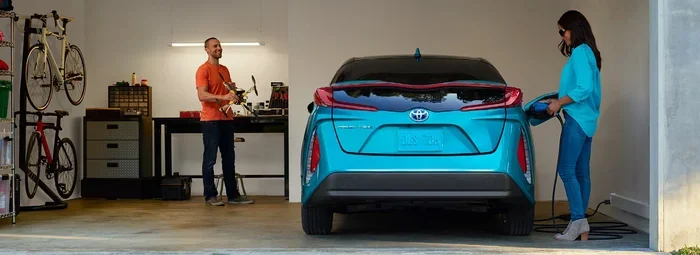
Charging your Toyota Prius at home also ties into the app experience. The Toyota app can monitor your charging status and send notifications when your vehicle is fully charged. This is especially useful if you have a plug-in hybrid model. Learn more about charging your Prius at home in our guide Can I Charge My Prius At Home.
One thing to keep in mind is that hybrid batteries have their own health monitoring systems. If your hybrid battery is failing, the app may show warning indicators. You can find more information about hybrid battery issues in our article Can You Jump Start A Toyota Hybrid Battery.
Final Thoughts
The Toyota app is a genuinely useful tool for modern Toyota owners. It lets you start your car from far away, monitor its health, and control several features right from your phone. The remote start feature alone is worth the setup effort for anyone who deals with extreme weather or just wants a little extra convenience in their daily routine.
To get the most out of the app, make sure your vehicle is compatible, your subscription is active, and you have taken the time to properly pair your car with the app. Keep the app updated, use strong account security, and test your remote start regularly. With these steps, you will be warming up (or cooling down) your Toyota from anywhere in no time.
The world of connected car technology is moving fast, and Toyota is keeping up. The app continues to get better with each update, adding new features and improving reliability. If you have not yet explored what the Toyota app can do for you, now is a great time to start. Your car — and your comfort — will thank you.
Frequently Asked Questions
Can I start my Toyota from another state using the app?
Yes, you can start your Toyota from another state as long as your vehicle has an active cellular connection and your phone has data. The app uses cloud-based servers to send commands to your car, so distance does not matter. Just make sure your Toyota Connected Services subscription is active and your app is properly paired with your vehicle.
Do I need a special Toyota plan to use the remote start feature?
Yes, you need an active Toyota Connected Services subscription. Most new Toyotas come with a free trial period, usually one to three years. After that, you will need to renew the subscription to keep using remote start and other connected features. Check your specific plan details with your dealer or on the Toyota website.
Is it safe to leave my car running remotely with the Toyota app?
Toyota has built in multiple safety measures. The car must be locked before a remote start can begin. The engine will automatically shut off after a set time, usually 10 to 15 minutes. If the system detects any issue, such as low oil pressure or an open hood, it will not start the engine. These features help keep your vehicle secure.
Can I use the Toyota app to start my older Toyota model?
It depends on the model year and tech package. Most Toyotas from 2018 and newer support the full app feature set. Older models may have limited functionality or may not be supported at all. Check the Toyota website or contact your dealer to confirm whether your specific vehicle qualifies for app-based remote start.
What should I do if the Toyota app remote start is not working?
First, check that your phone has a stable internet connection. Then verify that your Toyota Connected Services subscription is active. Try closing and reopening the app, or logging out and back in. If the problem persists, restart your phone and your vehicle’s infotainment system. You can also try uninstalling and reinstalling the app. If none of these steps work, contact Toyota customer support for assistance.
Can I schedule a remote start for a specific time using the Toyota app?
Yes, the Toyota app allows you to schedule a remote start for a future time. This feature is especially useful for waking up to a warm car in winter or cooling down the interior before you arrive. Set the time in the app, and it will automatically start your engine at the scheduled time. Make sure your vehicle is locked and your subscription is active for the scheduler to work properly.