How to Get the Maint Reqd Light Off Once and For All
The maint reqd light is one of the most common dashboard alerts drivers face, and knowing how to get the maint reqd light off is a simple skill every car owner should have. Whether you drive a Toyota, Honda, or another brand, resetting this light after an oil change or service is quick and usually takes less than five minutes. This guide covers every method, model-specific trick, and common mistake so you can handle it yourself with confidence.
You are driving down the road, and suddenly a little light pops up on your dashboard that says “Maint Reqd.” It is not the check engine light, and your car seems to be running fine. So what gives? The truth is, the maint reqd light is one of the most misunderstood alerts in any vehicle. It is not an emergency. It is simply your car telling you that a service interval has been reached and it is time for routine maintenance.
Many drivers panic when they see this light. Others ignore it for months. Neither approach is ideal. The good news is that learning how to get the maint reqd light off is something almost anyone can do at home in just a few minutes. Whether you own a Toyota, Honda, Nissan, or another popular brand, this guide will walk you through every step, every method, and every tricky situation you might run into.
We will cover what the light actually means, why it comes on, how to reset it for different car models, and what to do if the light refuses to go away. By the end of this article, you will have the confidence and knowledge to handle the maint reqd light like a pro. No mechanic visit required for the reset itself.
Key Takeaways
- Easy DIY Reset: Most vehicles let you reset the maint reqd light at home with a few button presses on the dashboard or steering wheel controls.
- Model-Specific Steps: Toyota, Honda, and other brands each have a unique reset process, and we cover them all in detail.
- Light ≠ Serious Problem: The maint reqd light is a service reminder, not a warning of engine failure, so it is usually safe to drive until you can reset it.
- Oil Change Triggers It: The light typically comes on after your oil life system reaches zero, signaling that maintenance is due.
- Prevention Tips: Following your maintenance schedule and resetting the light promptly keeps your dashboard clean and your car running well.
- When to See a Mechanic: If the light stays on after a reset or flashes repeatedly, there may be an underlying issue that needs professional attention.
📑 Table of Contents
- What Is the Maint Reqd Light and Why Does It Come On?
- How to Get the Maint Reqd Light Off: Step-by-Step Methods
- Common Reasons the Maint Reqd Light Stays On
- Maint Reqd Light vs. Check Engine Light: What Is the Difference?
- Quick Tips for Resetting the Maint Reqd Light
- When the Maint Reqd Light Means Something Serious
- Preventing the Maint Reqd Light from Coming Back Too Soon
- Key Takeaways
- Conclusion
What Is the Maint Reqd Light and Why Does It Come On?
The maintenance required light, often shortened to “maint reqd,” is a dashboard indicator found in many Japanese and Asian-market vehicles. It is most commonly associated with Toyota and Honda models, though other brands use similar systems. Unlike the check engine light, which signals a detected fault in the engine or emissions system, the maint reqd light is purely a service interval reminder.
Here is how it works. Most modern vehicles have an oil life monitoring system that tracks your driving habits, mileage, engine temperature, and other factors. When the system determines that the oil life has been used up, it triggers the maint reqd light. This is the car’s way of saying, “Hey, it is time for an oil change or other scheduled maintenance.”
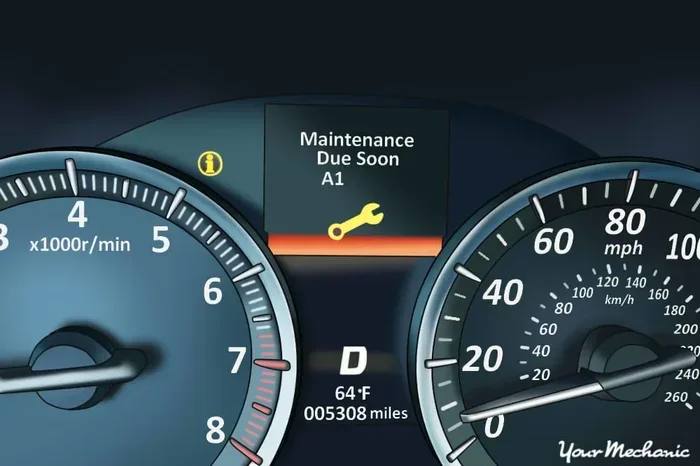
The light usually looks like a small wrench icon or the letters “MAINT” on the dashboard display. It may flash or stay solid. In most cases, a solid light means the service is due soon, while a flashing light is rare and usually indicates a more persistent reminder that has been ignored.
How the Oil Life System Works
Your vehicle’s oil life system is smarter than a simple mileage counter. It uses algorithms to estimate the condition of your engine oil based on real-world driving conditions. Factors like short trips, extreme temperatures, heavy loads, and stop-and-go traffic all affect how quickly the system counts down.
When the oil life percentage reaches zero, the maint reqd light illuminates. This does not mean your oil is completely gone or that your engine is damaged. It simply means the system has determined that the oil is nearing the end of its useful service life and a maintenance check should be scheduled.
Some vehicles also track other service items beyond just oil changes. These can include tire rotations, brake inspections, fluid flushes, and filter replacements. The maint reqd light serves as a master reminder for all of these scheduled services.
How to Get the Maint Reqd Light Off: Step-by-Step Methods
Now for the part you have been waiting for. Learning how to get the maint reqd light off is straightforward, but the exact steps depend on your vehicle model. Below, we cover the most common reset methods for popular brands and models.
Resetting the Maint Reqd Light on Toyota Vehicles
Toyota vehicles are the most common cars associated with the maint reqd light. If you drive a Camry, Corolla, RAV4, or any other Toyota model, here is the standard reset process:
Step 1: Turn the ignition to the “ON” position without starting the engine. You can do this by pressing the start button without pressing the brake pedal, or by turning the key to the accessory position in older models.
Step 2: Use the steering wheel controls to navigate to the trip meter display. On most Toyotas, you will press the “Trip” button on the dashboard until the odometer or trip meter screen appears.
Step 3: Turn the ignition back to the “OFF” position, then quickly turn it back to “ON” while simultaneously holding down the reset button on the trip meter.
Step 4: Hold the reset button for about 10 to 15 seconds. You should see the trip meter counter start to flash, indicating that the maintenance reminder has been cleared.
Step 5: Release the button, turn the ignition off, then start the engine again. The maint reqd light should now be off. If it is still on, repeat the process making sure you hold the button long enough.
Resetting the Maint Reqd Light on Honda Vehicles
Honda vehicles use a slightly different process, but it is just as easy. Here is how to reset the maint reqd light on most Honda models including the Civic, Accord, CR-V, and Fit:
Step 1: Turn the ignition to the “ON” position. In Honda vehicles with a steering wheel control wheel, locate the “Select/Reset” knob on the instrument panel.
Step 2: Press the “Select/Reset” knob to cycle through the display options until you see the maintenance indicator or the oil life percentage.
Step 3: Hold down the “Select/Reset” knob for about 10 seconds. The light should begin to blink, and the maintenance reminder will start to reset.
Step 4: Release the knob and turn the ignition off, then back on to verify the light has been cleared. On some Honda models, you may also need to hold the knob for a second cycle to fully confirm the reset.
Resetting the Maint Reqd Light on Nissan and Other Brands
Nissan, Mazda, Subaru, and other brands have their own specific reset procedures, but the general approach is similar. Most involve accessing the trip or maintenance menu on the instrument cluster, then holding a button or knob to clear the reminder.
For Nissan vehicles, you typically access the trip computer, scroll to the maintenance menu, and hold the reset button for several seconds. For Mazda, the process often involves holding the “Info” button on the steering wheel until the maintenance light resets. Always check your owner’s manual for the exact procedure specific to your vehicle.
Resetting via the Instrument Panel Buttons
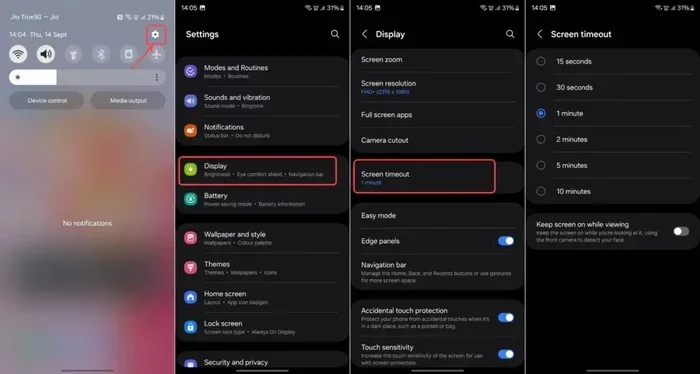
Many newer vehicles from 2015 onward feature digital instrument clusters that allow you to reset the maint reqd light directly from the dashboard menu. The general process works like this:
- Press the “Menu” or “Settings” button on the steering wheel or dashboard controls.
- Navigate to the “Vehicle Info” or “Maintenance” section.
- Select “Reset Maintenance” or “Clear Service Reminder.”
- Confirm the reset when prompted.
- Turn the vehicle off and back on to verify the light is gone.
This method is the most intuitive and works on a growing number of modern vehicles. If your car has a touchscreen infotainment system, you may also find the reset option in the vehicle settings menu under “Service” or “Maintenance.”
Common Reasons the Maint Reqd Light Stays On
Sometimes you follow all the steps correctly, but the maint reqd light simply will not go away. This can be frustrating, but there are a few common reasons why this happens. Understanding these causes can save you time and unnecessary trips to the dealership.
Incomplete Reset Process
The most common reason the light stays on is that the reset was not completed properly. Maybe you did not hold the button long enough, or you turned the ignition off too quickly. The reset process requires precise timing, and rushing through it is the number one mistake drivers make.
To fix this, simply repeat the reset procedure slowly and deliberately. Count to 15 or 20 while holding the button. Make sure the trip meter is flashing before you release it.
Oil Change Was Not Completed
Some vehicles will keep the maint reqd light on if the oil change was not actually performed. The oil life system monitors driving patterns, and if the oil has not been replaced, the system may continue to display the reminder even after a reset attempt. In these cases, the reset may only last for a short distance before the light comes back on.
If this happens to you, make sure the oil change has been completed with the correct oil type and filter. After the service, have the technician reset the light using their diagnostic tool, or try the manual reset again.
Faulty Instrument Cluster
In rare cases, a malfunctioning instrument cluster or a loose connection can cause the maint reqd light to stay illuminated even after a successful reset. This is more common in older vehicles with higher mileage. If you have tried every method and the light persists, it may be time to have the instrument cluster inspected by a qualified mechanic.
Software or Module Glitch
Modern vehicles rely heavily on electronic control modules that communicate with each other. Occasionally, a software glitch or a communication error between modules can cause the maintenance light to remain on. A simple battery disconnect often resolves this. Disconnect the negative battery terminal for 10 to 15 minutes, then reconnect it and try the reset again.
Multiple Service Items Pending
Some vehicles track multiple service intervals simultaneously. If you have completed an oil change but other maintenance items are still due, the maint reqd light may stay on or return shortly after being reset. Check your maintenance schedule to see if other services are outstanding.
Maint Reqd Light vs. Check Engine Light: What Is the Difference?
It is important to understand that the maint reqd light and the check engine light are two completely different warnings. Many drivers confuse them, which leads to unnecessary worry or, conversely, ignoring a real problem.
The check engine light is part of your vehicle’s onboard diagnostics system (OBD-II). It illuminates when the car’s computer detects a problem with the engine, emissions system, or other critical components. A check engine light often requires a diagnostic scan tool to read the trouble codes, and the issue should be addressed promptly.
The maint reqd light, on the other hand, is purely informational. It does not indicate a mechanical problem. It is simply a reminder that routine maintenance is due. You can safely drive your vehicle with the maint reqd light on for a reasonable distance while you schedule service.
However, if both lights come on at the same time, that is a different story. The check engine light takes priority, and you should address the underlying issue before worrying about resetting the maintenance reminder.
Quick Tips for Resetting the Maint Reqd Light
Here are some practical tips to make the reset process smooth and hassle-free:
- Have your owner’s manual handy. Every vehicle is different, and the manual will have the exact reset procedure for your specific model and year.
- Make sure the car is in park. For automatic transmissions, the reset process usually only works when the vehicle is in “Park” or “Neutral.”
- Use the right button. On Toyota models, it is usually the trip meter reset button. On Honda, it is the steering wheel “Select/Reset” knob. Using the wrong button will not work.
- Be patient. Hold the button for the full recommended time. Letting go too early is the most common reason for an incomplete reset.
- Try the battery disconnect method. If all else fails, disconnecting the battery for a few minutes can clear minor electronic glitches and reset the system.
- Check for recalls or technical service bulletins. Some vehicle models have known issues with the maint reqd light that may require a dealership visit or software update.
When the Maint Reqd Light Means Something Serious
In the vast majority of cases, the maint reqd light is nothing to worry about. It is a routine reminder, and resetting it after service is all it takes. However, there are situations where a persistent maintenance light could indicate a more serious underlying issue.
If the maint reqd light is accompanied by other warning lights such as the check engine light, oil pressure light, or temperature warning, you should pull over safely and investigate. A combination of lights suggests that something beyond routine maintenance may be wrong with your vehicle.
Also pay attention to how the light behaves. If it flashes rather than staying solid, or if it keeps coming back immediately after being reset, there may be a deeper problem with the vehicle’s maintenance tracking system. In these cases, a visit to a mechanic or dealership for a diagnostic check is a smart move.
Another red flag is if the light appears on a vehicle that has not been driven for an unusually long distance or time. This could indicate a malfunction in the oil life monitoring system that needs professional diagnosis.
Preventing the Maint Reqd Light from Coming Back Too Soon
Once you have successfully learned how to get the maint reqd light off, you probably want to keep it off. The best way to do this is by following a consistent maintenance schedule and staying on top of your vehicle’s service needs.
Keep a log of every oil change, tire rotation, brake inspection, and fluid flush. Many drivers use a simple spreadsheet or a maintenance app on their phone to track these services. When you know exactly when your last service was performed, you can plan ahead and avoid the surprise of the maint reqd light appearing out of nowhere.
Also, consider resetting the light immediately after completing the service. If you take your car to a quick lube shop or dealership for an oil change, ask them to reset the maintenance reminder before you leave. This ensures the light is cleared at the source and reduces the chance of it returning prematurely.
Driving habits also play a role. If you frequently drive in severe conditions such as extreme heat, cold, dusty roads, or heavy traffic, your vehicle’s oil life system may count down faster. In these cases, you may need to service your vehicle more frequently than the standard interval, and the maint reqd light will appear more often.
Key Takeaways
- Simple Reset Process: Most vehicles allow you to reset the maint reqd light at home using dashboard or steering wheel controls in under five minutes.
- Brand-Specific Steps: Toyota, Honda, Nissan, and other brands each have unique reset procedures, but they all follow a similar logic of accessing the trip or maintenance menu.
- It Is a Reminder, Not an Emergency: The maint reqd light is a service interval notification and does not indicate a mechanical failure or immediate danger.
- Common Issues Include Incomplete Reset and Pending Services: If the light stays on, check that you completed the reset properly and that all scheduled services have been performed.
- Prevention Is Key: Following your maintenance schedule and resetting the light promptly after each service keeps your dashboard clean and your vehicle running smoothly.
- Know When to Seek Help: If the light persists, flashes, or appears alongside other warning lights, a professional diagnostic check is the right next step.
Conclusion
The maint reqd light is one of those small dashboard annoyances that every driver encounters at some point. The good news is that it is easy to understand, easy to address, and even easier to reset once you know the right steps. Now that you know how to get the maint reqd light off, you can handle it yourself the next time it appears on your dashboard.
Remember that this light is simply your vehicle’s way of reminding you to stay on top of routine maintenance. It is not a cause for alarm. By following the reset methods outlined in this guide for your specific vehicle model, you can clear the light quickly and get back on the road with confidence.
Stay proactive with your car’s maintenance schedule, and the maint reqd light will never catch you off guard. Keep this guide bookmarked for future reference, and share it with a friend who might be dealing with the same annoying dashboard light. A little knowledge goes a long way when it comes to taking care of your vehicle.
Frequently Asked Questions
Can I drive my car with the maint reqd light on?
Yes, in most cases it is safe to drive with the maint reqd light on. The light is a service reminder, not a warning of a mechanical problem. However, you should schedule an oil change or other maintenance as soon as possible to keep your vehicle in good condition.
How long can I drive after the maint reqd light comes on?
Most manufacturers recommend getting your vehicle serviced within 500 to 1,000 miles after the light appears. While you will not cause immediate damage by driving a bit longer, staying on top of oil changes and maintenance helps protect your engine over the long term.
Will disconnecting the battery reset the maint reqd light?
Disconnecting the battery can sometimes reset the maint reqd light, especially if the issue is a minor electronic glitch. However, this method does not work on all vehicles, and it may also reset other settings like your radio presets and clock. It is best to try the model-specific reset method first.
Why does the maint reqd light come back right after I reset it?
If the light returns immediately, it usually means the oil change was not completed, the reset was not done correctly, or there is another pending service item. Double-check that the oil was changed and try the reset process again slowly and carefully.
Do I need special tools to reset the maint reqd light?
No special tools are needed for most vehicles. The reset is done using buttons and controls already present on your dashboard or steering wheel. Your owner’s manual will have the exact steps for your specific model.
Is the maint reqd light the same as the oil change light?
Yes, in most cases the maint reqd light serves as the oil change indicator. It is triggered by the vehicle’s oil life monitoring system when the oil is due for replacement. Resetting the light after an oil change is the standard practice.