Reset the Maintenance Required Light on Toyota Highlander
Resetting the maintenance required light on a Toyota Highlander is a quick and easy process you can do at home. Whether you have a 2010, 2015, or 2023 model, the steps are simple and take less than a minute. This guide walks you through every method so your Highlander stays in top shape.
Key Takeaways
- Multiple methods work: You can reset the light using the steering wheel buttons, the odometer, or the diagnostic tool depending on your model year.
- It takes under two minutes: Most resets are fast and require no special tools or mechanic visits.
- Regular resets matter: Keeping up with the maintenance schedule helps your Highlander run smoothly and last longer.
- Warning lights are different: The maintenance light is not the same as the check engine light. Each one signals something specific.
- Oil changes trigger the light: After every oil change, you should reset the reminder to keep tracking your next service.
- Model year matters: Older and newer Highlanders use slightly different reset procedures, so knowing your year is important.
📑 Table of Contents
- Reset the Maintenance Required Light on Toyota Highlander
- Why Does the Maintenance Required Light Come On?
- How to Reset the Maintenance Required Light on Toyota Highlander
- When Should You Reset the Maintenance Light?
- Common Mistakes When Resetting the Maintenance Light
- Can You Drive With the Maintenance Light On?
- Maintenance Schedule for the Toyota Highlander
- What If the Maintenance Light Will Not Turn Off?
- Expert Tips for Keeping Your Highlander in Great Shape
- Final Thoughts
Reset the Maintenance Required Light on Toyota Highlander
Your Toyota Highlander is a dependable SUV. It handles school runs, road trips, and daily commutes with ease. But every so often, that little maintenance required light pops up on the dashboard. It can be annoying. It can also be confusing. Do you need a mechanic? Does it mean something is broken? The answer is no. This light simply means it is time for routine service. And the good news? You can reset it yourself in minutes.
In this guide, we walk you through every step to reset the maintenance required light on Toyota Highlander models. We cover different years, different methods, and common mistakes to avoid. Whether you drive a 2010 Highlander or a brand-new 2024 model, you will find exactly what you need. No jargon. No fluff. Just clear, simple instructions that anyone can follow.
So grab your coffee, pop the hood if you want, and let us get that light off your dashboard. By the end of this article, you will know exactly how the maintenance light reset works, why it matters, and how to keep your Highlander running strong between services.
Why Does the Maintenance Required Light Come On?
The maintenance required light is a service reminder. It is not a warning about a broken part. It does not mean your engine is failing. Instead, it is Toyota way of saying, “Hey, you are due for routine maintenance.” This usually means an oil change or a scheduled inspection.
Here is how the system works. Your Highlander tracks mileage. When you hit a certain interval, typically every 5,000 miles, the light turns on. This reminds you to visit a service center or do the work yourself. The system does not adjust automatically after a service. That is where the reset comes in.
The Difference Between Maintenance Light and Check Engine Light
Many drivers confuse the maintenance light with the check engine light. They are very different. The check engine light signals a problem with your emissions system or engine performance. It needs immediate attention. The maintenance light is just a friendly nudge. It says your vehicle is due for scheduled upkeep.
You can usually drive safely with the maintenance light on. But you should not ignore it for too long. Regular oil changes and inspections keep your Highlander healthy. If you are wondering whether it is safe to keep driving, check out our guide on can I drive with a maintenance required light on in a Toyota for more details.
What Triggers the Maintenance Light?
Several things can trigger the maintenance required light on your Highlander:
- Mileage intervals: Every 5,000 miles is the most common trigger.
- Oil change completion: After you get an oil change, the old reminder stays until you reset it.
- Time-based reminders: Some systems also track time, not just miles.
- Other service items: Tire rotations, fluid checks, and filter replacements can also be tracked.
Once the light comes on, it will stay on until you manually reset it. Some drivers ask, does the maintenance light stay on permanently? The answer is no. It stays on until you complete the reset. For more on this topic, visit our page about does the maintenance light stay on.
How to Reset the Maintenance Required Light on Toyota Highlander
Now for the part you have been waiting for. Resetting the light is simple. The exact steps depend on your model year and the type of controls your Highlander has. We have broken it down into three easy methods below.
Method 1: Using the Steering Wheel Controls (2008 and Newer Models)
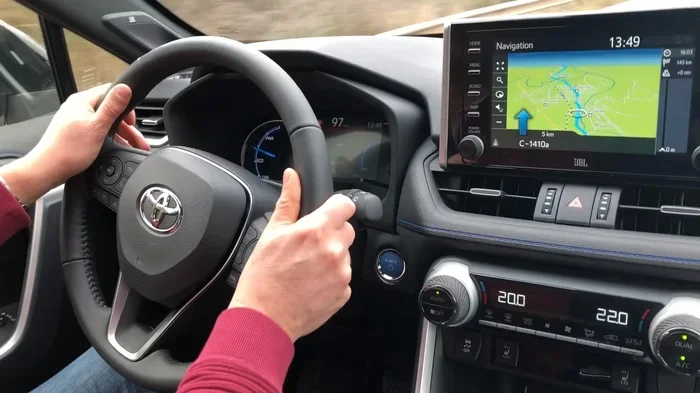
Most modern Toyota Highlanders use the steering wheel buttons to control the dashboard display. This method works for 2008 and newer models. Here is what you do:
- Turn the ignition to the “ON” position. Do not start the engine. Just press the start button once without pressing the brake pedal.
- Use the steering wheel arrow buttons to scroll through the display menu.
- Find the “Odometer” or “Trip A” option on the screen.
- Press and hold the “Trip” button on the steering wheel for about three seconds.
- The maintenance light should start flashing.
- Release the Trip button, then press and hold it again for another three seconds.
- The light should turn off and the mileage counter resets to zero.
That is it! Your maintenance reminder is now cleared. The system will track the next 5,000 miles and light up again when the time comes.
Method 2: Using the Odometer Button (Older Models)
If you drive an older Highlander, say from 2000 to 2007, the process is slightly different. These models use a physical odometer button rather than steering wheel controls. Follow these steps:
- Turn the ignition key to the “ON” position. The dashboard lights will come on.
- Locate the odometer button. It is usually on the dashboard cluster or the turn signal stalk.
- Press the odometer button to switch the display to the trip meter.
- While looking at the trip meter, press and hold the odometer button.
- Turn the ignition key back to the “OFF” position, then back to “ON” while still holding the button.
- Hold the button for about five seconds.
- The maintenance light should blink and then turn off.
This method works reliably for older models. It may feel a little tricky the first time, but once you do it, you will remember the steps.
Method 3: Using a Diagnostic Tool
If the button methods do not work for your Highlander, or if you prefer a more precise approach, you can use an OBD-II diagnostic tool. These tools plug into a port under your dashboard and communicate directly with your vehicle’s computer.
Here is how to use one:
- Locate the OBD-II port. It is usually under the steering column on the driver side.
- Plug in the diagnostic tool and turn the ignition to “ON.”
- Follow the tool’s menu to find the maintenance light reset option.
- Select “Clear Maintenance Reminder” and confirm.
- The tool will send a signal to erase the light.
Diagnostic tools are great because they also read error codes. This means you can check for other issues at the same time. If you are not sure which tool to buy, ask at your local auto parts store. Many staff members can recommend a good budget option.
When Should You Reset the Maintenance Light?
Timing matters when it comes to resetting the maintenance light. You should always reset it after completing a service. This includes oil changes, tire rotations, fluid top-offs, and inspections. The reset tells the system that service has been done and starts tracking the next interval.
If you reset the light without actually doing the service, you lose the reminder. This can lead to missed oil changes or overdue inspections. That is not good for your engine. Clean oil keeps everything lubricated and cool. Skipping oil changes can cause serious damage over time.
Many drivers ask about the connection between oil changes and the maintenance light. After every oil change, make it a habit to reset the light right away. This keeps your service tracking accurate. For more tips on managing your service schedule, check out our article on do you reset after an oil change.
Quick Tips for Timing Your Resets
- Reset immediately after service: Do it before you drive away from the shop or garage.
- Do not reset early: If you have not reached the 5,000-mile mark, wait. Premature resets mess up the tracking system.
- Note the date and mileage: Write down when you reset the light. This helps you remember when the next service is due.
- Set a phone reminder: Even with the reset, a phone alarm is a great backup for tracking your next oil change.
Common Mistakes When Resetting the Maintenance Light
Even simple tasks can go wrong. Here are the most common mistakes drivers make when trying to reset the maintenance required light on their Toyota Highlander.
Mistake 1: Turning the Ignition to Start Instead of ON
This is the number one mistake. You must turn the key to “ON” or press the start button without pressing the brake. If you actually start the engine, the menu options change and the reset sequence does not work. Keep the engine off during the reset process.
Mistake 2: Not Holding the Button Long Enough
Timing is everything. If you release the Trip button or odometer button too early, the reset will not activate. Hold the button for the full count of three to five seconds. You will see the light blink or change, which confirms you are holding it long enough.
Mistake 3: Confusing the Maintenance Light with Other Warning Lights
Your Highlander dashboard has many lights. The maintenance light is yellow and usually shows a wrench icon. It is not the same as the red check engine light or the oil pressure light. If you see a red light, pull over safely and check your manual. Red lights often indicate urgent problems.
Mistake 4: Resetting Without Completing the Service
Some drivers reset the light just to make the dashboard look clean. This is a bad habit. The maintenance light exists to protect your vehicle. Ignoring it can lead to engine wear, reduced fuel efficiency, and costly repairs down the road. Always do the service first, then reset.
Can You Drive With the Maintenance Light On?
Yes, you can drive your Toyota Highlander with the maintenance light on. The light does not affect how your vehicle runs. It is purely a reminder system. Your engine, brakes, and transmission all work normally regardless of the light status.
However, the light means you are approaching or have reached a service milestone. Ignoring it for too long means you might go too many miles without an oil change. Over time, this can reduce engine performance. Old oil gets dirty and loses its ability to lubricate properly.
If you want more specific guidance on driving with this light, our article can I drive with a maintenance required light on in a Toyota covers the topic in detail.
Maintenance Schedule for the Toyota Highlander
Knowing how to reset the light is only half the battle. Understanding the maintenance schedule for your Highlander helps you stay ahead of problems. Here is a quick overview of what your Highlander needs at different intervals.
| Interval | Service | Notes |
|---|---|---|
| Every 5,000 miles | Oil change and filter replacement | Most common trigger for the maintenance light |
| Every 15,000 miles | Tire rotation and inspection | Check brakes, fluids, and belts |
| Every 30,000 miles | Air filter and cabin filter replacement | Improves air quality and engine performance |
| Every 60,000 miles | Spark plugs and transmission fluid | Major service milestone |
| Every 100,000 miles | Coolant flush and thorough inspection | Full system check recommended |
Sticking to this schedule keeps your Highlander running smoothly for years. The maintenance light reset is your signal that one of these services is complete. Reset it right away and start tracking the next interval with confidence.
What If the Maintenance Light Will Not Turn Off?
Sometimes the light stays on even after you follow all the steps. This can be frustrating. Here are a few reasons why this might happen and what you can do about it.
Reason 1: You did not hold the button long enough. Try the reset process again. Make sure the ignition is in the “ON” position and hold the button for the full duration.
Reason 2: There is an underlying issue. In rare cases, a persistent maintenance light could signal a deeper problem with the vehicle’s computer system. A diagnostic tool can help identify this.
Reason 3: The service has not been completed. If the system detects that the required service has not been performed, it may keep the light on. Complete the service first, then try the reset again.
Reason 4: Electrical glitch. Sometimes the system just needs a reboot. Turn the ignition off, wait 30 seconds, and try the reset again. This simple trick works more often than you might think.
If none of these solutions work, visit your Toyota dealer or a trusted mechanic. They have professional tools that can clear stubborn lights and check for hidden issues.
Expert Tips for Keeping Your Highlander in Great Shape
Resetting the maintenance light is just one part of vehicle ownership. Here are some expert tips to keep your Toyota Highlander running like new.
Keep a service log. Write down every oil change, tire rotation, and inspection. This helps you track your Highlander’s health and makes resale easier. Buyers love a well-documented service history.
Use genuine Toyota parts. Aftermarket parts can work, but genuine Toyota parts are designed specifically for your vehicle. They fit better and last longer. If you are ever in the market for parts, your dealer can help.
Check fluid levels monthly. Engine oil, coolant, brake fluid, and power steering fluid all need regular checks. Low fluids can cause serious problems if left unnoticed. If you are unsure about checking fluid levels, our guide on how do you know if you need power steering fluid offers helpful insights.
Do not skip inspections. Even if everything seems fine, regular inspections catch small problems before they become big ones. A $100 inspection can save you thousands in repairs later.
Keep your records digital. Take photos of your service receipts and store them in the cloud. This way, you never lose track of your maintenance history, even if you switch phones or lose paper copies.
Final Thoughts
Resetting the maintenance required light on your Toyota Highlander is one of the simplest and most useful skills you can learn as a vehicle owner. It takes less than two minutes, requires no special tools, and keeps your service tracking accurate. Whether you use the steering wheel buttons, the odometer method, or a diagnostic tool, the process is straightforward and satisfying to complete.
Remember, the maintenance light is your friend. It keeps you on top of oil changes, inspections, and other routine services. Reset it after every service, and your Highlander will reward you with years of reliable performance. Do not let that little yellow light stress you out. Now you know exactly what to do when it appears.
Keep this guide bookmarked. The next time the maintenance light comes on, you will be ready. And your Highlander will keep on running strong, mile after mile.
Frequently Asked Questions
How do I reset the maintenance required light on a Toyota Highlander?
Turn the ignition to “ON,” use the steering wheel arrows to scroll to the trip meter, and press and hold the Trip button for three to five seconds. The maintenance light will blink and then turn off. The exact steps may vary slightly depending on your model year.
Can I drive my Toyota Highlander with the maintenance light on?
Yes, you can safely drive with the maintenance light on. It is a service reminder, not a warning about a mechanical problem. However, you should schedule your next oil change or inspection soon to keep your vehicle running at its best.
Why won’t my maintenance light turn off after resetting?
The light may stay on if you did not hold the button long enough, if the service has not been completed, or if there is an electrical glitch. Try the reset process again and make sure you hold the button for the full duration. If it still will not turn off, a diagnostic tool or a visit to the dealer can help.
How often does the maintenance light come on in a Toyota Highlander?
The maintenance light typically comes on every 5,000 miles. This is the standard interval for oil changes and routine inspections. Some Highlanders also track time-based reminders, so the light may appear based on mileage or months, whichever comes first.
Is the maintenance light the same as the check engine light?
No, they are completely different. The maintenance light is a yellow wrench icon that signals a routine service is due. The check engine light is usually red or orange and indicates a problem with your engine or emissions system. If you see a check engine light, you should address it promptly.
Do I need a special tool to reset the maintenance light?
No, you do not need a special tool for most Toyota Highlanders. The reset can be done using the steering wheel buttons or the odometer button. However, if those methods do not work, an OBD-II diagnostic tool is a helpful alternative and can also read error codes for other issues.