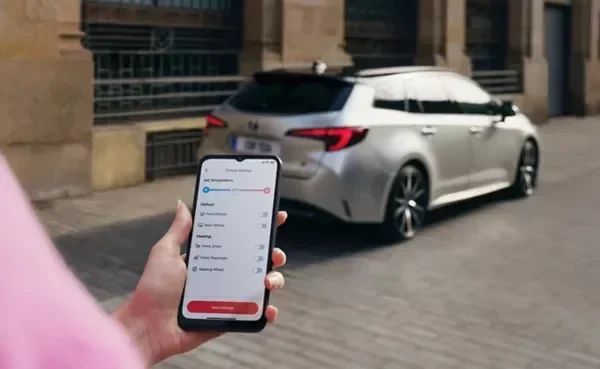
How Can I Delete My Toyota App Account Step By Step
Deleting your Toyota app account is straightforward, but there are a few important steps you must follow to ensure your data is fully removed. This guide walks you through the entire process, from preparing your account to confirming deletion. You will learn what happens to your data, how to back up important information, and common mistakes to avoid.
Have you been wondering how can I delete my Toyota app account? Maybe you are switching to a different vehicle, concerned about your data privacy, or simply tired of the app. Whatever the reason, deleting your Toyota app account is a process you need to handle carefully. In this guide, we will walk you through every single step. You will learn what happens to your data, how to prepare before deletion, and what to do if you run into problems. Let us get started.
Toyota offers a range of connected services through its mobile app. These include remote start, vehicle tracking, maintenance alerts, and more. But not everyone wants to keep using these features. Some users sell their vehicles and no longer need the app. Others worry about how much personal data Toyota collects. No matter your reason, deleting your Toyota app account is your right as a user. This article will show you exactly how to do it the right way.
Key Takeaways
- You can delete your Toyota app account through the app settings or the Toyota website.
- Back up your data before deleting, as the process is permanent and cannot be undone.
- Deleting the app from your phone is different from deleting your Toyota app account.
- Your Toyota connected services subscriptions and saved preferences will be erased after deletion.
- You may need to contact Toyota support if the standard deletion process does not work.
- Reactivating a deleted Toyota account may not be possible, so be certain before proceeding.
📑 Table of Contents
Why People Delete Their Toyota App Account
There are many reasons why someone would want to remove their Toyota app account. Understanding these reasons can help you feel more confident about your decision. Let us look at some of the most common ones.
Selling or Trading In Your Vehicle
If you are selling or trading in your Toyota, you will want to remove all personal data from the vehicle and the app. This includes saved home and work addresses, phone numbers, and navigation history. Deleting your account ensures the next owner cannot access your information. It also makes sense to upgrade your vehicle setup for your next car rather than carry over old app data.
Privacy and Data Concerns
Many people are becoming more aware of how their data is collected and stored. Toyota connected services collect a lot of information about your driving habits, location, and vehicle usage. If you are not comfortable with this, deleting your account is a smart move. You get full control over what data Toyota holds on you.
No Longer Using Toyota Connected Services
Some owners simply do not use the app enough to justify keeping an account. If you have not opened the Toyota app in months, it might be time to clean up your digital space. Removing unused accounts helps reduce clutter and keeps your digital life organized.
Switching to a Different Brand or Vehicle
Maybe you are moving away from the Toyota brand entirely. Perhaps you bought a different make or you are leasing a vehicle from another manufacturer. In these cases, keeping a Toyota app account serves no purpose. You can also check if syncing your iPhone to a new car requires a fresh app setup.
What Happens When You Delete Your Toyota App Account
Before you start the deletion process, it is important to understand what happens. Deleting your Toyota app account is not like simply uninstalling the app from your phone. The two are very different. Let us break this down clearly.
Data That Will Be Removed
When you delete your Toyota app account, the following information is permanently removed:
- Your personal profile including your name, email, and phone number
- Saved vehicle details such as your VIN, mileage, and service records
- Navigation history and saved locations like home and work addresses
- Connected services subscriptions including any active trials or paid plans
- App preferences like notification settings and display options
- Pairing information for your phone and any linked devices
Data That May Be Retained
Toyota may retain certain data even after account deletion. This is usually due to legal or regulatory requirements. Some data that may be kept includes:
- Transaction records for any purchases made through the app
- Basic anonymized usage data that cannot be linked back to you
- Service records tied to your vehicle, which may be kept by the dealership
Deleting the App vs. Deleting Your Account
This is a very common mistake. Simply deleting the Toyota app from your phone does not delete your account. Your profile, data, and subscriptions remain active on Toyota’s servers. You must follow the proper account deletion process to fully remove your information. If you want to also remove your profile from a linked device, consider unpairing your iPhone from your car as an additional step.
How to Delete Your Toyota App Account Step by Step
Now let us get into the actual process. Deleting your Toyota app account involves a few clear steps. Follow them carefully to make sure everything goes smoothly.
Step 1: Back Up Your Important Data
Before you delete anything, save the information you might need later. Here is what you should back up:
- Write down your saved navigation addresses
- Note any service appointment dates or reminders
- Screenshot any warranty or subscription details you may need in the future
- Save your vehicle maintenance records if they are stored in the app
Once your account is deleted, recovering this data will be very difficult or impossible. Taking a few minutes to back up now can save you a lot of trouble later.
Step 2: Cancel Any Active Subscriptions
If you have an active Toyota connected services subscription, you need to cancel it first. Deleting your account does not automatically cancel billing. Here is how to do it:
- Open the Toyota app and go to Settings
- Tap on Subscriptions or Connected Services
- Select Cancel Subscription
- Confirm the cancellation and check your email for a confirmation
If you purchased your subscription through the Apple App Store or Google Play Store, you may also need to cancel it there. Go to your device’s subscription management settings and cancel the Toyota subscription separately.
Step 3: Sign Out of All Devices
Before deleting your account, sign out of the Toyota app on every device where you are logged in. This includes your phone, tablet, and any in-car infotainment system. Signing out ensures a clean removal process and prevents any sync issues during deletion.
Step 4: Delete Your Account Through the App
Here is the main process for deleting your account directly through the Toyota app:
- Open the Toyota app on your phone
- Tap the Menu icon (usually three lines in the corner)
- Go to Settings
- Scroll down and tap Account
- Select Delete Account or Close Account
- Read the on-screen warning carefully
- Confirm your decision by entering your password or following the prompts
- Wait for a confirmation email or message
The app may ask you to provide a reason for deleting your account. This is optional, but it helps Toyota improve its services. You can skip this step if you prefer.
Step 5: Delete Your Account Through the Toyota Website
If you prefer using a computer or if the app deletion option is not working, you can also delete your account through the Toyota website:
- Go to the Toyota owner portal in your web browser
- Log in with your Toyota account credentials
- Navigate to Account Settings or Profile Management
- Look for the Delete Account option
- Follow the prompts to confirm deletion
- Check your email for a confirmation message
If you have trouble finding the deletion option on the website, you can also contact Toyota customer support directly for assistance with account removal.
Step 6: Uninstall the App and Clear App Data
After deleting your account, you should also remove the app from your device. This is not strictly required, but it helps keep your phone clean. On most phones, you can long-press the app icon and select Uninstall. After uninstalling, go to your phone’s storage settings and clear any remaining app data. This ensures no residual information is left behind.
Troubleshooting Common Deletion Issues
Sometimes the deletion process does not go as planned. Here are some common problems and how to fix them.
Cannot Find the Delete Account Option
If you cannot find the option to delete your account, try these steps:
- Make sure your Toyota app is updated to the latest version
- Log out and log back in to refresh your account settings
- Try deleting your account through the website instead of the app
- Clear the app cache and try again
If none of these work, contact Toyota support. They can manually process your account deletion request.
Account Deletion Is Not Processing
Sometimes the app says your account is being deleted but nothing seems to happen. This can be due to a slow internet connection or a temporary server issue. Try the following:
- Check your internet connection
- Restart the app and try again
- Wait 24 to 48 hours and check your email for a confirmation
- Contact Toyota customer support if the issue persists
Still Receiving Emails After Deletion
If you continue to receive Toyota emails after deleting your account, your email address may still be on a marketing list. To stop this:
- Open any Toyota email and click Unsubscribe at the bottom
- Update your email preferences on the Toyota website
- Contact Toyota support and ask them to remove your email from all marketing lists
Can You Reactivate a Deleted Toyota App Account?
Once you delete your Toyota app account, reactivating it is not guaranteed. In most cases, the deletion is permanent. Toyota does not typically keep deleted accounts in a recoverable state. If you think you might want to use the Toyota app again in the future, consider deactivating your account instead of deleting it. Deactivation temporarily disables your account while keeping your data intact.
If you are planning to return to a Toyota vehicle in the future, you can always create a new account when you are ready. However, you will lose all your old preferences, saved data, and subscription history. This is why it is so important to be certain before you proceed with deletion.
Some owners wonder if deleting their Toyota app account affects their vehicle warranty or warranty lookup. Rest assured, deleting the app account does not affect your vehicle warranty. Your warranty is tied to your vehicle identification number and dealership records, not to the app account.
Tips for a Smooth Account Deletion
Here are some practical tips to make the deletion process as easy as possible:
- Do it during business hours. If you run into issues, Toyota support will be available to help.
- Use a stable internet connection. A weak connection can interrupt the deletion process.
- Save your confirmation email. Keep the deletion confirmation email for your records in case you need proof later.
- Check all linked accounts. If your Toyota account is linked to other services like Apple CarPlay or Android Auto, make sure those are updated too.
- Be patient. Full account deletion can take up to 72 hours to process completely.
Following these tips will help ensure your Toyota app account deletion goes smoothly from start to finish. Taking a few extra minutes to prepare can save you from frustration down the road.
Final Thoughts
Deleting your Toyota app account is a simple process once you know the steps. The key is to prepare properly, cancel subscriptions first, and follow the deletion process carefully. Whether you are selling your vehicle, concerned about privacy, or just moving on to a different setup, you now have everything you need to remove your Toyota account safely.
Remember that deleting the app from your phone is not the same as deleting your account. Always use the proper account deletion process to ensure your data is fully removed. If you run into any issues, Toyota customer support is there to help you through the process.
Take your time, follow the steps in this guide, and you will have your Toyota app account deleted in no time. Your data privacy matters, and now you have the power to control it.
Frequently Asked Questions
Can I delete my Toyota app account without canceling my subscription first?
It is strongly recommended to cancel any active subscriptions before deleting your account. If you do not cancel first, you may continue to be billed even after account deletion. Cancel your subscription through the app settings or your device’s app store before proceeding with account removal.
How long does it take to delete a Toyota app account?
The deletion process usually starts immediately after you confirm your request. However, full removal of all your data from Toyota’s servers can take up to 72 hours. You should receive a confirmation email shortly after initiating the deletion. If you do not receive one within a few days, contact Toyota support.
Will deleting my Toyota app account affect my vehicle warranty?
No, deleting your Toyota app account has no effect on your vehicle warranty. Your warranty is tied to your vehicle identification number and dealership service records. The app account is separate from your vehicle’s warranty coverage. You can also look up your warranty status using your VIN if needed.
Can I recover my Toyota app account after deleting it?
In most cases, deleted Toyota app accounts cannot be recovered. Toyota treats account deletion as a permanent action. If you think you might want to use the app again in the future, consider deactivating your account instead. Deactivation keeps your data intact while temporarily disabling your account.
Do I need to delete my Toyota app account if I am selling my car?
Yes, it is a good idea to delete your Toyota app account when selling your vehicle. This removes all your personal data from the app and prevents the new owner from accessing your saved information. You should also reset the vehicle’s infotainment system and unpair your phone before handing over the keys.
What should I do if the delete account option is not showing in the Toyota app?
First, make sure your app is updated to the latest version. Try logging out and back in, or clearing the app cache. If the option still does not appear, you can delete your account through the Toyota website instead. If that also fails, contact Toyota customer support for direct assistance with account removal.