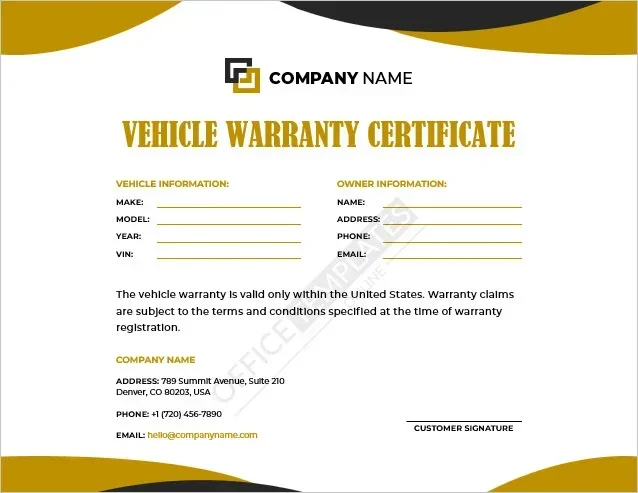
Can I Look Up My Warranty With My VIN Number Online
Yes, you can look up your warranty with your VIN number online, and it is one of the easiest ways to check your vehicle warranty status in just a few minutes. Your VIN number acts like a fingerprint for your car, unlocking details about manufacturer warranty coverage, warranty expiration dates, and even service history. Whether you own a new or used vehicle, this simple lookup can save you time, money, and confusion when you need repairs or file a claim.
If you have ever wondered, “Can I look up my warranty with my VIN?” the answer is a clear and simple yes. Whether you just bought a car, are shopping for a used vehicle, or need to schedule a repair, knowing your warranty status is incredibly valuable. Your vehicle identification number is the key that unlocks a wealth of information about your car’s coverage, service history, and more.
In this guide, we will walk you through everything you need to know about looking up your warranty using your VIN number online. We will cover the tools you can use, the information you will find, common pitfalls to avoid, and expert tips to make the process as smooth as possible. By the end, you will feel confident navigating your warranty details like a pro.
Key Takeaways
- VIN-based warranty lookups are free and widely available through manufacturer portals, third-party tools, and dealership websites.
- Your VIN reveals critical warranty details including coverage type, start date, mileage limits, and expiration status.
- You can check your warranty online, by phone, or in person at a dealership using your 17-character VIN.
- Certified pre-owned vehicles often retain transferable warranties that can be verified through a VIN check.
- Common mistakes like entering the wrong VIN or using unverified websites can lead to inaccurate results.
- Regularly checking your warranty status helps you stay ahead of repairs and avoid unexpected costs.
- Extended warranty plans can be researched using your VIN to understand what additional coverage options exist.
📑 Table of Contents
- What Is a VIN Number and Why Does It Matter for Your Warranty?
- How to Look Up Your Warranty Using Your VIN
- What Information Can You Find Through a VIN Warranty Lookup?
- Common Warranty Issues and How to Resolve Them
- Tips to Protect Your Vehicle Warranty
- Final Thoughts on Looking Up Your Warranty With Your VIN
What Is a VIN Number and Why Does It Matter for Your Warranty?
Your VIN number is a unique 17-character code assigned to every vehicle manufactured since 1981. Think of it as your car’s Social Security number. No two vehicles share the same VIN, which makes it the most reliable way to access specific details about your car.
When it comes to warranty lookups, the VIN matters because it ties directly to the manufacturer’s database. Every time a vehicle is serviced, repaired, or has a warranty claim filed, that information gets linked to the VIN. This means that by entering your VIN, you can pull up a detailed record of your vehicle warranty coverage and service history.
How to Find Your VIN
Finding your VIN is straightforward. You can look at the following locations:
- Dashboard — Look through the windshield on the driver’s side. The VIN is printed on a small metal plate.
- Driver’s side door jamb — Open your driver’s door and check the sticker on the door frame.
- Vehicle title or registration — Your VIN is listed on all official paperwork.
- Insurance documents — Your auto insurance card or policy includes the VIN.
- Owner’s manual — Many manufacturers include the VIN in the documentation.
How to Decode Your VIN
Each section of your VIN tells a story. The first three characters identify the world manufacturer identifier. Characters four through eight describe the vehicle’s features, such as the model, body type, and engine. The ninth character is a check digit that verifies the VIN’s authenticity. The tenth character shows the model year, and the eleventh identifies the assembly plant. The last six characters are the vehicle’s unique serial number.
Understanding this structure helps when you are doing a VIN number lookup because you will know exactly what information to expect from the results.
How to Look Up Your Warranty Using Your VIN
Now that you understand what your VIN is and where to find it, let us talk about the actual process of looking up your warranty. There are several reliable methods you can use, and most of them are completely free.
Method 1: Use the Manufacturer’s Official Website
Most major car manufacturers offer free warranty lookup tools on their official websites. Brands like Ford, Toyota, Honda, Chevrolet, and BMW all provide VIN-based warranty checkers. Here is how it typically works:
- Go to the manufacturer’s official website.
- Navigate to the “Warranty” or “Owner Services” section.
- Enter your 17-character VIN in the search field.
- Review the warranty details displayed on your screen.
This method is the most accurate because you are pulling data directly from the source. The results will show your warranty start date, coverage type, mileage limits, and expiration status.
Method 2: Contact Your Dealership Directly
If you prefer a personal touch, you can call or visit your local dealership. Provide them with your VIN, and their service department can pull up your full warranty information. This is especially helpful if you have questions about warranty claim procedures or need clarification on what is covered.
Dealerships can also check whether any warranty extensions or service campaigns apply to your vehicle. This personal approach is great when you want to discuss specific repairs or coverage details face-to-face.
Method 3: Use Third-Party VIN Lookup Tools
Several reputable third-party websites allow you to enter your VIN and receive a comprehensive vehicle history report. Sites like Carfax, AutoCheck, and VINDecoder.net are popular choices. These tools often provide more than just warranty information — they also show accident history, title status, and vehicle service records.
However, be cautious with free VIN lookup sites. Some may require you to sign up for a paid subscription to access full results. Stick with well-known, trusted platforms to protect your personal information.
Method 4: Check Your Email or Paperwork
Sometimes the easiest way to find your warranty information is to look at what you already have. When you purchase a new car, the dealership typically provides warranty documents. Check your email inbox for any digital copies as well. Your original purchase contract and owner’s manual often include warranty details.
What Information Can You Find Through a VIN Warranty Lookup?
A VIN-based warranty lookup can reveal a surprising amount of useful information. Here is what you can typically expect to find:
- Warranty type — Whether you have a bumper-to-bumper warranty, powertrain warranty, or roadside assistance coverage.
- Coverage start date — The exact date your warranty began, which is usually tied to the vehicle’s in-service date.
- Mileage limits — Most warranties have a mileage cap, such as 36,000 or 60,000 miles. Your lookup will show how many miles you have remaining.
- Expiration status — Whether your warranty is still active, expired, or nearing its end date.
- Transfer status — If the vehicle has been sold previously, the lookup can show whether the warranty transferred to the new owner.
- Outstanding recalls — Your VIN lookup may also reveal any unresolved recalls or service campaigns for your vehicle.
- Service history — Many lookups include records of past maintenance and repairs performed at dealerships.
Understanding Bumper-to-Bumper vs. Powertrain Warranty
It is important to know the difference between these two main types of factory warranty coverage. A bumper-to-bumper warranty covers almost everything in your vehicle, from electronics to the air conditioning system. A powertrain warranty focuses specifically on the engine, transmission, and drivetrain components. Most new cars come with a bumper-to-bumper warranty of three years or 36,000 miles and a powertrain warranty of five years or 60,000 miles, but this varies by manufacturer.
Common Warranty Issues and How to Resolve Them
Even with a VIN lookup, you might run into issues when trying to access or understand your warranty information. Here are the most common problems and how to solve them.
Expired or Missing Warranty Records
If your VIN lookup shows no warranty information, there could be a few reasons. The warranty may have simply expired. Alternatively, the vehicle might have been serviced at independent shops rather than dealerships, which means records are not in the manufacturer’s database. In some cases, the VIN may have been entered incorrectly, so double-check the 17 characters for accuracy.
Incorrect Vehicle Information
Sometimes a VIN lookup returns information for the wrong vehicle. This can happen if the VIN was entered with a typo or if the vehicle’s records were updated incorrectly by a previous owner or dealership. If this occurs, contact the manufacturer’s customer service team with your correct VIN and request a manual verification.
Warranty Not Transferring Properly
For used car buyers, a common concern is whether the warranty transfers with the vehicle. If your lookup shows the warranty has expired even though the car is relatively new, it may not have been transferred correctly during the sale. Contact the selling dealer to resolve this issue. Most manufacturers require the transfer to be processed within a specific timeframe after the sale.
Disputing a Warranty Denial
If you discover that a claim was denied but believe it should have been covered, you have options. Start by requesting a written explanation from the dealership or manufacturer. Review your warranty terms carefully. If you still disagree, you can file a complaint with your state’s consumer protection office or seek assistance from a lemon law attorney.
Tips to Protect Your Vehicle Warranty
Once you have looked up your warranty and understand your coverage, it is smart to take steps to protect it. Here are practical tips that every car owner should follow.
Keep All Service Records
Always get your maintenance performed at authorized dealerships or certified shops. Keep every receipt and service report. These records prove that you followed the manufacturer’s recommended maintenance schedule, which is essential for keeping your warranty claim valid.
Read Your Warranty Document Carefully
Take the time to read through your warranty paperwork. Pay attention to what is covered, what is excluded, and what maintenance requirements you must meet. Many warranty disputes arise from simple misunderstandings about coverage limits.
Address Recalls Promptly
If your VIN lookup reveals any outstanding recalls, get them fixed immediately. Recalls are repaired at no cost to you, and ignoring them could potentially void parts of your warranty or, more importantly, put your safety at risk.
Consider an Extended Warranty
If your factory warranty is about to expire, consider purchasing an extended warranty plan. Use your VIN to research what options are available for your specific vehicle model and year. Extended warranties can provide peace of mind and protect you from expensive out-of-pocket repair costs.
Be Cautious with Modifications
Aftermarket modifications can sometimes void your warranty, especially if they affect the engine, transmission, or electrical systems. Before making any changes to your vehicle, check your warranty terms or consult with your dealership.
Final Thoughts on Looking Up Your Warranty With Your VIN
Looking up your warranty with your VIN number is one of the simplest and most valuable things you can do as a car owner. It gives you clarity on your coverage, helps you plan for repairs, and can even alert you to important recalls or service campaigns. The process is fast, usually free, and accessible to anyone with internet access.
Whether you use the manufacturer’s website, contact your dealership, or try a third-party tool, the key is to have your VIN ready and to verify the information you receive. Stay proactive about your warranty status, keep your records organized, and do not hesitate to reach out to your manufacturer or dealer if you have questions.
Taking a few minutes today to check your warranty could save you hundreds or even thousands of dollars down the road. So go ahead, grab your VIN, and take control of your vehicle’s warranty coverage. Your future self will thank you.
Frequently Asked Questions
Can I look up my warranty with my VIN for free?
Yes, most manufacturer websites and dealership service departments offer free VIN-based warranty lookups. Third-party tools like Carfax may charge a small fee for full vehicle history reports, but basic warranty status checks are typically free.
What if my VIN lookup shows no warranty information?
This could mean your warranty has expired, the vehicle was serviced outside the dealership network, or there was a typo in the VIN. Double-check your VIN for accuracy and contact the manufacturer’s customer service if you still cannot find your records.
Does a VIN warranty lookup work for used cars?
Absolutely. You can look up the warranty status of any vehicle using its VIN. For used cars, the lookup will show whether the original factory warranty is still active, whether it has been transferred, or if an extended warranty was purchased.
How long does a VIN warranty lookup take?
Most online VIN warranty lookups return results in under two minutes. Calling a dealership may take a bit longer, but service representatives can usually provide the information within a few minutes of receiving your VIN.
Can I check warranty status for a vehicle I just purchased?
Yes, you can. If you recently bought a car, enter the VIN into the manufacturer’s website or contact the dealership. New vehicle warranties typically start from the in-service date, which is the date the vehicle was first registered or sold.
Is my VIN lookup information secure?
Yes, when you use official manufacturer websites or trusted third-party services, your information is secure. The VIN itself is not private — it is printed on your vehicle and visible through the windshield — so there is no security risk in entering it on a reputable lookup tool.