How to Change an Acura RDX Key Battery Step by Step
Changing the battery in your Acura RDX key fob is simple and takes just a few minutes. This step-by-step guide walks you through everything you need to know about Acura RDX key battery replacement, from picking the right battery to getting your key fob working again. No mechanic needed!
This is a comprehensive guide about How to Change an Acura RDX Key Battery.
Key Takeaways
- Easy DIY Job: You can replace the Acura RDX key battery yourself at home with basic tools.
- CR2032 Battery: Most Acura RDX key fobs use a standard CR2032 battery that is easy to find.
- Quick Process: The entire battery swap takes less than 5 minutes once you know the steps.
- Reset May Be Needed: After replacing the battery, you might need to reset the key fob to restore full function.
- Save Money: Doing it yourself costs under $5 instead of paying a dealer or locksmith.
- Know the Signs: Weak range and intermittent working are clear signs your battery is dying.
[FEATURED_IMAGE_PLACEHOLDER]
How to Change an Acura RDX Key Battery Step by Step
Your Acura RDX key fob stops working at the worst possible time. Maybe you are standing in the grocery store parking lot. Maybe you are rushing to work on a cold morning. Whatever the situation, a dead key fob battery is frustrating. The good news is that swapping out the battery is one of the easiest repairs you can do yourself. You do not need any special tools or mechanical skills. In this guide, we walk you through every single step to get your Acura RDX key battery replaced quickly and correctly.
Many Acura RDX owners panic when their key fob battery dies. They assume it will be expensive or complicated. That is simply not true. Whether you have a newer RDX with a smart key system or an older model with a traditional remote, the process is straightforward. We will cover everything from choosing the right battery to troubleshooting common issues afterward. By the end of this article, you will feel confident handling this job on your own.
Replacing your Acura RDX key battery is a task that saves you time and money. A dealer might charge you $50 or more for something that costs less than $5 in parts. Plus, you do not have to wait for an appointment or drive to the service center. Let us dive into the full process and get your key fob working again.
Why Your Acura RDX Key Fob Battery Dies
Understanding why your Acura RDX key fob battery dies helps you prevent surprises. Most key fob batteries last between two and four years. However, usage patterns and environmental factors can shorten that lifespan significantly.
Common Reasons for Key Fob Battery Drain
Several things cause your key fob battery to drain faster than expected. Here are the most common culprits:
- Frequent use: If you press the buttons dozens of times every day, the battery wears out faster.
- Proximity to other key fobs: Storing multiple fobs close together can cause signal interference and drain power.
- Extreme temperatures: Hot and cold weather puts extra stress on the battery. If you leave your fob in a hot car, it can drain quickly.
- Button stuck or pressed accidentally: Sometimes the fob gets pressed against something in your pocket or bag, keeping it active.
- Old age: Even with light use, batteries degrade over time and eventually lose their charge capacity.
Knowing these causes helps you get more life out of each new battery. It also helps you identify whether the problem is actually the battery or something else entirely.
How to Tell Your Battery Is Dying
Your Acura RDX gives you warning signs before the battery dies completely. Watch for these clues:
- Reduced range: You have to stand closer to the car for the remote to work. This is often the first sign.
- Intermittent working: The fob works sometimes but not others. This is a classic battery symptom.
- Delayed response: There is a noticeable delay between pressing the button and the car responding.
- Dashboard warning: Some RDX models display a warning message on the instrument cluster about the key fob.
- Push button start not recognizing the fob: If your RDX has push-button start, a weak battery may prevent the system from detecting the key.
If you notice any of these signs, it is time to replace the Acura RDX key battery. Do not wait until the fob stops working completely. Keeping a spare battery on hand is a smart move for any Acura owner.
What You Need Before You Start
Before you begin the Acura RDX key battery replacement, gather everything you need. Having all your tools ready makes the process smooth and frustration-free. You do not want to be halfway through the job and realize you are missing something.
Tools and Materials Required
- CR2032 battery: This is the most common battery type for Acura RDX key fobs. You can find it at any drugstore, grocery store, or auto parts shop. A single battery costs about $3 to $5.
- Small flathead screwdriver: You need this to pry open the key fob casing. A plastic pry tool works even better because it prevents scratches.
- Soft cloth or towel: Place this under your work area to catch any small parts that might fall.
- Good lighting: Make sure you can see clearly inside the key fob. A desk lamp works great.
- Clean hands: Oils and dirt from your fingers can affect the new battery connection. Wash your hands before starting.
That is all you need. No special equipment. No trip to the mechanic. With these simple items, you are ready to change the battery in your Acura RDX key fob in just a few minutes.
Which Battery Does the Acura RDX Use?
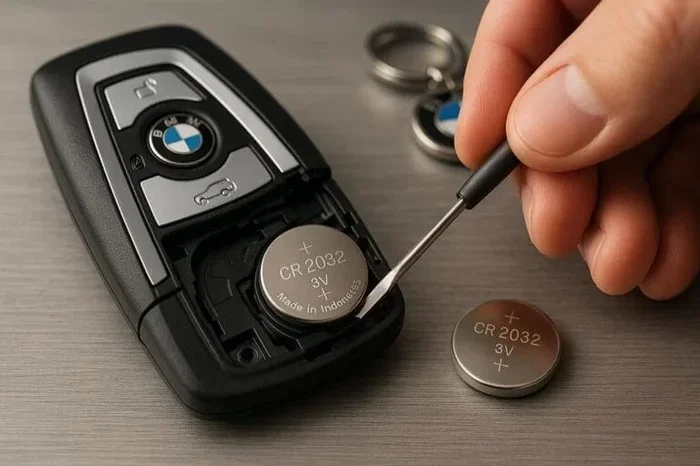
The vast majority of Acura RDX models use a CR2032 battery. This is a standard 3-volt coin cell battery. It is one of the most common battery types in the world, so finding a replacement is easy. You can buy name-brand batteries like Duracell or Energizer, or you can choose a generic version. Both work perfectly fine for your key fob.
Some older or special edition RDX models may use a CR2025 battery, which is slightly thinner. Check your owner manual if you are unsure. The difference between CR2032 and CR2025 is only 3 millimeters in thickness, so using the wrong one could cause fit issues.
Step-by-Step Guide to Changing Your Acura RDX Key Battery
Now comes the fun part. Let us walk through the actual process of replacing the battery in your Acura RDX key fob. Follow each step carefully, and you will have a working fob in no time.
Step 1: Remove the Mechanical Key
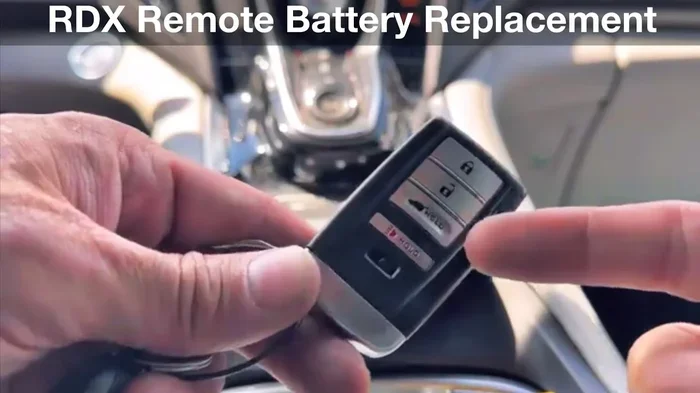
Start by locating the small release button on the side of your key fob. Press it and slide the mechanical key out. The mechanical key is useful for unlocking the trunk or doors if the battery dies completely. Set it aside in a safe place.
Removing the mechanical key gives you access to the screws or clips that hold the fob casing together. This is the essential first step in any key battery replacement process.
Step 2: Open the Key Fob Casing
With the mechanical key removed, you will see one or two screws holding the two halves of the fob together. Use your small flathead screwdriver to carefully unscrew them. Place the screws somewhere safe, like a small bowl or a magnetic mat.
After removing the screws, gently pry the two halves apart. Work your way around the edges slowly. The casing is held together by small plastic clips, so do not force it. A gentle, steady pressure will release all the clips without breaking anything.
If you have a plastic pry tool, use it instead of a screwdriver. This protects the fob casing from scratches and cracks. Many people keep a set of plastic pry tools in their electronics repair kit. They are inexpensive and incredibly useful.
Step 3: Remove the Old Battery
Once the casing is open, you will see the old battery sitting in its compartment. The battery is held in place by a small metal contact plate or a plastic clip. Note how the battery sits and which side is facing up before you remove it.
Carefully pop the old battery out. You can use the tip of a small screwdriver or simply use your fingernail. The battery should pop out easily with gentle pressure. Make sure you dispose of the old battery properly. Most stores that sell batteries have recycling bins for used batteries.
Take a moment to inspect the battery compartment. Look for any corrosion or debris. If you see any, clean it gently with a dry cloth before inserting the new battery. Clean contacts ensure the best connection and longest battery life for your new Acura RDX key battery.
Step 4: Insert the New Battery
Take your new CR2032 battery and hold it with the positive side facing up. The positive side has a “+” symbol and a slightly raised surface. Place it into the battery compartment exactly as the old battery was positioned.
Make sure the battery sits flat and secure in the compartment. The metal contact plate should press down firmly on the battery. If it feels loose, check that the battery is oriented correctly. A battery inserted upside down will not work.
Once the new battery is in place, give it a gentle press to confirm it is seated properly. You should feel it snap into position under the contact plate.
Step 5: Reassemble the Key Fob
Now it is time to put everything back together. Align the two halves of the fob casing carefully. Make sure all the internal components are seated properly and nothing is pinched between the halves.
Press the two halves together firmly until all the plastic clips click into place. You should feel a satisfying snap as each clip engages. Then replace the screws and tighten them gently. Do not overtighten, as this can strip the screw holes or crack the plastic.
Slide the mechanical key back into the fob until it clicks into place. Your Acura RDX key fob is now reassembled and ready to test.
Step 6: Test the Key Fob
Stand near your Acura RDX and test all the buttons. Try locking the doors, unlocking the doors, opening the trunk, and triggering the panic alarm. Test each button at least twice to make sure the response is consistent.
If the key fob not working after replacing the battery, do not panic. This happens more often than you might think. There are a few simple fixes. First, check that the battery is oriented correctly. Second, make sure the battery is making firm contact with the terminals. Third, try holding the fob very close to the car when pressing the buttons.
If none of these fixes work, you may need to reset the key fob. We cover this in detail in the next section. For more detailed troubleshooting tips, you can also check out our guide on replacing a key fob battery yourself.
Resetting Your Acura RDX Key Fob After Battery Replacement
In some cases, replacing the battery in your Acura RDX key fob requires a reset. The car’s computer may not immediately recognize the fob after a battery change. This is normal and easy to fix. The reset process varies slightly depending on your RDX model year, but the general steps are similar.
How to Reset the Key Fob
Follow these steps to reset your Acura RDX smart key system:
- Sit in the driver’s seat and close all doors.
- Press the engine start/stop button (with your foot off the brake) to turn the electrical systems on without starting the engine.
- Within 10 seconds, press and hold the lock button on the key fob for about 5 seconds.
- Wait for the doors to lock and unlock, which confirms the reset was successful.
- Try starting the car with the push-button start system to verify everything works.
If your RDX model requires a different reset procedure, consult your owner manual. You can also find model-specific instructions in our article on whether you need to reset the car key after changing the battery. This resource covers reset procedures for multiple Acura and Honda models, which can be very helpful.
When the Reset Does Not Work
Sometimes the reset process does not work on the first try. This can happen if the car’s computer needs more time to recognize the new battery. Try the reset process two or three times with a short pause between each attempt.
If the fob still does not work after multiple reset attempts, the battery may not be making proper contact. Open the fob again and check the battery positioning. Also inspect the battery terminals inside the fob for any corrosion or debris. Cleaning the terminals with a dry cloth often resolves the issue.
In rare cases, the key fob itself may have been damaged during the battery replacement process. If you notice cracks in the casing or damaged buttons, you may need a replacement fob. However, this is uncommon and usually happens only if you used excessive force when prying the fob open.
How Long Does the New Battery Last?
One of the most common questions after an Acura RDX key battery replacement is how long the new battery will last. The answer depends on several factors, including usage frequency, environmental conditions, and battery brand.
On average, a CR2032 battery in a key fob lasts between two and four years. Heavy users who press their buttons frequently may need to replace the battery every two years. Light users might get four or even five years out of a single battery.
Here are some tips to maximize your new battery life:
- Avoid extreme temperatures: Do not leave your key fob in a hot car or in freezing conditions for extended periods.
- Remove the battery if not using the fob: If you have a spare fob that you rarely use, take the battery out to prevent slow drain.
- Use quality batteries: Name-brand batteries like Duracell or Energizer tend to last longer than generic alternatives.
- Keep the fob clean: Dirt and moisture can affect the electrical contacts inside the fob, causing unnecessary battery drain.
Keeping track of when you replaced the battery helps you plan ahead. Many people set a phone reminder two years after the replacement date. This way, you never get caught off guard by a dead battery again.
Common Mistakes to Avoid When Changing Your Acura RDX Key Battery
Even though this is a simple job, there are a few common mistakes that people make. Avoiding these pitfalls saves you time and prevents damage to your Acura RDX key fob.
Mistake 1: Using the Wrong Battery Type
The most common mistake is using the wrong battery. Always double-check that you are buying a CR2032 battery unless your owner manual specifies otherwise. Using a CR2025 when you need a CR2032 might seem like a small difference, but it can cause the battery to fit loosely or not make proper contact.
Mistake 2: Forcing the Casing Apart
Never use excessive force when opening the key fob. The plastic clips are designed to release with gentle pressure. If you pry too hard, you can crack the casing or damage the internal electronics. Patience is your best friend during this step.
Mistake 3: Touching the Battery Contacts with Metal
Avoid letting metal tools touch the battery contacts directly. This can cause a short circuit and potentially damage the fob’s electronics. Use plastic tools or your fingernails whenever possible.
Mistake 4: Forgetting to Reset the Fob
Many people replace the battery and assume everything will work immediately. In some RDX models, the car’s computer needs to be reset to recognize the fob again. Always run through the reset process after installing the new battery.
Mistake 5: Not Testing All Functions
After reassembling the fob, test every single button. Do not assume that if the lock button works, everything else works too. Testing all functions ensures you catch any issues before you are stuck somewhere with a non-functioning fob.
When to Seek Professional Help
Most of the time, changing your Acura RDX key battery is a straightforward DIY task. However, there are situations where professional help is the right choice.
If you have replaced the battery, completed the reset process, and the fob still does not work, there may be a deeper issue. The problem could be a damaged circuit board inside the fob, a faulty antenna in the car, or a software issue with the vehicle’s computer system. In these cases, a professional diagnosis is worthwhile.
You should also seek professional help if the key fob casing is cracked or damaged in a way that prevents proper reassembly. A cracked fob can let moisture and dirt inside, which will damage the electronics over time. An Acura dealer or a qualified locksmith can provide a replacement fob that is programmed specifically for your vehicle.
For owners who prefer not to open the fob themselves, many dealerships and quick-lube shops offer battery replacement services for a reasonable fee. This is a good option if you are uncomfortable with DIY repairs or if you have already damaged the fob during a previous attempt.
Remember that keeping your Acura RDX maintenance up to date includes simple tasks like battery replacement. Staying on top of these small jobs extends the life of your vehicle and keeps everything running smoothly.
Frequently Asked Questions
What type of battery does the Acura RDX key fob use?
The Acura RDX key fob uses a CR2032 battery in most models. This is a standard 3-volt coin cell battery available at most stores. Some older models may use a CR2025, so always check your owner manual to be sure.
How do I know when my Acura RDX key battery needs replacing?
The most common signs are reduced remote range, intermittent operation, and delayed response when pressing buttons. Some RDX models also display a dashboard warning about the key fob. If you notice any of these symptoms, it is time to replace the battery.
Can I replace the Acura RDX key battery myself?
Absolutely. Replacing the battery is a simple DIY job that takes less than five minutes. You only need a small screwdriver and a new CR2032 battery. No special tools or mechanical knowledge required. For more detailed guidance, check out our article on replacing a key fob battery yourself.
Do I need to reset the key fob after changing the battery?
In many cases, yes. Some Acura RDX models require a reset after battery replacement so the car’s computer can recognize the fob again. The reset process is quick and easy. If you are unsure about the exact steps for your model year, our guide on resetting the car key after changing the battery provides detailed instructions for multiple models.
How long does the new key fob battery last?
A new CR2032 battery typically lasts between two and four years in an Acura RDX key fob. The exact lifespan depends on how frequently you use the fob, environmental conditions, and the brand of battery you choose. Quality name-brand batteries tend to last longer.
What should I do if the key fob still does not work after replacing the battery?
First, check that the battery is inserted correctly and making firm contact. Try the reset process again. If the fob still does not work, inspect the battery compartment for corrosion or damage. If none of these steps resolve the issue, visit an Acura dealer or qualified locksmith for a professional diagnosis.
Final Thoughts
Changing the battery in your Acura RDX key fob is one of the simplest and most rewarding maintenance tasks you can do. It takes just a few minutes, costs less than $5, and does not require any special skills or tools. You save time, save money, and learn something new about your vehicle in the process.
Keep this guide bookmarked for the next time your Acura RDX key battery dies. With the right battery and a few basic tools, you will be back on the road in no time. Remember to test all functions after the replacement and complete the reset process if needed. These small steps ensure your key fob works reliably for years to come.
Stay proactive about your Acura RDX maintenance. A well-maintained key fob is a small but important part of keeping your vehicle running smoothly. Whether you are a DIY enthusiast or someone who prefers to learn before calling for help, understanding how your key fob works gives you confidence and independence.
Frequently Asked Questions
What is How to Change an Acura RDX Key Battery?
How to Change an Acura RDX Key Battery is an important topic with many practical applications.