How to Stop the Navigation System in Your Car Today
Learning how to stop the navigation system in a car is easier than you think. Whether you want to turn off GPS for privacy, save battery, or simply take a break from turn by turn directions, this guide covers every method. You will learn step by step instructions, quick tips, and expert advice to manage your car GPS like a pro.
Have you ever been driving and felt overwhelmed by your car screen flashing turn by turn directions? Maybe you already know your route and do not need the GPS unit telling you where to go every three seconds. Or perhaps you are worried about vehicle tracking and want more control over your personal data. Whatever the reason, learning how to stop the navigation system in a car is a skill every driver should have.
Your car GPS system is a powerful tool. It gives you driving directions, helps you find new places, and keeps you from getting lost. But sometimes, you just want it quiet. Maybe the map display is distracting, or the voice guidance is annoying during a quiet drive. The good news is that turning off or disabling navigation is usually very simple. You do not need to be a tech expert to figure it out.
In this guide, we will walk you through every method to stop your car navigation system. We will cover everything from the basic power button to more advanced options like disabling the GPS signal. We will also look at common problems, share quick tips, and give you expert advice on managing your car infotainment system better. By the end, you will feel confident and in control every time you get behind the wheel.
Key Takeaways
- Multiple Methods Available: You can stop your navigation system using the power button, settings menu, voice commands, or by disabling the GPS signal entirely.
- Know Your Car Infotainment System: Different car brands have different menus and buttons, so understanding your specific system makes the process much easier.
- Privacy Matters: Disabling vehicle tracking and GPS signal can protect your location data and give you peace of mind.
- Battery Health Is Important: Leaving your car GPS system running when not needed can drain your battery over time.
- Quick Tips Save Time: Small adjustments like changing navigation settings and managing map display preferences can improve your daily driving experience.
- Regular Maintenance Helps: Keeping your GPS antenna clean and updating your map data ensures smooth and accurate route guidance.
- Voice Commands Are Handy: Using voice commands to turn off navigation is the fastest hands-free option available in most modern vehicles.
📑 Table of Contents
- Understanding How Your Car Navigation System Works
- How to Stop the Navigation System in Your Car
- Common Problems When Trying to Turn Off Navigation
- When You Should Disable Your Car Navigation System
- Tips to Manage Your Car Navigation System Better
- Expert Insights on Car Navigation Maintenance
- Conclusion
Understanding How Your Car Navigation System Works
Before you learn how to turn off navigation, it helps to understand how it works. Most modern cars come with a built-in GPS system. This system uses a GPS antenna to receive signals from satellites orbiting the Earth. These signals tell your car where it is, and the car infotainment system uses that data to show you a map display and provide route guidance.
Here is a simple breakdown of the main parts:
- GPS Antenna: This small receiver picks up signals from satellites. It is usually hidden somewhere inside your car, often near the windshield.
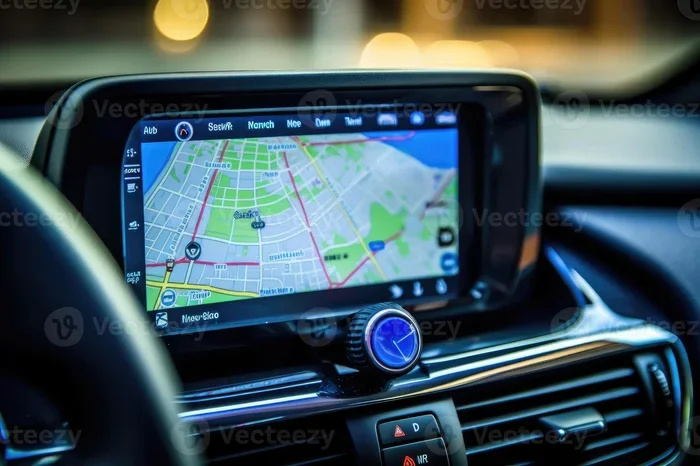
- Car Touchscreen: This is the screen where you see your map display, route guidance, and turn by turn directions.
- Navigation Software: This is the program that processes GPS data and shows you the best route to your destination.
- Voice Module: This part reads out directions aloud so you can keep your eyes on the road.
When you enter a destination, the navigation app calculates the best route. It then uses the GPS signal to track your position and guide you step by step. All of this happens in real time, which is why your car screen is constantly updating your location on the map display.
Knowing these parts helps you understand why your GPS system might not turn off the way you expect. Sometimes the GPS antenna keeps running even when you think you have disabled navigation. This is important to know as we move into the different methods.
How to Stop the Navigation System in Your Car
Now let us get to the main part. There are several ways to stop the navigation system in your car. The method you choose depends on your car model, your car infotainment system, and what you want to achieve. Let us look at each method in detail.
Method 1: Using the Power or Home Button
The simplest way to turn off navigation is to use the power button or home button on your car touchscreen. Most car GPS units have a dedicated button or a home icon that takes you back to the main screen. From there, you can close the navigation app or put the system in standby mode.
Here is how to do it:
- Look for the power button on your car GPS unit. It is usually on the left side or the bottom of the screen.
- Press and hold the button for two to three seconds.
- The screen should go dark or return to the home screen.
- If the map display is still showing, look for a close or exit button on the screen.
This method works well for a quick shutdown. However, it does not always disable the GPS signal completely. The GPS antenna may still be active in the background, receiving location data even when the map display is off.
Quick Tip: If your car screen stays on after pressing the power button, try pressing the button again or holding it longer. Some car infotainment systems require a long press to fully power down the navigation module.
Method 2: Through the Car Settings Menu
For a more thorough approach, you can use the car settings menu. This method lets you access the navigation settings and turn off the GPS system properly. It works on most car brands, including Ford, Toyota, Honda, BMW, and Chevrolet.
Here is what to do:
- Tap the Settings icon on your car touchscreen. It usually looks like a gear.
- Look for a section called Navigation, GPS, or Location Services.
- Tap on Navigation Settings.
- Find the toggle switch or checkbox that says Enable Navigation or GPS Active.
- Turn it off.
- Some systems may ask you to confirm. Tap Yes or OK.
This method is great because it gives you more control. You can also reset navigation settings from this menu if the system is acting up. Just look for a Reset or Restore Default option.
Common Mistake: Many drivers forget to check the Location Services setting. Even if you turn off the navigation app, the car GPS unit might still track your location if Location Services is enabled. Always check both settings if you want full privacy.
Method 3: Using Voice Commands
If you want a hands-free option, voice commands are the way to go. Most modern car infotainment systems support voice control. You can use simple voice commands to turn off navigation, mute the GPS unit, or stop route guidance.
Try saying one of these:
- “Turn off navigation.”
- “Stop GPS.”
- “Close the map.”
- “Disable route guidance.”
The exact words depend on your car brand. BMW uses a different voice command system than Ford or Toyota. Check your car manual for the exact phrases. But in general, most systems understand basic commands like “turn off navigation” or “stop GPS.”
Quick Tip: If voice commands are not working, make sure the microphone is not muted. Some car touchscreens have a microphone icon that you can tap to enable or disable voice input. Also, speak clearly and wait for the system to be ready before giving your command.
Method 4: Disabling the GPS Signal
This is the most thorough method. If you want to completely stop vehicle tracking and ensure the GPS antenna is not receiving any signals, you can disable GPS at the system level. This method is especially useful if you are concerned about privacy or GPS signal drain on your car battery.
Here is how to do it:
- Go to Settings on your car touchscreen.
- Find the Privacy or Location menu.
- Look for GPS or Location Services.
- Toggle it off.
- Some cars may have a Physical GPS Off switch. Check your owner manual.
When you disable the GPS signal, the car GPS unit stops receiving satellite data. The map display will show your last known location, and the navigation app will stop providing driving directions. This is the most effective way to ensure your car is not tracking your movements.
Expert Insight: According to automotive tech experts, disabling GPS at the system level is the best method for privacy-conscious drivers. It stops all vehicle tracking and prevents the navigation app from collecting location data in the background. However, keep in mind that some car features like emergency roadside assistance may also stop working when GPS is fully disabled.
Comparison Table: Methods to Stop Your Car Navigation System
| Method | Difficulty | Time Required | Best For |
|---|---|---|---|
| Power Button | Easy | Instant | Quick shutdown when driving |
| Settings Menu | Medium | 30 seconds | Permanent disable and reset navigation |
| Voice Commands | Easy | Instant | Hands-free operation |
| Disable GPS Signal | Hard | 2 minutes | Privacy and full GPS shutdown |
Each method has its own strengths. The power button is fastest but least thorough. The settings menu gives you the most control. Voice commands are great for convenience. And disabling the GPS signal is the most private option. Choose the method that fits your needs best.
Common Problems When Trying to Turn Off Navigation
Sometimes, things do not go as planned. You try to stop the navigation system, but the car screen keeps showing directions. Or the GPS unit turns back on by itself. These problems are more common than you might think. Let us look at the most frequent issues and how to fix them.
Problem 1: The Screen Keeps Showing Directions
This happens when the navigation app is still running in the background. Even if you close the map display, the GPS system may continue to provide route guidance. The car infotainment system might be set to automatically restart navigation after a certain period.
To fix this:
- Go to the car settings menu and force close the navigation app.
- Restart the car infotainment system by holding the power button for ten seconds.
- Check if the navigation settings have an auto-start option and turn it off.
Problem 2: GPS Will Not Turn Off
If your GPS signal stays active no matter what you do, the GPS antenna might be stuck. This can happen after a software glitch or a map update that changed the default settings. In some cases, the car touchscreen might be unresponsive.
To fix this:
- Try resetting the navigation system. Go to Settings, then Navigation, then Reset Navigation.
- Restart the entire car infotainment system.
- If the problem persists, disconnect the car battery for five minutes and reconnect it. This resets the GPS unit to factory settings.
Problem 3: Navigation Turns Back On Automatically
Some car brands have a feature that automatically enables navigation when you start the car. This can be frustrating if you want to keep the GPS system off. The setting is usually buried in the navigation settings or the car profile settings.
To fix this:
- Go to Settings, then Navigation Settings.
- Look for Auto-Start Navigation or Remember Last Route.
- Turn both options off.
- Save your settings and restart the car.
Common Mistake: Many drivers do not check the auto-start feature after updating their navigation app. Software updates can reset your preferences, turning navigation back on automatically. Always double-check your navigation settings after any update.
When You Should Disable Your Car Navigation System
There are many good reasons to turn off your car GPS system. It is not just about turning off a screen. Understanding when to disable navigation can help you make better decisions about your driving experience and your privacy.
Privacy Concerns
Your car GPS unit tracks your location at all times. This data can be stored locally or sent to the car manufacturer. If you are concerned about vehicle tracking and who has access to your driving data, disabling the GPS signal is a smart move. Many drivers do not realize that their car navigation system is collecting location data even when they are not actively using it.
Battery Drain
A running GPS system uses a lot of power. The car GPS unit, the car touchscreen, and the navigation app all draw energy from your car battery. If you leave the navigation system on when you are not driving, it can slowly drain your battery over time. This is especially true for older cars with smaller batteries.
Passenger Preferences
Sometimes, you just do not need navigation. Maybe you are driving a route you know well, or maybe your passenger is handling directions on their own navigation app. In these cases, turning off the car GPS system keeps the car screen clean and reduces distractions.
Poor GPS Signal
If you are driving in an area with a weak GPS signal, like a tunnel or a dense forest, the navigation system might give you wrong directions. In these cases, it is better to turn off navigation and rely on your own sense of direction or a paper map.
Quick Tip: If you frequently drive in areas with poor GPS signal, consider downloading offline maps. Many navigation apps let you save map data for offline use. This way, you can still use navigation when the GPS signal is weak, without relying on real-time data.
Tips to Manage Your Car Navigation System Better
Stopping the navigation system is only part of the story. To get the most out of your car GPS unit, you should also know how to manage it properly. These tips will help you keep your navigation system running smoothly and avoid common issues.
Keep Your Map Data Updated
Car manufacturers release map updates regularly. These updates add new roads, fix wrong directions, and improve route guidance. An outdated map display can lead you to wrong turns and wasted time. Check for map updates at least once a month, or whenever your car notifies you that an update is available.
Adjust Screen Brightness
Your car touchscreen brightness can affect both visibility and battery life. If the screen is too bright, it drains power and can be distracting at night. If it is too dim, you might not see the map display clearly in daylight. Adjust the brightness to match the lighting conditions.
Customize Voice Guidance
Not everyone likes the same voice for driving directions. Most car infotainment systems let you choose from different voices, languages, and speaking speeds. You can also turn off voice guidance entirely if you prefer to read the directions on the map display yourself.
Use the Navigation App Wisely
Your car navigation app is a tool, not a crutch. Use it when you need it, and turn it off when you do not. Avoid entering destinations while driving. Pull over safely or ask your passenger to handle the input. This keeps you focused on the road and reduces the risk of accidents.
Quick Tip: Set a default home and work address in your navigation settings. This way, you can quickly start navigation to familiar locations without typing in the full address every time. It saves time and makes your daily commute smoother.
Expert Insights on Car Navigation Maintenance
Automotive experts agree that proper maintenance of your car GPS system can extend its life and improve accuracy. Here are some expert-backed tips to keep your navigation system in top shape.
Clean the GPS Antenna Area Regularly: Dust, dirt, and debris can block the GPS antenna and weaken the GPS signal. Wipe the area near your windshield where the antenna is located at least once a month. Use a soft, dry cloth to avoid scratching the glass.
Update Your Navigation Software: Just like your phone, your car infotainment system needs software updates. These updates fix bugs, improve performance, and add new features. Check for updates every few months or whenever your car prompts you.
Reset Navigation When Needed: If your navigation system is acting strange, a reset can often fix the problem. Go to the navigation settings and look for a reset option. This clears cached data and restores the system to its default state.
Avoid Extreme Temperatures: Extreme heat or cold can damage the car touchscreen and the GPS unit. Park in shaded areas when possible, and use a sunshade to protect the dashboard. In cold weather, let the car warm up before using the navigation system.
Check for Recalls and Known Issues: Car manufacturers sometimes issue recalls or service bulletins for navigation system problems. Check your car brand website or contact your dealer to see if your model has any known issues with the GPS system or car GPS unit.
Expert Insight: “The most common issue we see with car navigation systems is outdated map data,” says automotive technician Mark Jennings. “Drivers often blame the GPS antenna or the car touchscreen when the real problem is simply old map information. A quick map update solves the issue 90% of the time.”
Conclusion
Learning how to stop the navigation system in a car is a simple but valuable skill. Whether you want to protect your privacy, save battery, or just enjoy a quiet drive, you now have multiple methods to choose from. From the quick power button to the thorough GPS signal disable, each method serves a different purpose.
Remember to check your navigation settings regularly, keep your map data updated, and clean the GPS antenna area. These small habits go a long way in keeping your car GPS system running smoothly. And if you ever run into problems, the troubleshooting tips in this guide should help you get back on track quickly.
Your car navigation system is a helpful tool, but it is also a tool you should control. Take charge of your car infotainment system today, and enjoy a smarter, more personalized driving experience every time you hit the road.
Frequently Asked Questions
Can I stop the GPS system without turning off the car?
Yes, you can. Most car infotainment systems let you disable the navigation app or turn off the GPS signal without shutting down the engine. Simply go to the settings menu or use the power button on the car touchscreen to stop the navigation while keeping the car running.
Will turning off navigation drain my car battery?
No, turning off navigation actually helps save battery. A running GPS unit and car touchscreen consume power. By disabling the GPS system when you do not need it, you reduce the drain on your car battery and extend its life.
How do I know if my GPS antenna is working properly?
If your map display shows your correct location and the route guidance updates in real time, your GPS antenna is working fine. If the map display shows a blank screen, incorrect location, or stale data, the GPS antenna might be blocked or malfunctioning.
Can I use my phone navigation app instead of the car GPS system?
Absolutely. Many drivers prefer using a navigation app on their phone instead of the built-in car GPS unit. Phone apps often have more features, faster map updates, and better traffic data. Just make sure your phone is mounted securely and does not block your view of the road.
How often should I update my car navigation maps?
It is best to update your map data at least once every three to six months. New roads, changed street names, and updated traffic patterns make regular updates essential for accurate route guidance and driving directions.
Is it safe to disable vehicle tracking in my car?
Yes, it is generally safe. Disabling vehicle tracking stops the car GPS unit from collecting and sending your location data. However, keep in mind that some safety features like emergency roadside assistance may rely on GPS data. Check with your car manufacturer before fully disabling all location services.
=== CONCLUSION ===
Now you know exactly how to stop the navigation system in a car. You have learned multiple methods, from the simple power button to the thorough GPS signal disable. You understand common problems and how to fix them. You know when to turn off navigation and how to manage your system better over time.
Take what you have learned and apply it on your next drive. Your car GPS system should serve you, not control you. With the right knowledge and a few simple adjustments, you are in full control of your car infotainment experience. Drive safely, stay informed, and enjoy the journey.