How to Fix the BSD System on a Kia Optima Step by Step
The BSD (Blind Spot Detection) system on a Kia Optima helps keep you safe by alerting you to vehicles in your blind spots. When it malfunctions, it can be frustrating and concerning. This guide walks you through the step-by-step process of diagnosing and fixing the BSD system yourself, covering sensor issues, wiring problems, module resets, and more.
Dealing with a warning light on your dashboard is never fun. If you own a Kia Optima and the BSD system light just popped on, you are probably wondering what went wrong and how to fix it. The good news is that the BSD system on a Kia Optima is something you can often troubleshoot and repair yourself. You do not need to be a mechanic to get it working again.
The Blind Spot Detection system is one of the most helpful safety features on modern cars. It uses radar sensors to monitor the areas beside and behind your vehicle. When a car enters your blind spot, the system warns you with a light or an audible alert. When that system fails, you lose an important layer of protection on the road.
In this guide, we will walk you through every step needed to fix the BSD system on your Kia Optima. We will cover what the system does, why it fails, what tools you need, and how to do the repair right. Whether you are a beginner or a seasoned DIYer, this guide has you covered.
Key Takeaways
- Know Your BSD System: Understanding how the blind spot detection system works on your Kia Optima is the first step to fixing it.
- Common Causes Are Fixable: Most BSD problems stem from faulty sensors, loose wiring, or a dead fuse — all things you can address at home.
- Use the Right Tools: An OBD-II scanner, multimeter, and basic hand tools will cover most BSD repairs.
- Reset After Repair: Always clear error codes and reset the system after completing any fix to confirm the problem is solved.
- Safety First: If you are unsure about any step, consult a certified Kia technician to avoid compromising your vehicle safety features.
- Prevent Future Issues: Regular maintenance and keeping sensors clean can help your BSD system last for years.
📑 Table of Contents
Understanding the BSD System on a Kia Optima
What Is the BSD System?
The BSD system stands for Blind Spot Detection. It is a driver assistance feature found on many Kia Optima models, especially higher trim levels. The system relies on radar sensors mounted near the rear bumper on both sides of the vehicle. These sensors constantly scan the lanes beside you and behind you while driving.
When the system detects a vehicle in your blind spot, it activates a warning light on the side mirror or dashboard. Some models also emit an audible tone. This feature is especially useful when changing lanes on highways or merging into traffic.
The BSD system works closely with other safety features on the Kia Optima. It is part of a larger network of sensors and modules that communicate through the vehicle’s CAN bus system. When one component fails, it can trigger the entire BSD warning light to illuminate.
Why Does the BSD System Fail?
Several things can cause the BSD system to malfunction on a Kia Optima. Understanding the root cause is essential before you start any repair. Here are the most common reasons:
- Faulty Radar Sensors: The sensors on the rear bumper can get damaged by road debris, ice, or minor collisions. Dirt and moisture can also interfere with sensor performance.
- Wiring Issues: Over time, the wiring harness connecting the sensors to the control module can corrode, fray, or become loose.
- Blown Fuse: A blown fuse in the BSD circuit can cut power to the entire system, causing the warning light to come on.
- Control Module Failure: The BSD control module processes all sensor data. If it fails, the system will not work properly.
- Software Glitches: Sometimes the system just needs a reset or a software update to clear error codes.
- Battery Voltage Issues: A weak car battery or a failing alternator can cause voltage fluctuations that confuse the BSD system.
Knowing which of these causes applies to your situation will save you time and money. Start with the simplest possibilities before moving on to more complex repairs.
Tools and Materials You Will Need
Before you start working on the BSD system on a Kia Optima, gather everything you need. Having the right tools makes the job faster, safer, and more effective. Here is a checklist of what you should have on hand:
- OBD-II scanner (a basic code reader works fine)
- Multimeter for testing voltage and continuity
- Socket set and wrenches (mostly metric sizes)
- Screwdrivers (flathead and Phillips)
- Wire brush or electrical contact cleaner
- Replacement fuses (check your owner’s manual for the correct amperage)
- Electrical tape or heat shrink tubing
- Clean cloth and mild cleaning solution
- Vehicle owner’s manual for your specific Kia Optima model year
Most of these tools are affordable and reusable for other car repairs too. An OBD-II scanner is especially important because it lets you read the error codes stored in the BSD system. These codes tell you exactly what went wrong, which saves a lot of guesswork.
Step-by-Step Guide to Fixing the BSD System
Step 1: Check the Dashboard Warning Light
The first thing you should do when the BSD light comes on is not panic. Take a moment to observe when the light appears. Does it stay on all the time, or does it only come on under certain conditions? For example, some Kia Optima models activate the BSD warning light only when the turn signal is engaged.
Start the engine and let the car idle for a few minutes. Watch the dashboard for any other warning lights that might appear at the same time. If you also see a check engine light, that is a clue that the problem might be related to the vehicle’s overall diagnostic system. You can learn more about whether a check engine light can turn off on its own to understand how these warnings behave.
Write down everything you observe. This information will help you narrow down the cause and decide on the next steps.
Step 2: Scan for Diagnostic Trouble Codes
Plug your OBD-II scanner into the diagnostic port under the steering column of your Kia Optima. Turn the ignition to the “on” position (do not start the engine) and turn on the scanner. Wait for it to connect with the vehicle’s computer system.
Look for any codes related to the BSD system. Common codes you might see include:
- B1000 to B1999: Body control module codes
- U0100 to U0199: Lost communication with control modules
- C codes: Chassis-related codes, which often include BSD and radar sensor faults
Write down every code the scanner shows. Even if some codes seem unrelated, they can provide useful context. If you are unsure what a code means, you can search for it online or consult your owner’s manual. After noting the codes, you can manually clear your car codes to see if the BSD light returns, which helps confirm whether the issue is persistent.
Step 3: Inspect the Radar Sensors
The BSD radar sensors on a Kia Optima are located behind the rear bumper on both sides. Walk around your car and look for any visible damage. Check for dents, cracks, or moisture around the sensor covers. Dirt and road grime can also block the sensors and cause false warnings or system failure.
Use a clean cloth and mild soap solution to gently clean the sensor areas. Do not use harsh chemicals or high-pressure water, as these can damage the sensors. After cleaning, inspect the sensor housings for cracks or signs of water intrusion.
If the sensors look damaged, they may need to be replaced. Sensor replacement is a moderate-level repair. You will need to remove the rear bumper cover to access the mounting bolts. Refer to your owner’s manual or a repair guide specific to your Kia Optima model year for exact removal steps.
When installing new sensors, make sure they are properly aligned. The sensors need to point in the correct direction to accurately monitor your blind spots. Misaligned sensors can cause the BSD system to malfunction even after replacement.
Step 4: Check the Wiring and Connectors
Loose or corroded wiring is one of the most common causes of BSD system failures. After inspecting the sensors, follow the wiring harness from each sensor toward the control module. Look for any signs of damage, such as frayed wires, loose connectors, or green corrosion on the terminals.
Use your multimeter to test for continuity along the wiring. Set the multimeter to the continuity mode and touch the probes to each end of a wire. You should hear a beep if the wire is intact. If there is no continuity, that wire needs to be repaired or replaced.
Also check the ground connections. A poor ground can cause intermittent BSD warnings or a permanently lit warning light. Clean any corroded ground points with a wire brush and apply a thin layer of dielectric grease to prevent future corrosion.
Secure any loose connectors by pressing them firmly into place. If a connector is damaged, replace it entirely rather than trying to repair it with electrical tape.
Step 5: Check the BSD Fuse
A blown fuse can completely disable the BSD system on your Kia Optima. Locate the fuse box, which is usually found under the hood near the battery and also inside the cabin on the driver’s side. Refer to your owner’s manual for the exact location of the BSD fuse.
Remove the fuse and inspect it visually. A blown fuse will have a broken metal strip inside the glass tube. Replace it with a new fuse of the exact same amperage rating. Using a fuse with the wrong rating can cause further electrical problems.
If the new fuse blows shortly after you replace it, there is likely a short circuit somewhere in the BSD wiring. In this case, you should take the car to a professional technician to avoid damaging other electrical components.
Step 6: Reset the BSD System
After completing any repairs, you need to reset the BSD system to clear the error codes and turn off the warning light. Start by disconnecting the car battery for about 15 minutes. This allows all the electronic modules to fully reset.
Reconnect the battery and start the engine. The BSD warning light should turn off after a few seconds if the repair was successful. If the light stays on or comes back on, you may need to scan the system again for new codes.
Some Kia Optima models also require a software reset through a dealership diagnostic tool. If the simple battery disconnect method does not work, you might need to visit a Kia dealership or a qualified auto repair shop for a professional reset.
Common Mistakes to Avoid When Fixing the BSD System
Even experienced DIYers can make mistakes when working on the BSD system. Here are some common errors to avoid:
- Skipping the Diagnostic Scan: Guessing what is wrong without reading the error codes can lead to unnecessary part replacements and wasted money.
- Using the Wrong Fuse Rating: Always match the replacement fuse to the exact amperage specified in your owner’s manual.
- Ignoring Wiring Corrosion: Cleaning only the sensors and not the connectors can leave the root cause of the problem untouched.
- Rushing Sensor Alignment: Poorly aligned sensors will not work correctly, even if they are brand new.
- Not Resetting the System After Repairs: Skipping the reset step can leave the warning light on even after the actual problem is fixed.
Taking your time and following each step carefully will save you from frustrating comebacks and additional repair costs.
When to Seek Professional Help
There are times when fixing the BSD system on a Kia Optima is beyond a DIY repair. If you have checked the sensors, wiring, and fuses but the warning light persists, it may be time to see a professional. A persistent warning light after repairs could indicate a deeper issue with the BSD control module or the vehicle’s central computer system.
Also, if you are uncomfortable working with electrical components or do not have the right tools, there is no shame in visiting a trusted mechanic. A certified Kia technician has access to specialized diagnostic equipment and factory service manuals that can pinpoint problems faster.
Some Kia dealerships offer free or low-cost BSD system diagnostics as part of their service promotions. It is worth checking with your local dealer before committing to an expensive repair at an independent shop.
Preventing Future BSD System Issues
Once you have fixed the BSD system on your Kia Optima, you will want to keep it working properly. Here are some tips to prevent future problems:
- Keep the rear bumper sensors clean and free of debris, especially after driving in rainy or snowy conditions.
- Inspect the wiring harnesses during routine oil changes or tire rotations.
- Address any new warning lights promptly before they develop into bigger problems.
- Keep your car battery in good condition and replace it every 3 to 5 years.
- Follow the maintenance schedule outlined in your Kia owner’s manual.
Regular care goes a long way in keeping your blind spot detection system reliable for years to come.
Final Thoughts
Fixing the BSD system on a Kia Optima is a manageable task for most car owners. By following the steps in this guide, you can diagnose the problem, perform the necessary repairs, and reset the system to get your blind spot detection working again. Always start with the simplest possible causes and work your way up to more complex issues.
Remember that the BSD system is a critical safety feature. If you ever feel unsure about a repair, do not hesitate to seek professional help. Your safety on the road is worth more than any DIY savings.
Keep this guide bookmarked for future reference, and share it with fellow Kia Optima owners who might be dealing with the same issue. A working BSD system gives you peace of mind every time you hit the road.
Frequently Asked Questions
What does the BSD warning light look like on a Kia Optima?
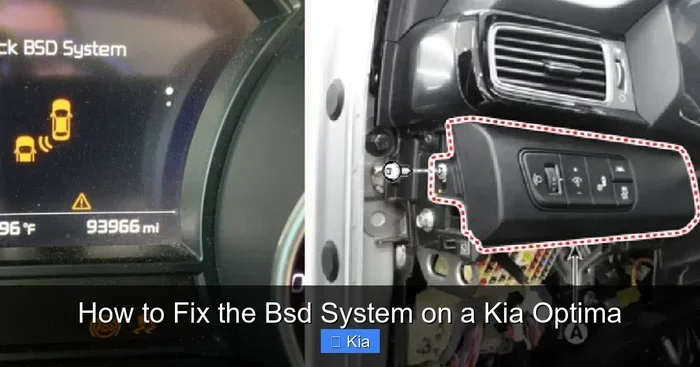
The BSD warning light on a Kia Optima usually looks like a car with curved lines on both sides, representing the blind spots. It may also display the text “BSD” or “Blind Spot” on the dashboard. When this light illuminates, it means the system has detected a fault and needs attention.
Can I drive my Kia Optima with the BSD light on?
Yes, you can still drive your Kia Optima with the BSD light on, but you should be extra cautious when changing lanes. The blind spot detection feature will not be active, so you will need to rely on mirrors and shoulder checks to stay safe. Have the system inspected and repaired as soon as possible.
How much does it cost to repair the BSD system on a Kia Optima?
The cost varies depending on the cause of the problem. A simple fuse replacement might cost under $10, while sensor replacement can range from $200 to $500 per sensor. Professional diagnostics typically cost between $75 and $150. Getting an accurate diagnosis first will help you budget for the right repair.
Can cold weather affect the BSD system on a Kia Optima?
Yes, cold weather can temporarily affect the BSD system. Ice and snow covering the rear sensors can block their signals and trigger the warning light. Once the sensors are cleared of ice and snow, the system usually returns to normal operation.
How often should I have the BSD system checked on my Kia Optima?
There is no set schedule for BSD system checks, but it is a good idea to have the sensors inspected during regular maintenance visits. Keeping the sensors clean and the wiring intact will help the system function reliably throughout the life of your vehicle.
Can a software update fix the BSD system on a Kia Optima?
In some cases, yes. Kia occasionally releases software updates that address known BSD system issues. These updates are typically available through a Kia dealership. If your problem is related to a software glitch, a dealership visit for an update may resolve it without any hardware repairs.