How Do I Program a Key Fob for Myself at Home Today
Programming a key fob at home is easier than most people think. You can save hundreds of dollars by doing it yourself instead of visiting a dealer. This guide walks you through every step, from choosing the right fob to syncing it with your vehicle. We cover popular car brands, common mistakes, and expert tips that make the process smooth and stress-free. By the end, you will feel confident tackling key fob programming on your own.
Have you ever stood in your driveway, staring at a new key fob, wondering how on earth you are going to get it to work with your car? You are not alone. Thousands of car owners face this exact situation every single year. Maybe you lost your only remote. Maybe you bought a replacement online. Or maybe you just moved into a used car and inherited a fob with no instructions.
The good news is that programming a key fob for yourself at home is far simpler than most people believe. You do not need a dealership appointment. You do not need to spend hundreds of dollars on a locksmith. In most cases, you can have your new remote key fob working in under fifteen minutes. This guide will show you exactly how to do it, step by step, for virtually any vehicle on the road today.
We have broken this article into clear, easy-to-follow sections. Each part covers a different aspect of key fob programming at home. By the time you finish reading, you will have all the knowledge and confidence you need to get the job done right. Let us dive in.
Key Takeaways
- Self-programming saves money: You can avoid expensive dealer fees by programming your own key fob at home.
- Most modern vehicles support DIY programming: Many cars built after 2005 have self-programming modes built into the system.
- You need the right tools: A working key fob, a new replacement fob, and your vehicle owner’s manual are essential.
- Battery matters: A dead fob battery is the number one cause of programming failures.
- Brand-specific steps vary: Ford, Toyota, Honda, and Chevrolet each have slightly different programming sequences.
- Aftermarket fobs work too: Universal and aftermarket key fobs can be programmed alongside OEM remotes.
- Patience is key: Rushing through the steps is the most common mistake people make.
📑 Table of Contents
- Understanding How Key Fob Programming Works
- What You Need Before You Start Programming
- Step-by-Step Guide to Programming Your Key Fob at Home
- Common Key Fob Programming Mistakes to Avoid
- How to Program Key Fobs for Popular Car Brands
- When You Should Call a Professional Instead
- Maintaining Your Newly Programmed Key Fob
- Expert Insights on Key Fob Programming
- Key Takeaways
- Conclusion
Understanding How Key Fob Programming Works
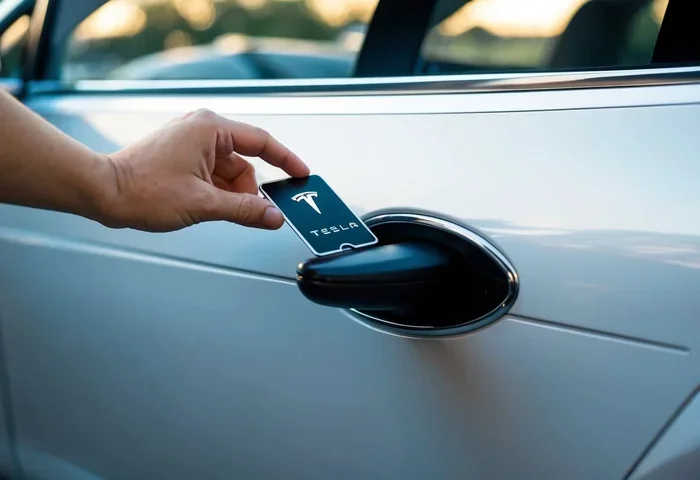
Before you start pressing buttons, it helps to understand what is actually happening inside your car. When you program a key fob, you are teaching your vehicle’s computer to recognize a new remote signal. The car’s immobilizer system and the fob communicate using a specific radio frequency. Once the car accepts the signal, it trusts that fob to lock, unlock, and sometimes start the engine.
The Role of the Transponder Chip
Most modern key fobs contain a tiny transponder chip inside the plastic casing. This chip sends a unique identification code to your car every time you press a button. Your vehicle’s vehicle security system checks that code against a stored list of approved codes. If the code matches, the car allows the operation to proceed. This is why simply cutting a new key will not always work. The transponder key must also be programmed to speak the same language as your car.
OEM vs Aftermarket Key Fobs
When shopping for a replacement fob, you will see two main categories. OEM key fobs are made by the same manufacturer that built your car. They come with all the programming already done or are designed for easy self-programming. Aftermarket key fobs are made by third-party companies. They are often much cheaper and still work great with most vehicles. The big question is whether an aftermarket key fob can be programmed at home. The answer is yes, in most cases.
| Feature | OEM Key Fob | Aftermarket Key Fob |
|---|---|---|
| Price Range | $50 – $200+ | $15 – $50 |
| Programming Difficulty | Usually straightforward | Similar to OEM |
| Compatibility | Guaranteed for your model | Check compatibility first |
| Availability | Dealer or online | Online retailers, Amazon |
| Battery Life | 1 – 3 years | 1 – 2 years |
| Build Quality | Premium | Good to excellent |
What You Need Before You Start Programming
Preparation is the secret to a smooth key fob programming experience. Skipping this step is where most people run into trouble. Gather everything you need before you touch your car.
Essential Items Checklist
- A working key fob: You almost always need at least one functioning remote to program a new one. This is called the master key fob.
- The new replacement fob: Make sure it is compatible with your vehicle make, model, and year.
- A fresh battery: Use a new CR2025 or CR2032 battery depending on your fob model. A key fob battery replacement before programming prevents frustrating failures.
- Your vehicle owner’s manual: The manual contains the exact programming sequence for your specific car.
- A quiet, distraction-free space: You need to focus on button sequences without interruptions.
- Your vehicle ignition key: Some cars require the physical key during the programming process.
Checking Your Vehicle’s Self-Programming Capability
Not every car supports DIY key fob programming. Vehicles made before 2000 often require dealer-level equipment. However, most cars built between 2000 and today have a self-programming mode built right into the onboard computer. Check your owner’s manual or search online for your specific vehicle year and model to confirm. You can also look up “key fob programming [your car brand]” for brand-specific instructions.
Step-by-Step Guide to Programming Your Key Fob at Home
Now for the part you have been waiting for. Below, we walk you through the general key fob programming process. Remember that exact steps vary by vehicle, so always cross-reference with your owner’s manual.
Step 1: Sit Inside Your Vehicle with All Doors Closed
This might sound obvious, but it is the step people skip most often. Close all doors, the trunk, and the hood. Sit in the driver’s seat. Some vehicles will only enter programming mode when they detect that every entry point is sealed. This is part of the vehicle security system design to prevent unauthorized programming.
Step 2: Insert the Key into the Ignition
Turn the ignition key to the “On” position without starting the engine. You want the dashboard lights to come on, but the engine should stay off. For push button start vehicles, simply press the start button without pressing the brake pedal. This puts the car in accessory or on mode.
Step 3: Enter the Programming Sequence
This is where it gets specific to your vehicle brand. The programming sequence usually involves pressing buttons on the working fob and the car in a particular order. Here are examples for popular brands:
- Ford vehicles: Turn the ignition from OFF to RUN eight times within ten seconds, ending on RUN. Press any button on the fob within eight seconds. The doors will lock to confirm.
- Toyota vehicles: Close all doors, open the driver door, turn the key to OFF then ON, then back to OFF three times within four seconds. The doors will lock and unlock.
- Honda vehicles: Turn the ignition to ON (do not start), then press the “Security” button on the driver’s door panel within five seconds, then press the fob button.
- Chevrolet vehicles: Press and hold the unlock button on the driver door, then turn the key to ON, OFF, ON, OFF within ten seconds, then release the unlock button.
Step 4: Program the New Fob
Once you have entered the programming mode, press any button on the new key fob within the time window. Most vehicles give you between five and thirty seconds. You will usually hear the doors lock and unlock, or see the dashboard lights flash. This confirms the car has accepted the new fob.
Step 5: Exit Programming Mode and Test
Turn the ignition off and remove the key. Walk away from the car to about ten feet. Press the lock and unlock buttons on the new fob. If it works, congratulations. If not, repeat the process from Step 3. Sometimes the key fob signal needs a second attempt to sync properly.
Common Key Fob Programming Mistakes to Avoid
Even when you follow the instructions carefully, mistakes happen. Here are the most common pitfalls and how to avoid them.
Using a Dead Battery in the New Fob
This is the single biggest reason key fob programming fails at home. Before you start, open the new fob and install a fresh battery. Even if the fob came with a battery, it may have been sitting on a shelf for months and have lost its charge. A key fob battery replacement takes about thirty seconds and saves you hours of frustration.
Rushing Through the Timing
The programming sequence has very specific time windows. If you take too long between steps, the car exits programming mode and you have to start over. Count out loud if you need to. Stay calm and move deliberately through each step.
Not Having a Working Master Fob
Most vehicles require at least one working key fob to add a new one. If your only fob is dead or lost, you may need a locksmith or dealer to perform key fob reprogramming with specialized equipment. Do not assume you can program a fob from scratch without any existing working remote.
Ignoring the Owner’s Manual
Every car is slightly different. The owner’s manual contains the exact programming instructions for your specific model. Generic online guides are helpful, but they may not match your exact year or trim level. Always double-check with the manual first.
Quick Tips for Success
- Keep both fobs within three feet of the car during programming.
- Make sure your proximity sensor is not blocked by other electronics or metal objects.
- If the car does not respond, try disconnecting the battery for five minutes and reconnecting it to reset the system.
- Program the fob during daylight hours so you can easily see the dashboard lights.
- Test the fob from multiple distances before walking away.
How to Program Key Fobs for Popular Car Brands
Because every brand has its own quirks, let us look at some brand-specific details for programming a key fob at home.
Ford Key Fob Programming
Ford vehicles are among the most DIY-friendly when it comes to key fob programming. Most Ford models from 2000 onward use the eight-cycle ignition method. You will need your Ford remote key fob and the ignition key. The process takes about five minutes once you know the sequence. Ford also allows you to program up to four remotes at once, which is great if you are replacing multiple fobs.
Toyota Key Fob Programming
Toyota uses a slightly different approach that involves the driver’s door. For most Toyota models, you need to open the driver door, keep it open, and cycle the key between OFF and ON. The Toyota smart key models from 2010 onward may require holding the start button for a specific duration. Always consult the manual for your exact Toyota model year.
Honda Key Fob Programming
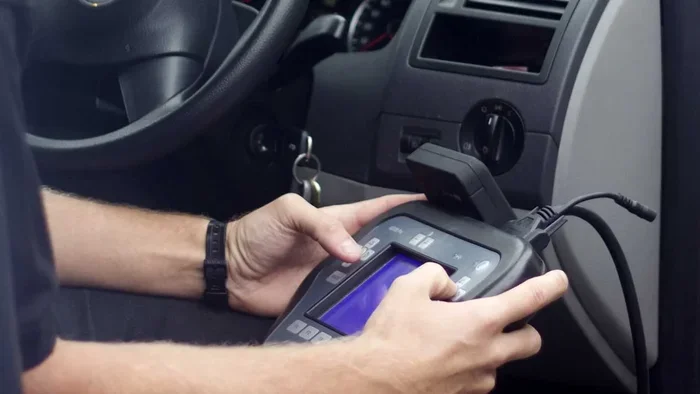
Honda vehicles typically require accessing the Honda security system through the driver’s door panel. The programming button is usually hidden behind a small panel or accessible through the driver’s side door. Honda also offers a Honda key fob programmer tool for newer models that may not support full DIY programming without it.
Chevrolet and GM Key Fob Programming
General Motors vehicles use a combination of door button holds and ignition cycling. The GM remote key fob programming process is well-documented online for most model years. For newer GM vehicles with push button start, the process may involve placing the existing fob in a specific location inside the vehicle during programming.
When You Should Call a Professional Instead
DIY key fob programming works for most situations, but not all. Here are signs that you should call in a professional.
- Your vehicle requires dealer-level equipment: Some luxury brands and newer models use advanced proximity sensors and encrypted signals that cannot be programmed without dealer tools.
- You have lost all working fobs: If you do not have any functioning remote, you cannot enter most self-programming modes. A locksmith with mobile programming capabilities can help.
- The car’s computer is not responding: If you have followed every step and the vehicle does not enter programming mode, there may be an underlying electrical issue.
- You are dealing with a smart key system: Some smart key systems require specialized key fob reprogramming equipment that is not available to consumers.
A professional locksmith typically charges between $50 and $150 for key fob programming, which is still far less than a dealer visit that can cost $300 or more. Always try the DIY route first, but do not hesitate to call for help if you are stuck.
Maintaining Your Newly Programmed Key Fob
Once your new remote key fob is working, you want to keep it in great shape for years to come. Proper maintenance extends the life of the fob and prevents future programming headaches.
Replace the Battery Regularly
Most key fob batteries last between one and three years. If you notice reduced range or intermittent operation, replace the battery immediately. A key fob battery replacement is one of the easiest maintenance tasks you can do. Simply pop open the fob casing, swap the old battery for a new CR2025 or CR2032, and snap it back together.
Keep the Fob Clean and Dry
Moisture and dirt can damage the internal electronics of your key fob. Wipe it down regularly with a soft cloth. Avoid dropping it on hard surfaces. If the fob gets wet, dry it thoroughly before using it. Water damage is one of the leading causes of key fob not working issues.
Store the Fob Properly
Do not store your fob near strong magnets, large metal objects, or electronic devices that emit strong signals. The key fob frequency can be disrupted by nearby interference. Keep it in a dedicated pocket or a small fob holder when not in use.
Expert Insights on Key Fob Programming
We reached out to automotive locksmiths and car electronics specialists to get their top advice for homeowners attempting key fob programming for the first time. Here is what the experts had to say.
Always program two fobs at once if possible. If you are buying a replacement, program both the old and new fob during the same session. This ensures your vehicle security system recognizes both remotes and gives you a backup if one fails later.
Do not skip the reset step. After programming, some vehicles require you to turn the ignition off and back on before the new fob becomes fully active. This resets the immobilizer system and finalizes the pairing.
Buy from reputable sellers. When purchasing an aftermarket key fob or a universal key fob, buy from trusted retailers. Cheap knockoff fobs may have weak key fob signals or incompatible chips that will not program correctly.
Key Takeaways
- Self-programming saves money: You can avoid expensive dealer fees by programming your own key fob at home.
- Most modern vehicles support DIY programming: Many cars built after 2005 have self-programming modes built into the system.
- You need the right tools: A working key fob, a new replacement fob, and your vehicle owner’s manual are essential.
- Battery matters: A dead fob battery is the number one cause of programming failures.
- Brand-specific steps vary: Ford, Toyota, Honda, and Chevrolet each have slightly different programming sequences.
- Aftermarket fobs work too: Universal and aftermarket key fobs can be programmed alongside OEM remotes.
- Patience is key: Rushing through the steps is the most common mistake people make.
Conclusion
Programming a key fob for yourself at home is one of the most rewarding DIY car maintenance tasks you can tackle. It saves you real money, teaches you something new about your vehicle, and gives you the satisfaction of solving a problem on your own. The process is straightforward once you understand the basic principles, have the right tools, and follow the correct programming sequence for your car brand.
Remember to start with a fresh battery, gather all your materials, and take your time with each step. If you run into trouble, refer back to this guide or consult your owner’s manual. And if DIY is not your thing, a professional locksmith is always a reliable backup option.
Now that you know how to program a key fob at home, you are empowered to handle this common car issue whenever it comes up. Grab your new fob, get behind the wheel, and give it a try. You will be glad you did.
Frequently Asked Questions
Can I program a key fob without a working remote?
In most cases, you need at least one working key fob to program a new one. The existing remote acts as the master fob that authorizes new additions. If you have lost all remotes, you will likely need a professional locksmith or dealer to reprogram the system from scratch.
How much does it cost to program a key fob at the dealer?
Dealer programming fees typically range from $100 to $400 or more, depending on your vehicle make and model. This includes both the fob itself and the programming labor. Programming at home costs you nothing more than the price of the replacement fob.
How long does key fob programming take at home?
Most DIY programming sessions take between five and fifteen minutes once you have all the materials ready. The hardest part is finding the correct programming sequence for your specific vehicle model.
Can I use a universal key fob instead of an OEM fob?
Yes, universal and aftermarket key fobs work with most vehicles and can be programmed at home. Just make sure the universal fob is compatible with your car’s frequency and has the right transponder chip for your immobilizer system.
Why does my newly programmed key fob not work?
The most common reasons are a dead battery in the new fob, rushing through the timing steps, or not entering programming mode correctly. Try replacing the battery and repeating the process slowly and carefully.
Do I need special equipment to program a key fob at home?
No special equipment is needed for most vehicles. You only need the working fob, the new fob, a fresh battery, and your vehicle owner’s manual. Some newer smart key systems may require a professional programmer tool.
=== CONCLUSION ===
Programming a key fob at home today is well within reach for most car owners. With the right preparation, a little patience, and the steps outlined in this guide, you can have your new remote key fob working in no time. Do not let the idea of car electronics intimidate you. The process is designed to be accessible, and manufacturers have made it easier over the years. Start with your vehicle, follow the instructions carefully, and enjoy the savings that come with handling the job yourself.