How to Jumpstart Your Acura MDX Quickly and Safely
Jumpstarting your Acura MDX is simple when you follow the right steps. This guide walks you through everything from preparing your jumper cables to safely connecting them to your battery. You will learn how to avoid common mistakes, protect your vehicle’s electrical system, and get back on the road fast.
There is nothing worse than turning the key in your Acura MDX and hearing nothing but silence. A dead battery can strike anyone at any time. Whether you left a light on overnight or your battery has simply aged out, knowing how to jumpstart your Acura MDX is a skill every owner should have. This guide will walk you through the entire process step by step. You will learn what tools you need, how to connect everything safely, and what to do once your engine is running again.
Jumpstarting a car might seem intimidating at first. But it is actually quite straightforward once you understand the basics. The Acura MDX is a reliable full-size SUV, and its jumpstart process follows the same principles as most modern vehicles. With the right preparation and a little patience, you can have your MDX back up and running in minutes. Let us dive into everything you need to know about jumpstarting your Acura MDX the right way.
Key Takeaways
- Safety First: Always wear gloves and eye protection when jumpstarting your Acura MDX to prevent sparks and acid burns.
- Correct Cable Order Matters: Connect positive to positive first, then negative to a metal ground, not directly to the dead battery.
- Let the Good Car Run: Allow the working vehicle to run for at least a few minutes before attempting to start your MDX.
- Check Battery Age: If your battery is more than three to five years old, consider replacing it instead of repeatedly jumpstarting.
- Avoid Common Mistakes: Never connect cables in the wrong order and never let clamps touch each other.
- Know When to Call for Help: If jumpstarting fails after two attempts, seek professional assistance to avoid further damage.
📑 Table of Contents
- Why Does Your Acura MDX Battery Die?
- What You Need to Jumpstart Your Acura MDX
- Step-by-Step Guide to Jumpstarting Your Acura MDX
- Common Mistakes to Avoid When Jumpstarting
- When to Replace Your Acura MDX Battery Instead of Jumpstarting
- Tips for Maintaining Your Acura MDX Battery Health
- What to Do If Jumpstarting Does Not Work
- Frequently Asked Questions
Why Does Your Acura MDX Battery Die?
Before we get into the jumpstart process, it helps to understand why your battery died in the first place. Knowing the cause can help you prevent it from happening again. Several common factors lead to a dead Acura MDX battery.
Leaving Lights or Accessories On
The most common reason is simply leaving your headlights, interior lights, or accessories plugged in when the engine is off. Modern cars like the MDX have systems that remind you to turn things off, but it still happens. A single overnight session can drain your battery enough to prevent starting.
Old or Failing Battery
Car batteries typically last between three and five years. If your MDX is older, the battery may simply be at the end of its life. Extreme weather, both hot and cold, can accelerate battery degradation. If you live in an area with harsh winters, your battery works harder to start the engine in cold temperatures.
Parasitic Drain
Sometimes a component in your vehicle continues to draw power even when the car is off. This is called parasitic drain. Common culprits include faulty modules, aftermarket accessories, or a stuck relay. If your MDX battery keeps dying, a parasitic drain might be the hidden cause.
Short Trips and Infrequent Driving
If you mostly take short trips around town, your alternator may not have enough time to fully recharge the battery. This is especially true for vehicles that sit idle for long periods. If you are wondering how long a hybrid can sit without being driven, the same principle applies to conventional vehicles like the MDX. The battery slowly loses charge over time.
What You Need to Jumpstart Your Acura MDX
Gathering the right tools before you start is essential. You do not want to be standing in a cold parking lot searching for what you need. Here is a complete checklist of everything required for a successful jumpstart.
Jumper Cables
A good set of jumper cables is your most important tool. Look for cables that are at least 12 gauge and have sturdy clamps. Heavy-duty cables with thick insulation work best, especially in cold weather. Keep a set in your trunk at all times. You never know when you will need them.
A Working Vehicle
You will need another vehicle with a fully charged battery to provide the jump. The other vehicle does not need to be the same make or model. Any car with a 12-volt battery will work. Just make sure both vehicles are turned off before you connect the cables.
Portable Jump Starter (Optional)
If you prefer not to rely on another vehicle, a portable jump starter is a great investment. These compact devices fit in your trunk and can jumpstart your MDX without needing another car. They are especially useful if you park in remote areas or travel frequently.
Safety Gear
Wear insulated gloves and safety glasses to protect yourself from sparks and battery acid. Batteries produce hydrogen gas, which is flammable. Keep open flames away from the battery area. A pair of safety glasses and rubber gloves go a long way in keeping you safe during the jumpstart Acura MDX process.
Step-by-Step Guide to Jumpstarting Your Acura MDX
Now that you have everything ready, let us walk through the actual jumpstart process. Follow these steps carefully and in the correct order. The sequence matters for your safety and to protect your vehicle’s electrical system.
Step 1: Park Both Vehicles Safely
Position the working vehicle close to your MDX, but make sure they do not touch. Turn both vehicles off and engage the parking brakes. If you are using a portable jump starter, place it near the battery of your MDX. Make sure both vehicles are in park (or neutral for manual transmissions).
Step 2: Locate the Batteries
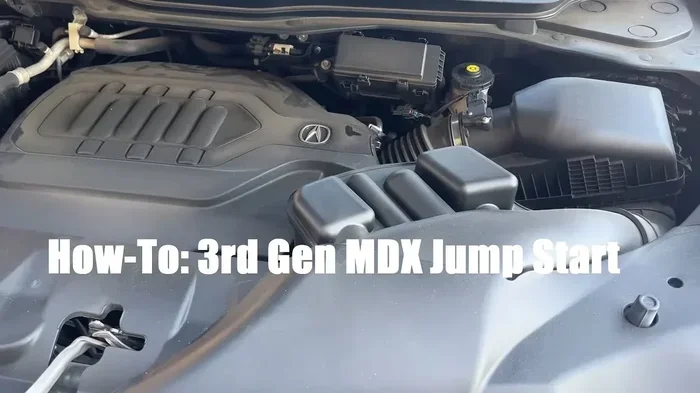
Open the hood of your Acura MDX and locate the battery. The battery in the MDX is typically found in the front-left corner of the engine bay. It may be covered by a plastic shield. Remove any covers to expose the battery terminals. Check for any visible signs of corrosion on battery terminals, which looks like a white or greenish powdery buildup.
Step 3: Identify Positive and Negative Terminals
Every battery has a positive and a negative terminal. The positive terminal is marked with a plus sign (+) and is usually red. The negative terminal is marked with a minus sign (-) and is usually black. Make sure you can clearly identify both before proceeding. Connecting cables to the wrong terminals can cause serious damage.
Step 4: Connect the Jumper Cables
This is the most critical step. Follow this exact order:
- Connect the red clamp to the positive terminal of your dead MDX battery.
- Connect the other red clamp to the positive terminal of the working vehicle’s battery.
- Connect the black clamp to the negative terminal of the working vehicle’s battery.
- Connect the last black clamp to an unpainted metal surface on your MDX’s engine block, away from the battery.
Never connect the final black clamp directly to the dead battery. This reduces the risk of sparking near the battery, where hydrogen gas may be present. This is a key safety precaution jumpstart that many people overlook.
Step 5: Start the Working Vehicle
Start the engine of the working vehicle and let it idle for about three to five minutes. This allows the good battery to send some charge to your dead battery. You can also rev the engine slightly to speed up the charging process. While the working vehicle runs, double-check that all cable connections are secure and that no clamps are touching each other.
Step 6: Try Starting Your Acura MDX
After a few minutes, try starting your MDX. Turn the key or press the start button and listen for the engine to turn over. If the engine cranks but does not start immediately, wait another minute or two and try again. Do not attempt to start the MDX more than three times in a row without a break. Each failed attempt puts extra strain on the battery health and the electrical system.
Step 7: Disconnect the Cables in Reverse Order
Once your MDX is running, carefully disconnect the cables in the reverse order of how you connected them:
- Remove the black clamp from the metal ground on your MDX.
- Remove the black clamp from the negative terminal of the working vehicle.
- Remove the red clamp from the positive terminal of the working vehicle.
- Remove the red clamp from the positive terminal of your MDX battery.
Make sure the clamps do not touch each other during removal. Keep them away from any metal surfaces on the vehicle.
Step 8: Let Your MDX Run
After a successful jumpstart, keep your MDX engine running for at least 15 to 20 minutes. This gives the alternator time to recharge the battery. If you plan to drive, take a moderate-length drive to ensure the battery gets a good charge. The alternator works harder at higher RPMs, so a highway drive is ideal for recharging.
Common Mistakes to Avoid When Jumpstarting
Even experienced car owners make mistakes during the jumpstart process. Avoiding these common errors will keep you and your vehicle safe.
Connecting Cables in the Wrong Order
The most dangerous mistake is connecting cables in the wrong sequence. Always follow the positive-positive-negative-ground order. Reversing the order can fry your vehicle’s electrical components, including the alternator and onboard computers. The MDX has sensitive electronics, and a reverse connection can cause costly damage.
Letting Clamps Touch Each Other
Never let the red and black cable clamps touch each other once they are connected to a battery. This creates a spark that can ignite battery gases or damage the electrical system. Keep the clamps separated and hold them by the insulated handles.
Jumpstarting a Frozen Battery
Never attempt to jumpstart a battery that is frozen. If you notice ice on or around the battery, do not try to jump it. A frozen battery can explode when subjected to a charge. Let it thaw completely before attempting any jumpstart procedure.
Rushing the Process
Patience is key when jumpstarting a vehicle. Rushing through the steps increases the risk of errors. Take your time, double-check each connection, and follow the sequence carefully. A few extra minutes of care can save you from expensive repairs.
When to Replace Your Acura MDX Battery Instead of Jumpstarting
Sometimes jumpstarting is only a temporary fix. If your battery is old or damaged, it may not hold a charge even after a successful jump. Here are some signs that it is time to replace your MDX battery rather than keep jumpstarting it.
Your Battery Is More Than Four Years Old
Most car batteries last three to five years. If your MDX battery is approaching or past this age, a replacement is a smarter long-term investment than repeated jumpstarts. You can have your battery tested at most auto parts stores for free.
You Need Jumpstarts Frequently
If you find yourself needing a jumpstart every few weeks, your battery is likely failing. A healthy battery should hold a charge reliably. Frequent jumpstarts indicate an underlying issue, whether it is a bad battery, a parasitic drain, or a failing alternator.
Visible Damage or Swelling
Inspect your battery regularly. If you notice swelling, cracks, or leaks, the battery needs to be replaced immediately. A damaged battery is a safety hazard and will not hold a charge properly.
The Dashboard Battery Light Stays On
If the battery warning light stays illuminated on your dashboard after a jumpstart, there may be a problem with your charging system. Have a mechanic check your alternator and voltage regulator. Driving with a charging system issue can leave you stranded again.
Tips for Maintaining Your Acura MDX Battery Health
Prevention is always better than cure when it comes to battery health. A few simple habits can extend the life of your MDX battery and reduce the chances of a dead battery.
Drive Your Vehicle Regularly
If you do not drive your MDX often, the battery can slowly lose charge over time. Try to take your vehicle on a longer drive at least once a week. This gives the alternator time to fully recharge the battery. If you are curious about how long various vehicles can sit idle, understanding the limits of your specific model helps you plan better.
Turn Off All Accessories Before Shutting Down
Make it a habit to turn off all lights, the radio, and any plugged-in accessories before you shut off your engine. This small habit can prevent a lot of battery drain over time.
Clean Battery Terminals Regularly
Corrosion on battery terminals can interfere with the electrical connection. Use a wire brush and a mixture of baking soda and water to clean the terminals periodically. This keeps the connection strong and reduces the risk of starting problems.
Check Battery Water Levels
If your MDX has a maintainable battery (not sealed), check the water levels every few months. Top off with distilled water if the levels are low. Never overfill, and always wear gloves when handling battery fluid.
Invest in a Battery Maintainer
If your MDX sits idle for extended periods, a battery maintainer (also called a trickle charger) is a great investment. It keeps the battery at optimal charge without overcharging. This is especially useful for seasonal vehicles or cars that are not driven daily.
What to Do If Jumpstarting Does Not Work
Sometimes, despite your best efforts, jumpstarting will not work. If your MDX still will not start after two or three attempts, stop trying. Repeated attempts can damage the starter motor and drain the good vehicle’s battery further. Here is what to do next.
First, check all of your connections. Make sure the clamps are firmly attached to the correct terminals and that there is no corrosion interfering with the connection. Sometimes a quick cleaning of the terminals with a wire brush is all it takes.
If the connections are good and the vehicle still will not start, the problem may be more than just a dead battery. The starter motor, ignition switch, or fuel system could be at fault. At this point, it is best to call for roadside assistance or a tow truck. Trying to force the issue can lead to more expensive repairs.
Keep in mind that if you are in a remote area, having a portable jump starter in your trunk can be a lifesaver. These devices eliminate the need for another vehicle and can get you back on the road quickly. Many modern portable starters also include USB charging ports, so you can charge your phone at the same time.
Frequently Asked Questions
How long should I leave jumper cables connected when jumpstarting?
You should leave the jumper cables connected for about three to five minutes after starting the working vehicle. This gives the dead battery time to receive some charge. If your MDX still does not start after two attempts, wait at least five minutes between tries. For more detailed guidance on cable connection timing, you can check our guide on how long to leave jumper cables on before starting.
Can I jumpstart my Acura MDX by myself?
Yes, you can jumpstart your MDX by yourself if you have a portable jump starter. A portable device allows you to provide the jump without needing another vehicle. However, using traditional jumper cables requires a second vehicle with a working battery. Always follow the safety steps carefully regardless of which method you use.
How do I know if my Acura MDX battery needs replacement?
Signs that your MDX battery needs replacement include frequent dead batteries, slow engine cranking, a swollen battery case, and visible corrosion. Most batteries last three to five years. If your battery is older than four years and you are experiencing starting issues, have it tested at an auto parts store. Many stores offer free battery testing.
Is it safe to jumpstart a car in the rain?
Yes, it is generally safe to jumpstart a car in the rain as long as you take proper precautions. Keep the cable connections as dry as possible and avoid standing in standing water. Make sure your hands are dry and your gloves are insulated. The key is to handle the cables carefully and avoid any sparks near the battery.
What should I do after successfully jumpstarting my Acura MDX?
After a successful jumpstart, keep your MDX engine running for at least 15 to 20 minutes to allow the alternator to recharge the battery. Then take a drive of at least 20 to 30 minutes. If the battery keeps dying, it may need replacement or there could be a parasitic drain or alternator issue that needs professional attention.
Can a dead battery damage the Acura MDX electrical system?
A completely dead battery itself usually does not damage the electrical system. However, improper jumpstart procedures, such as connecting cables in the wrong order or letting clamps touch, can cause damage. Always follow the correct connection sequence and take your time. If you are unsure, consult your MDX owner’s manual or a professional mechanic.
Knowing how to jumpstart your Acura MDX is one of the most valuable skills you can have as a vehicle owner. It saves time, money, and the frustration of being stranded. By following the steps outlined in this guide, you can handle a dead battery situation with confidence and safety. Remember to always prioritize safety, follow the correct cable connection order, and never hesitate to seek professional help if something does not feel right.
Regular battery maintenance and good driving habits go a long way in preventing dead batteries in the first place. Keep your terminals clean, drive your vehicle regularly, and replace your battery before it fails completely. With the right preparation and knowledge, you will be ready to handle whatever the road throws at your Acura MDX. Stay safe, stay prepared, and enjoy the drive.