How Many USB Ports Are There And What You Need To Know
How many USB ports are there depends on your device, car model, and what you need them for. Most modern vehicles come with two to four USB ports, while laptops and desktops can have anywhere from two to eight or more. Understanding the different USB port types and their speeds helps you choose the right setup for charging and data transfer on the go.
Have you ever plugged your phone into your car’s USB port and wondered how many ports your vehicle actually has? Maybe you’ve tried to charge your phone, dash cam, and GPS all at the same time and ran out of room. The answer to how many USB ports are there depends on a lot of factors, from your car’s make and model to the devices you use every day.
USB ports have become essential in modern life. They power our phones, charge our tablets, connect our dash cams, and even feed data to our car’s infotainment system. But not all ports are created equal. Some charge fast, others charge slowly. Some transfer data, others only deliver power. Understanding the basics of USB port types and counts can save you a lot of frustration on the road.
In this guide, we’ll break down everything you need to know about USB ports in cars and devices. We’ll look at how many ports are typical, what the different types mean, and how to get the most out of your setup. Whether you drive a sedan or a full-size SUV, this article has you covered.
Key Takeaways
- Most cars have two to four USB ports: The exact number depends on your vehicle’s make, model, and year.
- USB Type-A and Type-C are the most common: Type-C is faster and more versatile for modern devices.
- Older USB 2.0 ports charge slowly: Upgrading to USB 3.0 or USB-C makes a big difference.
- A USB hub can add more ports: This is a great solution if your car or device doesn’t have enough ports.
- Port placement matters: Front-facing ports are much easier to access while driving.
- Not all ports deliver the same power: Check wattage and amperage to avoid slow charging.
- Future-proof your setup: Choose devices and cars with USB-C support for long-term compatibility.
📑 Table of Contents
Understanding USB Ports in Cars
When we talk about how many USB ports are there in a car, the answer varies widely. A brand-new luxury SUV might have four or five ports, while an older compact car might have just one. Let’s explore what’s typical and why it matters.
How Many USB Ports Do Modern Cars Have?
Most cars built after 2018 come with at least two USB ports. Many mid-range and premium vehicles now offer three or four ports as standard. Here’s a general breakdown:
- Compact and economy cars: Usually one or two USB ports.
- Midsize sedans and SUVs: Typically two to three USB ports.
- Luxury and premium vehicles: Often four or more USB ports.
- Electric vehicles (EVs): Commonly have three or more ports, sometimes with fast-charging USB-C.
Keep in mind that the number of ports can also depend on the trim level. A base model might have fewer ports than a higher trim. Always check the spec sheet before buying if USB port count matters to you.
Where Are USB Ports Located in Cars?
Port placement makes a big difference in how useful they are. Here are the most common locations you’ll find car USB ports:
- Front center console: The most accessible spot. Easy to reach while driving or sitting in the passenger seat.
- Rear seat area: Great for backseat passengers who need to charge phones or tablets.
- Dashboard area: Some cars have ports built into the dash, near the steering wheel.
- Center console storage compartment: Hidden but protected from dust and spills.
- Armrest console: A convenient spot that keeps cables out of sight.
If your car only has ports in the back or in hard-to-reach places, you might want to consider a USB car adapter that plugs into the cigarette lighter socket. This instantly adds more charging options wherever you need them.
Types of USB Ports You’ll Encounter
Not all USB ports look the same, and they don’t perform the same way either. Knowing the different USB port types helps you understand what each one can do.
USB Type-A
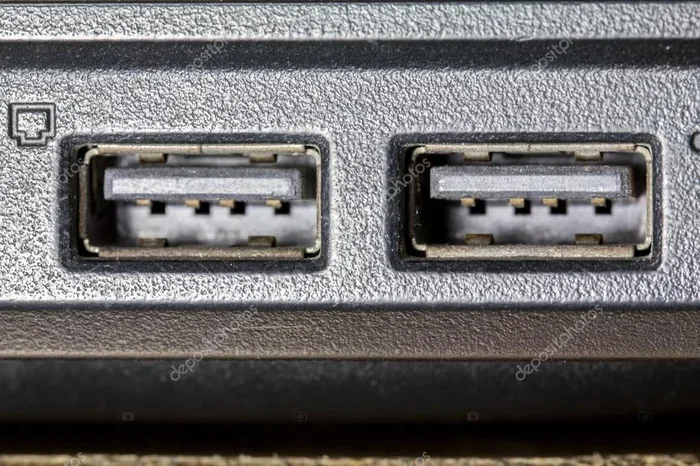
This is the classic rectangular USB port you’ve seen for decades. Most cars still use USB Type-A ports for charging and data transfer. They’re reliable and compatible with tons of devices, but they’re slower than newer options.
USB Type-A ports in cars usually support USB 2.0 speeds. That’s fine for charging but not great for transferring large files like music or videos. If you need faster data transfer, you’ll want a different port type.
USB Type-C
USB Type-C is the modern standard. It’s smaller, reversible, and much faster than Type-A. Many new cars now come with at least one USB-C port. These ports support faster charging and data transfer speeds.
USB-C also supports USB Power Delivery, which means it can deliver more wattage to charge devices faster. If you have a newer phone or tablet, a USB-C port in your car will charge it much more efficiently than an older Type-A port.
USB Type-B and Mini-USB
You might still find USB Type-B or Mini-USB ports in some older vehicles or specialized accessories. These are less common in modern cars but still appear in some dash cams, GPS units, and older electronics. They’re not as versatile as Type-A or Type-C.
USB Port Speeds and Charging Power
The number of ports isn’t the only thing that matters. The speed and power output of each port make a huge difference in your daily experience.
USB 2.0 vs USB 3.0
USB 2.0 ports are the older standard. They transfer data at up to 480 Mbps. That’s fine for charging your phone but slow for anything else. Most car USB ports use USB 2.0.
USB 3.0 ports transfer data at up to 5 Gbps. That’s ten times faster than USB 2.0. Some newer cars and aftermarket accessories support USB 3.0, which is great if you use your car’s USB port for more than just charging.
Charging Speeds: What to Look For
When it comes to charging, not all ports are equal. Here’s what affects how fast your device charges through a USB port:
- Amperage: Higher amperage means faster charging. Most car USB ports deliver 1 to 2.4 amps.
- Wattage: This is the combination of voltage and amperage. Higher wattage charges devices faster.
- USB Power Delivery (USB-PD): This standard allows for much higher power output, up to 100 watts in some cases.
- Device compatibility: Your phone or tablet must support fast charging for it to work, even if the port delivers more power.
If you’ve ever noticed your phone charging slowly in the car, the port’s power output might be the reason. A fast car charger with a higher wattage can make a noticeable difference.
How to Add More USB Ports to Your Car
If your car doesn’t have enough USB ports, you’re not stuck with that limitation. There are several ways to expand your charging options.
USB Car Adapters
A USB car adapter plugs into your cigarette lighter or 12V socket and adds extra USB ports. These are affordable and easy to install. Most adapters offer two to four additional ports, and some even support fast charging.
Look for adapters that offer a mix of USB Type-A and Type-C ports. This way, you can charge both older and newer devices at the same time.
USB Hubs for Cars
A USB hub works similarly to a car adapter but often offers more flexibility. Some car USB hubs plug directly into an existing car USB port and add more ports to it. Others connect to the 12V socket and provide multiple charging options.
USB hubs are especially useful for families who need to charge multiple devices on long road trips. They keep everything organized and within reach.
Wireless Charging Options
If you want to cut down on cables, consider a wireless car charger. These pads charge your phone without a USB cable. Many wireless chargers also include a USB port for a second device. They’re a clean, clutter-free way to add charging capability to your car.
Common USB Port Problems and Solutions
Even with the right number of ports, you might run into issues. Here are some common problems and how to fix them.
Slow Charging
If your device charges slowly, the port might be delivering low amperage. Try a different port if your car has multiple options. Also, check that your cable is in good condition. Damaged or cheap cables can significantly slow down charging.
A high-quality USB car charger with the right wattage can solve most slow-charging issues. Look for chargers rated at 2.4 amps or higher per port.
Port Not Working
A dead USB port can be frustrating. Before assuming the worst, try these quick fixes:
- Check if the port has debris or dust inside. A gentle brush or compressed air can clear it out.
- Try a different cable to rule out a faulty cable.
- Restart your car’s infotainment system if the port is connected to it.
- Check the fuse box. A blown fuse can kill a USB port.
Not Enough Ports
This is the most common complaint. If you have more devices than ports, a USB hub or car adapter is your best bet. They’re inexpensive and solve the problem instantly. Just make sure the total power output of the adapter can handle all your devices at once.
What to Look for When Buying a Car with USB Ports
If you’re shopping for a new car, the USB setup should be on your checklist. Here’s what to look for.
Number of Ports
Think about how many devices you and your passengers need to charge. If you regularly carry more than two people, aim for a car with at least three or four USB charging ports. Families with kids should prioritize even more ports.
Port Types
Look for a mix of USB Type-A and Type-C ports. Type-C is the future, and having at least one in your car ensures compatibility with newer devices. Some cars also offer wireless charging pads as an option, which adds even more convenience.
Charging Speed
Check whether the car supports fast charging through its USB ports. A port with USB Power Delivery or high amperage output will charge your devices much faster than a standard port. This is especially important on long drives when you need your phone ready quickly.
Port Placement
Front-facing ports in the center console are the most convenient. Rear-seat ports are great for families but less accessible for the driver. Consider your daily driving habits when evaluating port placement.
Key Takeaways
- Most cars have two to four USB ports: The exact number depends on your vehicle’s make, model, and year.
- USB Type-A and Type-C are the most common: Type-C is faster and more versatile for modern devices.
- Older USB 2.0 ports charge slowly: Upgrading to USB 3.0 or USB-C makes a big difference.
- A USB hub can add more ports: This is a great solution if your car doesn’t have enough ports.
- Port placement matters: Front-facing ports are much easier to access while driving.
- Not all ports deliver the same power: Check wattage and amperage to avoid slow charging.
- Future-proof your setup: Choose devices and cars with USB-C support for long-term compatibility.
Final Thoughts
So, how many USB ports are there? The answer really depends on your car, your devices, and your needs. Most modern vehicles come with two to four ports, which is enough for most drivers. But if you carry a lot of devices or have a family, you might need more.
The good news is that expanding your options is easy and affordable. USB car adapters, hubs, and wireless chargers can all add more charging capability to your vehicle. And with the rise of USB-C and fast charging standards, the future of in-car power is looking bright.
Take a moment to evaluate your current setup. Count your ports, check their types, and think about whether they meet your needs. A small upgrade can make a huge difference in your daily driving experience. Knowing how many USB ports are there and what each one can do puts you in control of your connectivity on the road.
How Many USB Ports Are There in Different Car Brands?
Different car brands offer varying numbers of USB ports. Toyota and Honda typically provide two to three ports in most models. Ford and Chevrolet often include three or four ports, especially in higher trims. Luxury brands like BMW, Mercedes-Benz, and Audi may offer four or more ports, sometimes including wireless charging. Always check the specific model and trim level for exact details.
Can I Use a USB Hub in My Car?
Yes, you can use a USB hub in your car to add more ports. Just make sure the hub is designed for automotive use and can handle the power output of your car’s electrical system. A low-quality hub might not deliver enough power to charge all your devices at full speed.
Why Does My Phone Charge Slowly Through My Car’s USB Port?
Slow charging usually happens because the car’s USB port delivers low amperage, typically 1 to 1.5 amps. Most phones need at least 2.1 amps to charge at full speed. Using a dedicated car charger that plugs into the 12V socket often solves this problem.
Is USB-C Better Than USB-A for Cars?
Yes, USB-C is generally better for cars. It supports faster charging, higher data transfer speeds, and is more durable than USB-A. Many new devices, including smartphones and tablets, now use USB-C as their primary charging port. Having at least one USB-C port in your car is a smart choice.
Do All Car USB Ports Support Data Transfer?
Not all car USB ports support data transfer. Some ports are power-only, meaning they can charge your device but won’t transfer files or connect to the car’s infotainment system. Check your car’s manual to see which ports support data and which are for charging only.
How Can I Protect My Car’s USB Ports From Damage?
Keep ports clean and free of dust and debris. Use port covers if your car has them. Avoid forcing cables in at odd angles. Store loose cables properly so they don’t put stress on the port. A little maintenance goes a long way in keeping your car USB ports working reliably for years.
Frequently Asked Questions
What is How Many USB Ports Are There?
How Many USB Ports Are There is an important topic with many practical applications.