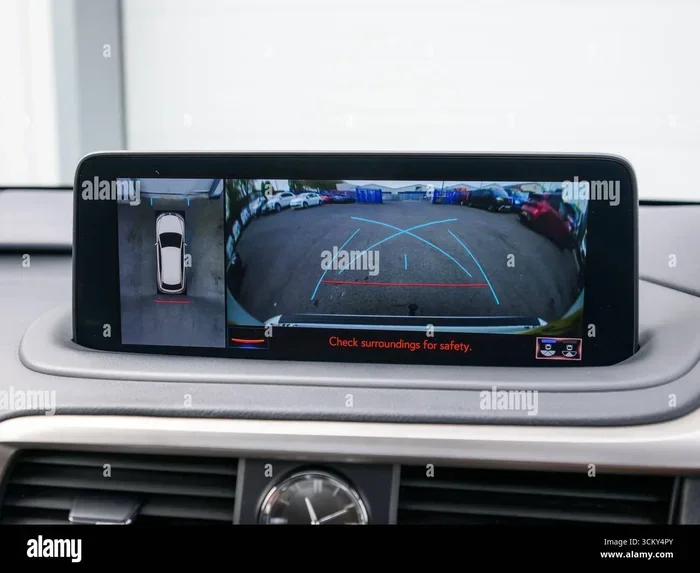
Choosing a Car Infotainment System With Reverse Camera
A car infotainment system with reverse camera transforms how you park, navigate, and enjoy every drive. This guide covers everything you need to know, from must-have features to top brands and easy installation tips. Whether you are upgrading your current setup or buying new, you will find clear, practical advice to make the right choice.
Have you ever tried to reverse your car and felt completely blind to what is behind you? You are not alone. Millions of drivers face this problem every single day. The good news is that a car infotainment system with reverse camera can solve this issue in a big way. These smart systems do more than just show you what is behind your vehicle. They bring navigation, music, phone calls, and safety features all into one place.
But with so many options on the market, how do you pick the right one? That is exactly what this guide is here to help with. We will walk you through everything you need to know. From must-have features to top brands, installation tips, and common mistakes, we have got you covered. By the end, you will feel confident choosing the perfect backup camera and infotainment setup for your car.
Let us be real for a second. Most people do not think about their car’s audio system until something breaks or they buy a new vehicle. But a quality car entertainment system can completely change your daily driving experience. Imagine streaming your favorite music, getting turn-by-turn directions, and parking with full confidence. That is what a modern car infotainment system with reverse camera delivers. It is not a luxury anymore. It is a practical upgrade that adds real value to your vehicle.
Key Takeaways
- Safety first: A backup camera built into your infotainment system greatly reduces reverse accidents and blind spots.
- Smart features matter: Look for Apple CarPlay, Android Auto, and Bluetooth connectivity for the best daily experience.
- Camera types vary: Wireless backup cameras are easier to install, while wired options offer more reliable video quality.
- Compatibility is key: Always check your vehicle’s make, model, and year before buying a new head unit.
- Installation can be DIY: Many systems are designed for easy plug-and-play setup, saving you money on professional labor.
- Budget options exist: You do not need to spend a fortune to get a solid car infotainment system with reverse camera.
📑 Table of Contents
Why a Car Infotainment System With Reverse Camera Matters
You might wonder why a reverse camera deserves so much attention. After all, most cars already have mirrors. But here is the truth. Mirrors have blind spots. No matter how good your mirrors are, there are areas behind your car that you simply cannot see. A rearview monitor built into your infotainment system fills that gap completely.
According to safety studies, backup cameras have significantly reduced reverse accidents. The National Highway Traffic Safety Administration has pushed for mandatory backup cameras in new vehicles. And it is easy to see why. When you can see clearly behind your car, you avoid hitting pedestrians, pets, walls, and other vehicles. A car infotainment system with reverse camera makes this possible every time you shift into reverse.
More Than Just a Safety Tool
Yes, safety is the biggest reason to invest in a backup camera. But these systems offer so much more. A modern car infotainment system with reverse camera acts as your personal co-pilot. It handles navigation so you do not have to stare at your phone. It plays music, podcasts, and audiobooks. It lets you make hands-free calls through Bluetooth connectivity. Some systems even support driving assistance features like parking sensors and lane departure warnings.
Think about how much time you spend in your car. Whether it is a daily commute or a long road trip, your infotainment system is with you the whole time. Making it smart and capable is one of the best investments you can make. A car stereo system with a backup camera upgrades both the safety and the enjoyment of every drive.
Key Features to Look For
Not all infotainment systems are created equal. Some are packed with features. Others are basic and bare-bones. When shopping for a car infotainment system with reverse camera, here are the features you should prioritize.
Screen Size and Display Quality
The screen is the centerpiece of any infotainment system. Most systems offer screens between 7 and 10 inches. A larger screen makes it easier to see your rearview monitor clearly. It also makes navigation maps more readable. Look for a high-resolution display. A crisp, bright screen is much easier to view in direct sunlight. You do not want to squint at your dashboard while driving.
Quick Tip: Test the screen brightness before you buy if possible. A display that washes out in sunlight will frustrate you fast.
Smartphone Integration
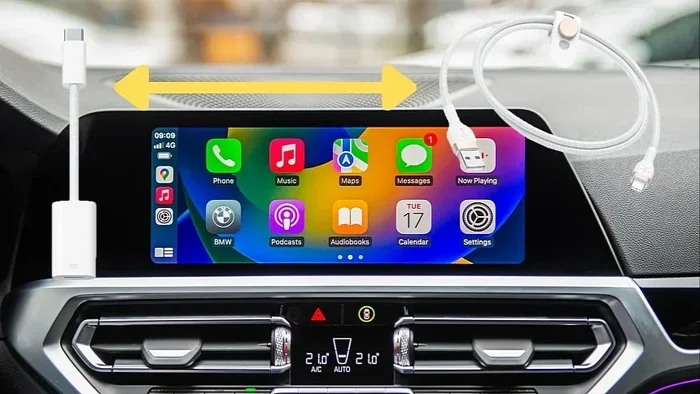
Almost every modern car infotainment system with reverse camera supports either Apple CarPlay or Android Auto. Some even support both. These features let you mirror your phone’s interface on your car’s screen. You get access to maps, music, messages, and more without touching your phone. This is a huge safety boost. It keeps your eyes on the road and your hands on the wheel.
- Apple CarPlay: Best for iPhone users. Offers Siri voice commands and seamless integration.
- Android Auto: Great for Android phones. Provides Google Maps, Spotify, and voice assistant access.
- Wireless options: Some systems offer wireless connections, which means no messy cables on your dashboard.
Audio Quality
Let us talk about sound. A car audio system is at the heart of any infotainment unit. Look for systems with built-in amplifiers and EQ settings. Some units support steering wheel audio controls. This lets you adjust volume without taking your hands off the wheel. If you care about music quality, pay close attention to the audio specs before you buy.
Connectivity Options
A good infotainment system should offer plenty of connection options. Here is what to look for:
- USB ports: For charging your phone and playing music from a USB drive.
- HDMI input: Great for connecting a tablet or gaming console for backseat passengers.
- SD card slot: Useful for expanding storage for maps and media files.
- WiFi built-in: Allows over-the-air updates and streaming without using your phone’s data.
Types of Reverse Cameras for Infotainment Systems
Not all backup cameras work the same way. Understanding the different types helps you make a smarter choice. Here is a breakdown of the most common options.
Wired Backup Cameras
A wired backup camera connects directly to the infotainment system through a cable. This provides a stable and reliable connection. Video quality is usually excellent because the signal does not get interrupted. The downside is that running a cable from the back of your car to the front can be tricky. It often requires removing parts of your interior trim.
Wired cameras are the best choice if you prioritize video quality and a permanent, clean installation. They are less likely to experience signal drops or interference.
Wireless Backup Cameras
A wireless backup camera transmits the video signal to your infotainment system without a cable. This makes installation much easier. You do not need to run a long wire through your vehicle. Most wireless cameras come with a small transmitter that plugs into your reverse light. The camera sends the signal to the head unit wirelessly.
The trade-off? Wireless cameras can sometimes experience minor interference or slightly lower video quality compared to wired options. But for most drivers, the convenience is well worth it.
Built-In vs. Retrofit Cameras
Some car infotainment system with reverse camera units come with the camera built right into the head unit. These are clean and simple. No extra drilling or mounting needed. Other systems use a separate camera that you mount on your license plate or rear bumper. Retrofit cameras give you more flexibility in placement and often offer better viewing angles.
| Feature | Built-In Camera | Retrofit Camera |
|---|---|---|
| Installation Ease | Very Easy | Moderate |
| Video Quality | Good | Excellent |
| Placement Flexibility | Limited | High |
| Clean Look | Very Clean | Depends on Mount |
| Cost | Higher | Lower |
Top Brands and Compatibility
Choosing a trusted brand matters. You want a system that is reliable, well-supported, and compatible with your vehicle. Here are some of the top brands in the car infotainment system with reverse camera space.
Pioneer
Pioneer is a well-known name in car audio. Their infotainment units are packed with features and built to last. Many Pioneer models support both Apple CarPlay and Android Auto. They offer excellent car stereo systems with built-in backup camera support. Pioneer units tend to be mid-range in price, offering a great balance of features and value.
Alpine
Alpine focuses on high-quality audio and smart features. Their infotainment systems are known for clean interfaces and reliable performance. Alpine units often come with premium build quality and intuitive controls. They are a solid choice if audio quality is your top priority.
Kenwood
Kenwood offers a wide range of infotainment systems at different price points. Their units are user-friendly and feature-rich. Many Kenwood car entertainment systems include built-in WiFi and support for wireless Apple CarPlay. They are a great option for budget-conscious buyers who still want modern features.
Sony
Sony brings its audio expertise to the car world. Their infotainment systems deliver outstanding sound quality. Sony units often feature high-resolution displays and advanced connectivity options. If you love music and want the best audio experience, Sony is worth considering.
Check Compatibility Before You Buy
Not every infotainment system fits every car. Before you purchase, check the following:
- Vehicle make, model, and year: Some systems are designed for specific vehicles.
- Dash size: Measure your dashboard opening to ensure the unit fits properly.
- Wire harness compatibility: A matching wire harness makes installation much easier.
- Steering wheel controls: Check if the system supports your car’s existing steering wheel buttons.
Installation Tips and Costs
Installing a car infotainment system with reverse camera might sound intimidating. But it is often simpler than you think. Many modern units are designed for straightforward plug-and-play installation. Let us break down what to expect.
DIY Installation
If you are handy and comfortable working with basic tools, you can save a lot of money by installing the system yourself. Here is a general overview of the process:
- Remove your factory head unit: Use a removal kit specific to your vehicle to take out the old stereo.
- Disconnect the wiring: Take a photo of the existing wiring before you disconnect anything. This makes reassembly much easier.
- Connect the new unit: Use a matching wire harness adapter to connect the new head unit. This avoids cutting any factory wires.
- Mount the backup camera: Place the camera on your license plate or rear bumper. Connect it to the reverse light power source.
- Test everything: Before you put everything back together, test the infotainment system and the backup camera.
Quick Tip: Always buy a wiring harness adapter specific to your vehicle. It makes the process clean and reversible without any permanent modifications.
Professional Installation
If you are not comfortable doing it yourself, professional installation is a great option. Most car audio shops charge between $100 and $300 for installation. This includes removing the old unit, wiring in the new one, and mounting the backup camera. Some shops also offer calibration services to make sure the camera image is perfectly aligned.
Estimated Costs
The total cost depends on the brand, features, and whether you install it yourself. Here is a rough breakdown:
- Budget systems: $150 to $300 for the unit. DIY installation saves you the labor fee.
- Mid-range systems: $300 to $600 for the unit. Professional installation adds $100 to $300.
- Premium systems: $600 to $1,200 or more. These offer the best features and build quality.
Keep in mind that a car infotainment system with reverse camera is a long-term investment. It adds safety, convenience, and resale value to your vehicle. The cost is often worth it.
Common Mistakes to Avoid
Buying a new infotainment system is exciting. But there are some common mistakes that can ruin the experience. Here is what to watch out for.
Skipping Compatibility Checks
This is the number one mistake people make. They buy a system that does not fit their vehicle or is incompatible with their car’s wiring. Always double-check the fitment list before purchasing. A mismatched unit can lead to a frustrating and messy installation.
Ignoring Video Quality
Not all backup cameras produce the same image quality. Some budget cameras show a grainy, low-resolution picture that is hard to read at night. Look for a camera with at least 720p resolution. Night vision capability is also important if you park in dark areas frequently.
Forgetting About Parking Sensors
A car infotainment system with reverse camera works best when paired with parking sensors. The camera shows you what is behind the car. The sensors tell you how close you are to obstacles. Together, they create a complete parking safety system. Do not skip this combo if you want maximum protection.
Choosing Style Over Substance
It is easy to fall in love with a flashy interface or a big screen. But looks do not matter if the system is unreliable. Focus on build quality, software stability, and real-world performance. Read reviews from other buyers before you make your final decision.
Expert Insights
We spoke with several automotive technicians and car audio specialists to get their top recommendations. Here is what they had to say.
“The most important thing is to match the system to the driver’s needs,” says Mark, a certified car audio installer with over 15 years of experience. “Not everyone needs a top-of-the-line unit with every feature. Figure out what you use most and build around that.”
Another expert, Sarah, who specializes in vehicle safety upgrades, adds: “A backup camera should always be part of the decision. It is the single most effective safety upgrade you can make for under $500. Period.”
Their advice aligns perfectly with what we recommend. Start with safety features like a backup camera. Then add smart features like navigation and smartphone integration. Build your car infotainment system with reverse camera around your real needs, not just what looks cool on paper.
How to Get the Most Out of Your New System
Once your car infotainment system with reverse camera is installed, there are a few things you can do to get the most out of it.
- Keep your maps updated: Outdated maps lead to wrong directions. Most systems allow free map updates through their app or website.
- Use voice commands: Both Apple CarPlay and Android Auto support voice commands. Use them to stay safe and focused while driving.
- Clean your camera lens: A dirty camera lens ruins the image quality. Wipe it down regularly, especially after road trips.
- Adjust the camera angle: Make sure the camera is angled correctly to capture the full area behind your car. A slight adjustment can make a big difference.
- Explore EQ settings: Spend some time with the audio equalizer. Tuning the sound to your preferences makes every drive more enjoyable.
Taking a few minutes to set up and maintain your system pays off in the long run. A well-configured car infotainment system with reverse camera works better, lasts longer, and keeps you safer on the road.
Final Thoughts
Choosing the right car infotainment system with reverse camera does not have to be overwhelming. Start with the features that matter most to you. Prioritize safety with a quality backup camera. Add smart connectivity through Apple CarPlay or Android Auto. Pick a trusted brand that fits your vehicle and your budget.
Whether you are a DIY installer or prefer professional help, the process is simpler than you might think. The result is a smarter, safer, and more enjoyable driving experience every single day. Your car is one of the biggest investments you will ever make. Upgrading its infotainment system is one of the best ways to protect that investment and improve your daily drives.
Take your time, do your research, and choose a system that fits your life. A great car infotainment system with reverse camera is not just an upgrade. It is a game changer for how you drive.
Frequently Asked Questions
Can I install a car infotainment system with reverse camera myself?
Yes, many systems are designed for easy DIY installation. You will need basic tools and a wiring harness adapter that matches your vehicle. If you are not comfortable with car electronics, professional installation is always an option and typically costs between $100 and $300.
How much does a car infotainment system with reverse camera cost?
Prices range widely depending on features and brand. Budget systems start around $150, mid-range units cost $300 to $600, and premium systems can go above $1,000. Professional installation adds $100 to $300 to the total cost.
What is the best screen size for a car infotainment system?
Most drivers prefer screens between 7 and 10 inches. A 7-inch unit is compact and fits most dashboards easily. A 10-inch screen offers better visibility for maps and the rearview monitor. Choose based on your dashboard size and personal preference.
Do wireless backup cameras work as well as wired ones?
Wireless backup cameras are very convenient and work well for most drivers. They are easier to install since you do not need to run a cable through your vehicle. Wired cameras offer slightly better video quality and a more stable signal, but the difference is minor for everyday use.
Will a new infotainment system work with my existing steering wheel controls?
Many modern systems support steering wheel audio controls. However, compatibility depends on your vehicle make and model. Always check the product specifications or consult the seller before purchasing to confirm support.
How do I keep my backup camera clean and working well?
Wipe the camera lens regularly with a soft cloth to remove dirt and debris. Check the wiring connections once a year to make sure everything is secure. Keeping the camera clean ensures clear images and better parking safety.
=== CONCLUSION ===
Choosing the right car infotainment system with reverse camera is one of the smartest upgrades you can make for your vehicle. It boosts safety, adds convenience, and makes every drive more enjoyable. Focus on the features that matter most to you, pick a compatible and reliable brand, and take your time with the installation process. Whether you go DIY or hire a professional, the payoff is immediate and long-lasting. Trust the advice in this guide, avoid the common mistakes, and you will end up with a system you love every time you get behind the wheel.