Do I Have to Pay to Use the Toyota App or Is It Free
The Toyota App is free to download and use for most basic features. You can access remote start, lock/unlock, and vehicle status without paying anything. However, some premium connected services require a Toyota subscription plan that may involve a monthly or annual fee.
Do I Have to Pay to Use the Toyota App or Is It Free
So you just bought a new Toyota or maybe you are thinking about downloading the Toyota App for the first time. The big question on your mind is probably this: do I have to pay to use the Toyota App? The short answer is no. The Toyota App is free to download and use for most of its core features. But like many things in life, there is more to the story. Some advanced features do come with a price tag, and understanding the difference can save you a lot of confusion and frustration.
In this guide, I will walk you through everything you need to know about the Toyota App cost. We will cover what is free, what is not, how the subscription model works, and whether paying for premium features is actually worth it. Whether you drive a brand new Toyota Camry or a used RAV4, this article has you covered.
The Toyota App is designed to make your life easier. You can check your fuel level, lock your doors, and even start your car from your phone. These are all incredibly useful features that most Toyota owners love. The question of whether you need to pay for them depends entirely on which features you want to use and which Toyota model you have.
Before we dive deeper, let me give you a quick overview of what the app offers. The Toyota App connects your phone to your vehicle through a system called Toyota Connected Services. This system lets you monitor and control certain aspects of your car remotely. Some of these services come standard, while others require a paid subscription.
Now let us get into the details.
Key Takeaways
- The Toyota App is free to download: There is no upfront cost to install the app on your phone.
- Basic features are included at no charge: Remote lock, unlock, horn, lights, and vehicle status checks are free.
- Premium features require a subscription: Services like remote start and destination send may need a paid plan.
- Free trial periods are often available: Toyota sometimes offers trial periods for premium features.
- You can cancel anytime: There is no penalty for canceling a Toyota subscription.
- The app works with most Toyota models: Compatibility depends on your model year and trim level.
- No hidden fees: All costs are clearly outlined before you commit to a paid plan.
📑 Table of Contents
What Is the Toyota App?
The Toyota App is a mobile application available for both iOS and Android devices. It serves as a digital bridge between you and your Toyota vehicle. Through the app, you can access a range of features that make owning a Toyota more convenient and connected.
The app is available for free on the Apple App Store and Google Play Store. Once you download it, you can create an account and link it to your vehicle using your Toyota login credentials. The setup process is straightforward and takes only a few minutes.
Core Features of the Toyota App
Here are some of the main features you can access through the Toyota App:
- Remote Lock and Unlock: Lock or unlock your doors from anywhere.
- Horn and Lights: Sound your horn or flash your lights to find your car in a parking lot.
- Vehicle Status: Check your fuel level, tire pressure, and oil life remotely.
- Trip History: View recent trips and driving data.
- Roadside Assistance: Request help directly through the app.
- Maintenance Scheduling: Book service appointments at your local Toyota dealer.
All of these features are available at no cost. You do not need to pay a dime to use them. This is one of the best things about the Toyota App. Even if you have an older model, many of these features still work as long as your vehicle has the necessary hardware.
Which Toyota App Features Are Free?
The free features of the Toyota App are impressive. Toyota wants to make sure owners get value from the app even without paying for a subscription. Here is a closer look at what you get for free.
Remote Access Features
You can lock and unlock your doors remotely using the app. You can also honk the horn and flash the headlights. These features are handy when you forget where you parked or want to check that you locked the car. They work through your vehicle’s built-in connectivity system, which is standard in most newer Toyota models.
Vehicle Monitoring
The app lets you check your fuel level, tire pressure, and maintenance status. You can also see if your check engine light is on. This is a great way to stay on top of your vehicle’s health without visiting a dealer. If you notice the check engine light is on, you can use the app to get more information and decide whether to drive or seek service.
Roadside Assistance
Toyota includes roadside assistance through the app for eligible vehicles. You can request help for flat tires, lockouts, jump starts, and fuel delivery. This service is free and available to Toyota owners who have the connected services package.
Service and Maintenance
You can schedule service appointments, receive maintenance reminders, and even check your service history through the app. This makes staying on top of oil changes and other routine maintenance much easier.
One thing to keep in mind is that some features may require your vehicle to have a built-in modem or connectivity package. Older Toyotas may not support all features even with the app installed. If you are unsure, you can check your model’s compatibility on the Toyota website or ask your dealer.
Which Toyota App Features Require Payment?
Now we get to the part that matters most: what costs money? Toyota offers premium connected services that go beyond the free features. These premium features require a Toyota subscription plan. Let me break down what you can expect.
Remote Start
Remote start allows you to start your car from your phone. This is especially useful in cold weather when you want to warm up the cabin before you get in. It is also great for cooling down the car on a hot day. Remote start typically requires a paid subscription through Toyota Connected Services.
Destination Send to Navigation
This feature lets you send a destination from your phone directly to your car’s navigation system. Instead of typing in an address on the car’s screen, you can do it from your phone and send it over. This is a premium feature that requires a subscription.
Weather and News Updates
Some Toyota models offer real-time weather and news updates through the app. These are delivered directly to your car’s display screen. This feature is part of the premium connected services package.
Emergency SOS
In the event of an accident, the app can automatically contact emergency services. While this feature is safety-related, it may be part of a paid subscription plan depending on your vehicle and region.
Wi-Fi Hotspot
Certain Toyota models offer a built-in Wi-Fi hotspot through the app. This lets you and your passengers stay connected on the road. The Wi-Fi hotspot usually requires a data plan, which comes with a monthly fee.
These premium features are not available on all Toyota models. Newer models from 2018 and later are more likely to support them. If you are considering a used Toyota, check whether the connectivity package is included before assuming all features will work.
Toyota App Subscription Plans and Pricing
Toyota offers different subscription tiers for its connected services. The pricing varies depending on the features you choose and your vehicle model. Let me walk you through what you can expect.
Free Tier
The free tier includes all the basic features I mentioned earlier. Remote lock, unlock, vehicle status, and roadside assistance are all included at no cost. This tier is available to all Toyota App users with compatible vehicles.
Paid Tier
The paid tier unlocks premium features like remote start, destination send, and Wi-Fi hotspot. Pricing typically ranges from around $80 to $150 per year, depending on the features included. Toyota sometimes offers promotional pricing or discounted first-year rates for new vehicle purchases.
Trial Periods
Toyota often provides a free trial period for premium features. This can last anywhere from 30 days to one year, depending on the promotion. During the trial, you can test out all the premium features and decide if they are worth paying for. After the trial ends, you will need to subscribe to continue using those features.
It is important to note that you can cancel your subscription at any time. There is no long-term contract or penalty for canceling. If you decide the premium features are not worth the cost, you can simply switch back to the free tier and continue using the app as normal.
How to Set Up the Toyota App
Setting up the Toyota App is a simple process. Here is a step-by-step guide to get you started.
Step 1: Download the App
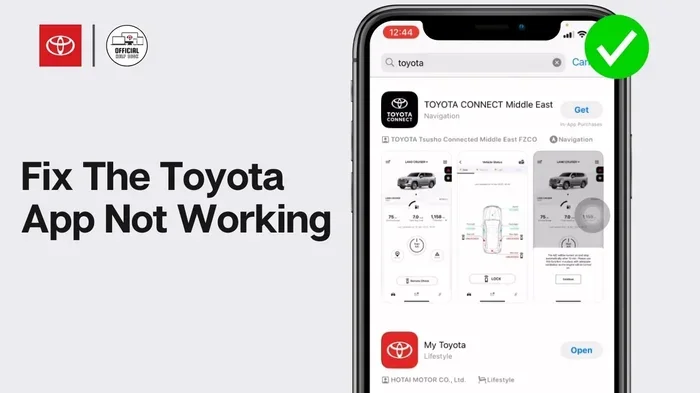
Go to the Apple App Store or Google Play Store and search for the Toyota App. Download it to your phone. The app is free to download and takes up very little storage space.
Step 2: Create an Account
Open the app and create a Toyota account. You will need your email address and some basic information. If you already have a Toyota account from a previous purchase or service visit, you can use those credentials.
Step 3: Link Your Vehicle
After creating your account, you need to link it to your vehicle. You can do this by entering your vehicle identification number (VIN) or by following the on-screen prompts. Some vehicles may also require you to sync your iPhone to your new car through Bluetooth to enable full connectivity.
Step 4: Explore the Features
Once your vehicle is linked, you can start exploring the app’s features. Try out the free features first and see which ones you use most often. If you want access to premium features, you can subscribe directly through the app.
If you run into any issues during setup, the Toyota App has a help section with troubleshooting tips. You can also contact Toyota customer support for assistance. And if you are having trouble connecting your phone to your car, you might want to check how to pair your iPhone to your car before trying again.
Is the Toyota App Worth Paying For?
This is the question that really matters, isn’t it? The free features of the Toyota App are great, but are the premium features worth the cost? Let me give you my honest take.
The answer depends on how you use your car and what features you value most. If you live in a cold climate, remote start alone might be worth the subscription fee. Being able to warm up your car from your couch on a freezing morning is a game changer. Similarly, if you frequently travel and use your car’s navigation system, the destination send feature can save you a lot of hassle.
On the other hand, if you mostly use your car for short trips around town and do not need remote start or Wi-Fi, the free tier is more than enough. The basic features cover all the essentials.
Here are some quick tips to help you decide:
- Try the free trial first: Test out the premium features before committing to a paid plan.
- Evaluate how often you use each feature: If you only use remote start in winter, consider a seasonal subscription.
- Compare with other options: Some cars come with built-in remote start as standard. Check if your Toyota model already has this feature without the app.
- Read the fine print: Make sure you understand the subscription terms, including auto-renewal policies.
Overall, the Toyota App provides excellent value whether you stick with the free tier or upgrade to a paid plan. The flexibility to choose what you pay for is a big advantage. You are never locked into a subscription you do not want.
Common Issues and Troubleshooting
Like any app, the Toyota App can sometimes have issues. Here are some common problems and how to fix them.
App Not Connecting to Vehicle
If the app is not connecting to your car, try the following steps. First, make sure your phone has a stable internet connection. Second, check that your vehicle’s connectivity system is turned on. Third, restart the app and try again. If the problem persists, you may need to manually clear your car codes or reset the connection through your vehicle’s settings menu.
Login Issues
Forgot your password? No worries. You can reset your Toyota login credentials through the app’s login screen. Make sure you are using the correct email address associated with your Toyota account. If you are still having trouble, try clearing the app cache or reinstalling the app.
Features Not Working
Some features may not work if your vehicle is too old or does not have the necessary hardware. Check your Toyota model’s compatibility with the app before assuming something is broken. You can also contact Toyota support for help troubleshooting specific features.
For owners who frequently travel, you might also want to learn how to sync your iPhone to your new car properly. A strong Bluetooth connection is essential for the Toyota App to work reliably while you are on the road.
Frequently Asked Questions
Do I have to pay to download the Toyota App?
No, the Toyota App is completely free to download from the Apple App Store and Google Play Store. There are no upfront costs to install or create an account. You only pay if you choose to upgrade to premium features.
Can I use the Toyota App on any Toyota vehicle?
The Toyota App works with most Toyota models that have built-in connectivity. Newer models from 2018 and later generally support all features. Older models may have limited functionality. Check your specific model’s compatibility on the Toyota website.
How much does the Toyota App premium subscription cost?
Pricing varies by feature set and region, but premium subscriptions typically range from $80 to $150 per year. Toyota sometimes offers promotional pricing, especially for new vehicle purchases. You can find the current pricing in the app or by contacting your local dealer.
Can I cancel my Toyota App subscription at any time?
Yes, you can cancel your subscription at any time with no penalty. There is no long-term contract. Once canceled, you will lose access to premium features but can continue using all free features without interruption.
Does the Toyota App work without an internet connection?
Most features require an internet connection to communicate with your vehicle. However, some basic functions like trip history may be available offline. For real-time features like remote start and lock/unlock, you need both a phone and vehicle internet connection.
Is the Toyota App available for non-Toyota vehicles?
The Toyota App is designed specifically for Toyota vehicles. It may not work with other brands. If you drive a non-Toyota vehicle, you will need to use the app or platform designed for your specific brand.
Final Thoughts
So, do you have to pay to use the Toyota App? The answer is a clear no for the basics. The free tier gives you access to remote lock, unlock, vehicle status, roadside assistance, and maintenance scheduling. These features alone make the app valuable for any Toyota owner.
If you want more advanced features like remote start, destination send, or Wi-Fi hotspot, you will need a paid subscription. But even then, you have the freedom to choose what you pay for and when. There are no hidden fees, no long-term contracts, and no pressure to upgrade.
The Toyota App is a great example of how technology can make car ownership more convenient and connected. Whether you use it for simple tasks like checking your fuel level or advanced features like starting your car from bed on a cold morning, the app delivers real value.
The Toyota App is free to use for its core features, and the premium options are entirely optional. I recommend trying the free version first and seeing which features you actually use. If you find yourself relying on premium features regularly, then a subscription might be a smart investment.
At the end of the day, the Toyota App puts you in control. You decide what features matter to you and how much you are willing to pay. That kind of flexibility is hard to beat. Download the app today, explore what it has to offer, and see how it fits into your daily routine.