How to Reset Your Car Audio System Quickly and Easily
Resetting your car audio system is easier than you think and can solve many common sound problems fast. Whether your stereo is frozen, producing static, or simply not turning on, a quick reset often brings it back to life. This guide walks you through every method step by step, so you can get your music back without visiting a mechanic. We also cover when a reset is the right move and when you should call a pro for help.
There is nothing worse than hopping into your car, pressing the power button on your stereo, and getting nothing but silence. Or maybe your car audio system is crackling, freezing, or stuck on a weird screen. Before you spend a dime on a mechanic, try resetting it yourself.
A car audio reset is one of the simplest and most effective fixes you can do at home. It takes just a few minutes and requires no special tools in most cases. Whether you drive a sedan, truck, or SUV, the steps are similar across most vehicles. In this guide, we will show you every method, from the easiest soft reset to a full factory reset.
We will also cover the common problems that tell you a reset might help. And we will share tips to keep your sound system running strong for years to come. So grab your coffee, and let us bring your car stereo back to life.
Key Takeaways
- Soft reset is the easiest fix: Most car audio issues resolve with a simple power cycle or battery disconnect.
- Hard reset restores factory settings: This method wipes custom settings but fixes deeper software glitches.
- Check fuses and wiring first: Sometimes the problem is not software but a blown fuse or loose connection.
- Reset methods vary by car brand: Ford, Toyota, Honda, and other brands have different reset procedures.
- Know when to call a pro: Persistent issues after a reset may signal a hardware problem that needs expert attention.
- Prevention saves time: Regular maintenance and smart usage habits keep your car audio running smoothly.
📑 Table of Contents
- Why You Might Need to Reset Your Car Audio System
- How to Reset Your Car Audio System Step by Step
- Common Car Audio Problems That Need a Reset
- Car Audio Reset Methods by Brand
- Tips to Keep Your Car Audio System Running Smoothly
- When to Seek Professional Help for Car Audio Issues
- Final Thoughts on Resetting Your Car Audio
Why You Might Need to Reset Your Car Audio System
Your car audio system works hard every day. It powers through rain, heat, cold, and endless hours of music. Over time, the system can develop glitches that a simple reset fixes. Understanding why these problems happen helps you decide if a reset is the right move.
Common Signs Your Car Audio Needs a Reset
Watch for these warning signs. If any of them sound familiar, a reset might be all you need:
- No power at all: The stereo screen stays dark even when you turn the key.
- Static or crackling sounds: Your speakers produce a buzzing or hissing noise instead of clean audio.
- Frozen screen: The display is stuck and does not respond to any buttons.
- Sound cuts out randomly: Music stops and starts on its own without you touching anything.
- Bluetooth won’t connect: Your phone pairs one day but refuses to connect the next.
- Volume stuck at one level: You cannot raise or lower the volume no matter what you do.
If you notice any of these issues, do not panic. Most of the time, a reset solves the problem completely. The key is knowing which type of reset to use and when to use it.
Soft Reset vs. Hard Reset: What Is the Difference?
Not all resets are the same. A soft reset is like restarting your phone. It refreshes the system without deleting any settings. A hard reset goes deeper. It restores the audio system to its original factory settings, which wipes your custom presets and saved stations.
Always try a soft reset first. It takes less than a minute and does not erase anything. Only move to a hard reset if the soft reset does not work. Here is a quick comparison:
- Soft reset: Quick, safe, no data loss. Use it for minor glitches and frozen screens.
- Hard reset: Deeper, wipes settings. Use it for persistent software errors that a soft reset cannot fix.
How to Reset Your Car Audio System Step by Step
Now let us get into the actual steps. Each method is simple and safe. Follow them in order, starting with the easiest approach.
Method 1: The Power Cycle Reset
This is the simplest way to reset your car audio. It works like restarting a computer. Here is what to do:
- Turn off your car engine.
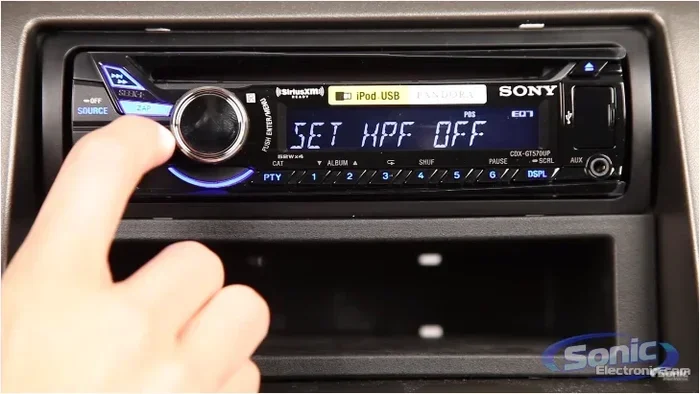
- Press and hold the power button on your stereo for 10 to 15 seconds.
- Release the button and wait 30 seconds.
- Turn the car back on and check if the audio system responds normally.
This method fixes most minor glitches. If your screen was frozen or the sound was cutting out, a power cycle often solves the problem right away. It is the first thing you should try every single time.
Method 2: Disconnect the Car Battery
If the power cycle does not work, the next step is to disconnect your car battery. This fully cuts power to the audio system and clears any stored error codes. Here is how:
- Turn off the engine and remove the keys from the ignition.
- Open the hood and locate the car battery.
- Use a wrench to loosen the negative terminal bolt first. Always disconnect the negative terminal first for safety.
- Wait at least 5 minutes. This gives the system time to fully discharge.
- Reconnect the negative terminal and tighten the bolt.
- Start the car and test the audio system.
This method is very effective for stubborn issues. It resets the entire electrical system, not just the audio. If your car has a car battery disconnect reset feature, you may not even need a wrench. Some newer vehicles let you access the reset through the dashboard menu.
One thing to keep in mind: disconnecting the battery may also reset other car settings. Your radio presets, clock, and some navigation preferences might clear. You will need to set those up again. But your saved stations usually stay intact.
Method 3: Use the Fuse Box Reset
Some car audio systems have a dedicated reset button or fuse. This is common in Ford, Chevrolet, and Toyota models. Here is what to look for:
- Check the owner’s manual for the fuse box diagram.
- Look for a fuse labeled “audio,” “radio,” or “infotainment.”
- Pull the fuse out with a fuse puller or a pair of needle-nose pliers.
- Wait 2 to 3 minutes, then reinsert the fuse firmly.
- Turn on the car and test the system.
This method is great if the problem is related to a blown fuse or an electrical surge. If you are not sure which fuse controls the audio, check the owner’s manual or look for labels inside the fuse box lid. If you have checked how do I manually clear my car codes before, this process feels very similar since both involve working with fuses and electrical connections.
Method 4: Factory Reset Through the Infotainment Menu
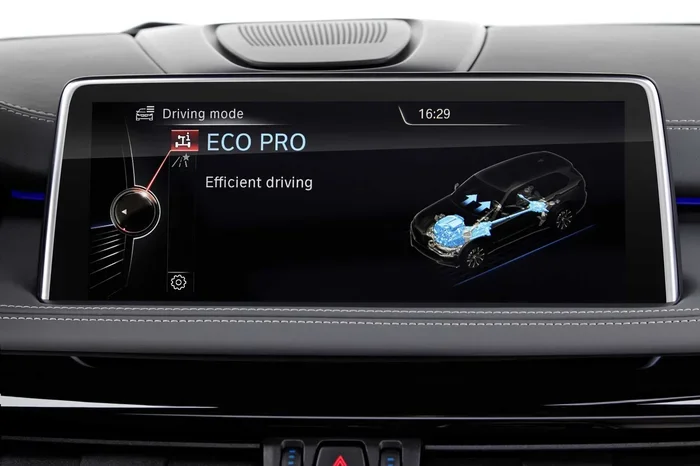
Many modern cars have a factory reset option built into the infotainment screen. This is the most thorough software reset available. Here is the general process:
- Turn on the car and press the menu or settings button on the infotainment screen.
- Look for a section called “System,” “Audio,” or “Factory Reset.”
- Select the factory reset option.
- Confirm the reset when prompted.
- Wait for the system to reboot. This can take 2 to 5 minutes.
- Reconnect your phone and set up your presets.
The exact steps vary by car brand and model. If you drive a Ford, for example, the process may differ from a Toyota or Honda. Always refer to your owner’s manual for brand-specific instructions. This method is perfect when your car audio troubleshooting efforts have not worked with simpler resets.
Common Car Audio Problems That Need a Reset
Not all car audio problems require a reset. But some issues are almost always fixed by one. Let us look at the most common problems and how a reset helps.
No Sound from the Speakers
If your car stereo turns on but produces no sound, the issue could be a software glitch or a wiring problem. Start with a power cycle reset. If that does not work, try disconnecting the battery for 10 minutes. If you still get no sound, check the speaker fuses. Sometimes a blown fuse is the culprit, and a simple fuse replacement does the trick.
Static or Crackling Noise
Static noise is one of the most annoying car audio problems. It can come from a loose connection, a ground wire issue, or a software error. A soft reset often clears static caused by a software glitch. If the static persists, check the antenna connection and ground wires. If those look fine, a hard reset may clear the issue.
Bluetooth Connectivity Issues
Bluetooth problems are very common after software updates or battery disconnects. A reset refreshes the Bluetooth module and clears pairing errors. Try a soft reset first. If your phone still will not connect, delete the car from your phone’s Bluetooth list and pair it again. If you are having trouble with how do I pair my Iphone to my car, a reset often clears the connection errors that block pairing.
Frozen or Unresponsive Screen
A frozen infotainment screen is frustrating but usually easy to fix. Hold the power button for 15 seconds to force a restart. If the screen stays frozen, disconnect the battery for 5 minutes. This gives the system a full power drain and clears any stuck processes. After reconnecting, the screen should boot up normally.
Car Audio Reset Methods by Brand
Different car brands use different reset procedures. Here is a quick look at how the process varies across popular brands.
Ford Car Audio Reset
Ford vehicles often have a dedicated audio reset in the settings menu. For many Ford models, you can also hold the power button for 20 seconds to force a reboot. If those do not work, disconnecting the battery for 10 minutes usually resets the system completely.
Toyota Car Audio Reset
Toyota cars use a simple power cycle for most resets. Turn the key to the off position, hold the power button for 10 seconds, and wait a minute before turning it back on. For a deeper reset, Toyota owners can also remove the audio fuse for a few minutes and reinsert it.
Chevrolet Car Audio Reset
Chevrolet infotainment systems respond well to a factory reset through the settings menu. You can also try holding the volume knob for 10 seconds to trigger a reboot. If the screen is completely frozen, a battery disconnect for 5 minutes usually does the trick.
Honda Car Audio Reset
Honda vehicles often require a simple battery disconnect for a full reset. Remove the negative terminal for 5 to 10 minutes, reconnect it, and turn the car on. The audio system should restart with default settings. For minor glitches, a 15-second power button hold works well.
Tips to Keep Your Car Audio System Running Smoothly
Resetting your car audio is great for fixing problems, but prevention is even better. Follow these simple tips to keep your sound system in top shape.
Keep Your Software Updated
Many modern car audio systems receive software updates. These updates fix bugs and improve performance. Check your owner’s manual or visit your dealer to see if updates are available for your vehicle. Keeping your system updated reduces the need for frequent resets.
Avoid Overloading the Electrical System
Aftermarket accessories like amplifiers and subwoofers can strain your car’s electrical system. If you have added any upgrades, make sure they are installed correctly. Poor wiring can cause audio glitches that a reset cannot fix. If you are unsure about how much weight my car can hold or how much electrical load your system can handle, consult a professional installer.
Protect Your System from Moisture
Moisture is the enemy of car electronics. Keep your windows closed when it rains, and avoid driving through deep water. If water gets into the audio system, it can cause short circuits and permanent damage. A quick reset will not fix water damage, so prevention is key.
Use Quality Audio Files
Playing low-quality or corrupted audio files can cause your system to freeze or glitch. Stick to well-formatted MP3, AAC, or FLAC files. If you stream music, make sure your phone has a stable connection. A weak Bluetooth signal can also cause audio dropouts that feel like a system problem.
Regular Maintenance Checks
Every few months, inspect your audio connections. Check the fuse box for any blown fuses. Make sure the antenna is secure. Clean the infotainment screen gently with a microfiber cloth. These small habits go a long way in preventing problems before they start.
When to Seek Professional Help for Car Audio Issues
A reset fixes most car audio problems. But sometimes, the issue is deeper than software. Knowing when to call a professional saves you time and money.
Call a mechanic or audio specialist if:
- The reset does not fix the problem: If you have tried both soft and hard resets and the issue persists, something physical may be wrong.
- You hear a grinding or popping noise: This usually means a blown speaker or damaged amplifier. Software resets cannot fix hardware damage.
- The system smells like burning: Unusual odors coming from the stereo indicate an electrical short. Turn the system off immediately and get professional help.
- Water has gotten into the system: Water damage requires thorough cleaning and possibly part replacement. A reset will not help in this case.
- The fuse keeps blowing: If you replace the fuse and it blows again, there is a deeper wiring issue that needs expert diagnosis.
A good audio specialist can diagnose problems that a simple reset cannot fix. They have the tools and experience to check wiring, amplifiers, and speakers. If you are near a dealership, they can also run diagnostic tests on your car audio system that are not available to the average car owner.
Before you visit a shop, it helps to know what you have already tried. Tell the mechanic which reset methods you used and what happened. This saves time and helps them pinpoint the issue faster.
Final Thoughts on Resetting Your Car Audio
Resetting your car audio system is one of the easiest and most effective things you can do to fix common sound problems. A simple power cycle takes less than a minute and solves most minor glitches. A battery disconnect goes deeper and clears stubborn software errors. And a factory reset through the infotainment menu handles the most persistent issues.
The key is to start simple and work your way up. Try the power cycle first, then the battery disconnect, and finally the factory reset. If none of these work, check the fuses and wiring. And if the problem still persists, it is time to call a professional.
Remember, regular maintenance keeps your audio system healthy. Update your software, protect the system from moisture, and use quality audio files. These habits reduce the need for resets and keep your music sounding great for years to come.
So the next time your car stereo acts up, do not stress. You now have the knowledge and tools to fix it yourself. A quick reset might be all it takes to get you back to enjoying your favorite tunes on the road.
Frequently Asked Questions
How long does it take to reset a car audio system?
A soft reset takes less than a minute. A battery disconnect reset takes about 10 to 15 minutes including the wait time. A factory reset through the infotainment menu can take 2 to 5 minutes for the system to reboot. The entire process is quick and does not require any special tools.
Will resetting my car audio system delete my saved stations and presets?
A soft reset will not delete anything. A hard reset or factory reset may clear your custom presets and saved radio stations. Your Bluetooth pairings might also be removed and need to be set up again. Always try a soft reset first to avoid losing any settings.
Can I reset my car audio system while driving?
No, you should never reset your car audio while driving. Always park the car and turn off the engine before attempting any reset. Working on the electrical system while driving is dangerous and can cause accidents. Pull over to a safe location first.
Why does my car audio keep freezing even after a reset?
If the freezing continues after multiple resets, the problem is likely hardware-related. It could be a faulty amplifier, a damaged speaker wire, or a failing infotainment unit. In this case, it is best to visit a professional audio specialist or your dealership for a thorough diagnosis.
Is it safe to disconnect my car battery to reset the audio system?
Yes, it is completely safe when done correctly. Always disconnect the negative terminal first and wait at least 5 minutes before reconnecting. This method resets the entire electrical system and is a standard troubleshooting step recommended by most car manufacturers.
Do I need any special tools to reset my car audio system?
Most resets require no tools at all. A battery disconnect reset needs a basic wrench to loosen the terminal bolt. A fuse box reset requires a fuse puller or needle-nose pliers. Everything else can be done directly through the car’s infotainment screen or by holding buttons on the stereo unit.
=== INTERNAL LINKS ===
For more related car care guides, check out these helpful resources on our site:
- Learn how to pair your iPhone to your car if Bluetooth issues are causing audio problems.
- Find out how to manually clear car codes if your dashboard is showing error messages alongside audio issues.
- Discover whether you can drive with a dead key fob battery, which can sometimes affect car electrical systems.